What to Consider When Planning Your Salesforce Backup

It's easy to assume Salesforce keeps a copy of everything and will hand it back if something goes wrong. It doesn't. Under Salesforce's shared-responsibility model, the platform keeps the service running; protecting your data and configuration is on you. So sooner or later every team has to plan a backup — and the options vary a lot more than "switch it on."
Here's a neutral checklist of what actually matters, before you commit to any approach.
1. Coverage: what are you actually protecting?
"Backup" often means just records — but a Salesforce org is more than its data. There are four distinct layers, and a gap in any one bites at the worst possible time:
- Metadata — your configuration: objects, fields, flows, layouts, profiles, and code. This is the structure of the org; lose it to a bad deploy and the data has nowhere to live.
- Data — the records themselves (accounts, opportunities, custom objects). The obvious one.
- Files — ContentVersion files, attachments, documents. Often the largest volume, and frequently the forgotten layer.
- Email — EmailMessage records: the communication history tied to your records, which matters for support and compliance.
The first question for any backup approach: which of these four does it actually cover? Many cover only data.
2. Where does the backup live?
A backup is only as useful as your access to it. Worth asking:
- Do you control the storage, or does it sit in a vendor's cloud you can't see into? Storage you own — your own cloud bucket, your own database — means no lock-in and a clear answer to "can we actually get our data out."
- Data residency — if you're in a regulated industry or region (finance, healthcare, public sector), where the backup physically lives is a compliance question, not a preference.
- Cost model — per-record or per-GB pricing can surprise you as the org grows; flat or self-hosted storage is more predictable.
3. Restore, not just backup
A backup you can't restore is just expensive storage. The restore path is where approaches differ most:
- Granularity — can you restore a single record or field, or only the whole org? Most real incidents are small and surgical.
- Relationships — does the restore preserve lookups and parent–child links, or do you get orphaned records?
- Preview before write — can you see what will change before it touches the live org?
- Time to restore (RTO) — how long from "oh no" to "recovered"? Test it. A restore you've never run is a hope, not a plan.
4. Frequency, retention, and history
- How often — daily is a baseline; some data deserves more.
- Retention — how long do you keep backups, and does that satisfy your compliance window?
- History vs overwrite — does each backup keep a point-in-time version you can roll back to, or just overwrite the last snapshot? History is what lets you recover from a problem nobody noticed for a week.
5. The scenarios you're actually planning for
Back up against the failures that really happen, not an abstract "disaster":
- An admin deletes or overwrites the wrong thing.
- A deployment clobbers a teammate's work or drops field values.
- A departing employee, a buggy integration, or a mass update gone wrong.
- A compliance or legal hold that needs a clean point-in-time copy.
- Even the happy path: seeding a sandbox from real (or masked) data.
If an approach can't cover the scenario you're most likely to hit, the rest of the feature list doesn't matter.
6. Operational fit
The things that decide whether a backup actually runs, every day, without you:
- Automation — scheduled and hands-off, not a manual export someone forgets.
- Scale — does it stay within Salesforce API limits on a large org?
- Failure alerting — you want to know when a backup didn't run, not discover it mid-restore.
- Security — encryption at rest, and access control over who can read or restore.
A quick checklist
Before you commit, make sure you can answer "yes":
- Covers metadata, data, files, and email — not just records.
- Backup lives somewhere you control, in a region you're allowed to use.
- Selective restore, with relationships intact and a preview before it writes.
- Scheduled, with retention/history that meets your compliance window.
- Alerts on failure — and you've tested an actual restore.
How mtdt.io covers it
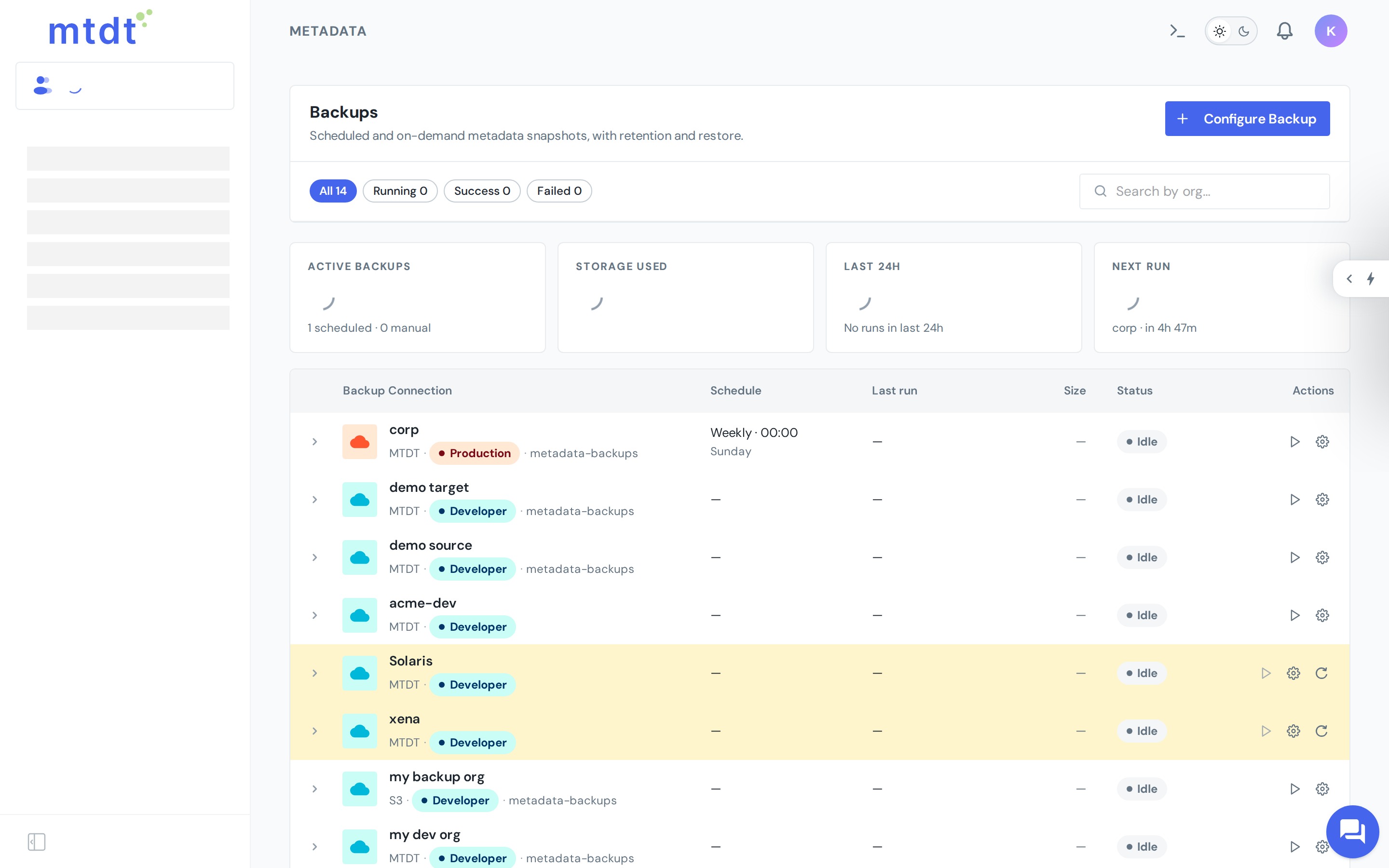
If you want to see one way this looks in practice, mtdt.io backs up all four layers — to storage you own:
- Metadata backup — your org's configuration, versioned as a recoverable checkpoint.
- Data backup — records to a queryable store: CSV for portability, or your own PostgreSQL with point-in-time history and field-level restore.
- Email backup — EmailMessage records archived to your own database and storage.
- File backup — ContentVersion files and attachments protected in your own S3.
Whatever you choose, the checklist above is the part that matters — pick the approach that answers it for your org.
FAQ
Does Salesforce back up my org for me? Not in the way most teams assume. Under Salesforce's shared-responsibility model, the platform keeps the service running, but protecting your own data and configuration is on you — so every team eventually has to plan a backup itself.
What are the four layers a Salesforce backup should cover? Metadata (the org's configuration — objects, fields, flows, layouts, profiles, code), data (the records themselves), files (ContentVersion attachments and documents), and email (EmailMessage records). Many backup approaches cover only data, leaving the other three layers exposed.
Why does it matter where the backup is stored? Storage you don't control means you can't verify data residency for regulated industries, and you may be locked into a vendor's cloud with an unpredictable per-record or per-GB cost. Storage you own — your own cloud bucket or database — gives you a clear answer to "can we actually get our data out."
What makes a restore actually usable in an incident? Granularity (can you restore a single record or field, not just the whole org), preserved relationships (no orphaned records from broken lookups), a preview before anything writes to the live org, and a tested time-to-restore — a restore you've never run is a hope, not a plan.
Does mtdt.io cover all four backup layers? Yes. mtdt.io backs up metadata, data (to CSV or your own PostgreSQL with point-in-time history), email, and files — each to storage you own.
Was this page helpful?
Let us know how we did