CSV & S3 Data Backups
The simplest way to back up Salesforce records with mtdt.io: export them to CSV files and keep them in object storage — mtdt's own storage, or your own S3-compatible bucket. No database to run; just portable snapshots you can download whenever you need them.
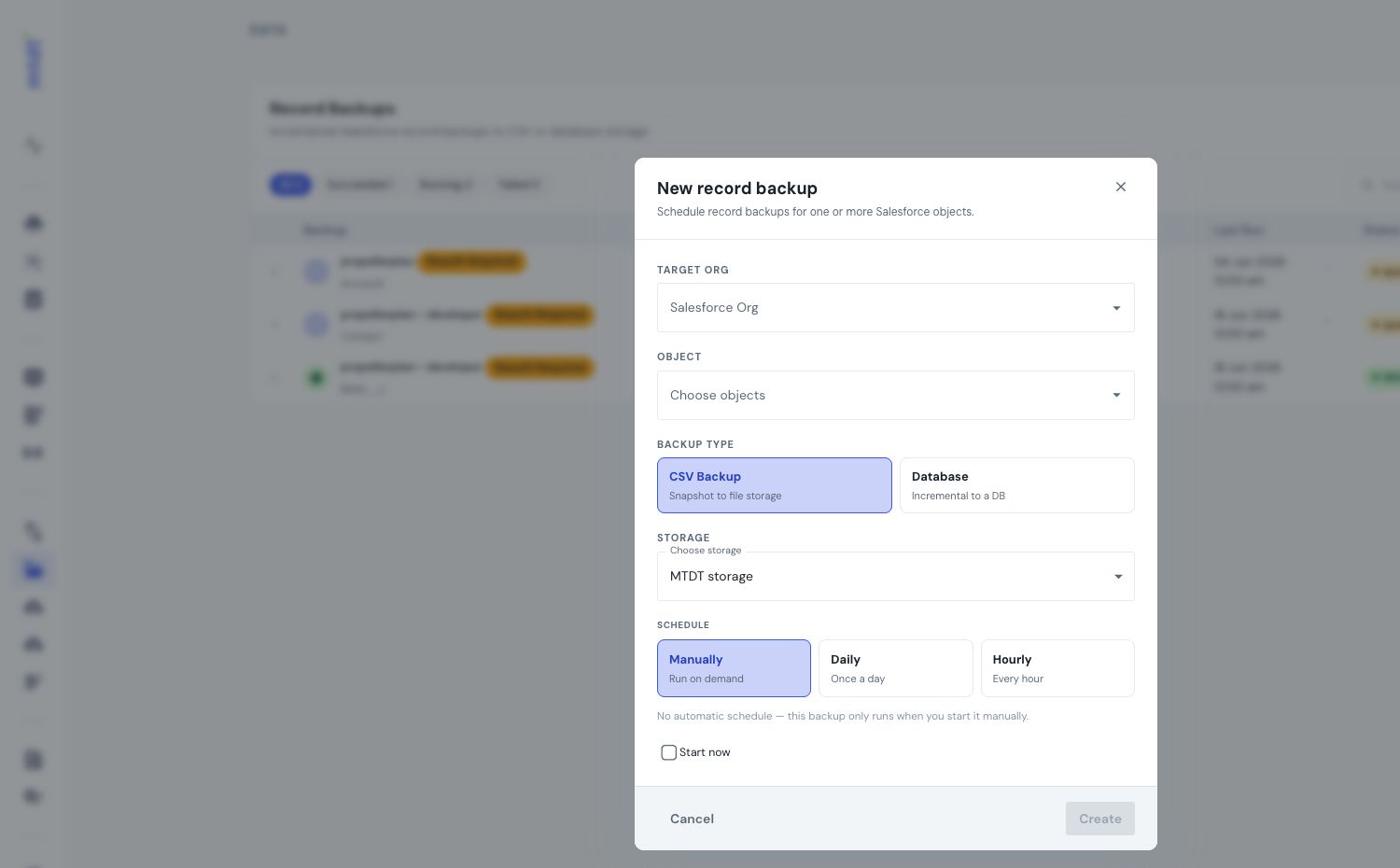
This is the right mode when you want a straightforward, hand-off-able copy of your data. For a queryable, versioned backup in your own database, see PostgreSQL backups instead.
How it works
- Under Record Backups, create a backup and choose the CSV type.
- Pick the objects to protect and a destination — mtdt.io storage, or your own S3-compatible bucket connected under Storages.
- On each run, mtdt exports the selected objects' records to CSV and stores them at that destination, keeping a history of every run.
Each run is a point-in-time snapshot — a set of CSV files capturing the records as they were at that moment.
Getting your data back
- Download the CSV from any successful run to use it anywhere — a spreadsheet, a data-loader, another system.
- Restore a backup's records into a target org when you need to recover.
When to use CSV
- You want a portable copy you can open, share, or import elsewhere.
- You'd rather not run a database just to hold backups.
- You already have an S3 bucket and want backups to land there.
- Point-in-time snapshots are enough — you don't need per-record history or SQL access.
Trade-offs vs. PostgreSQL
| CSV / S3 | PostgreSQL | |
|---|---|---|
| Setup | none beyond a bucket | connect a database |
| Portability | high (plain CSV) | data lives in your DB |
| Per-record version history | no | yes |
| Query with SQL / BI | no | yes |
If you need to query your backup, browse a record's history, or keep a living source of truth, use PostgreSQL backups.
Scheduling, limits & best practices
CSV backups follow the same schedule, plan limits, and best practices as any data backup.