Backing Up Salesforce Emails
Salesforce logs sent and received emails as EmailMessage records — some of the most compliance-sensitive data in the org. mtdt.io backs them up incrementally to your own PostgreSQL database and S3 storage, giving you a queryable email archive you control.
You manage email backups under Email Backups.
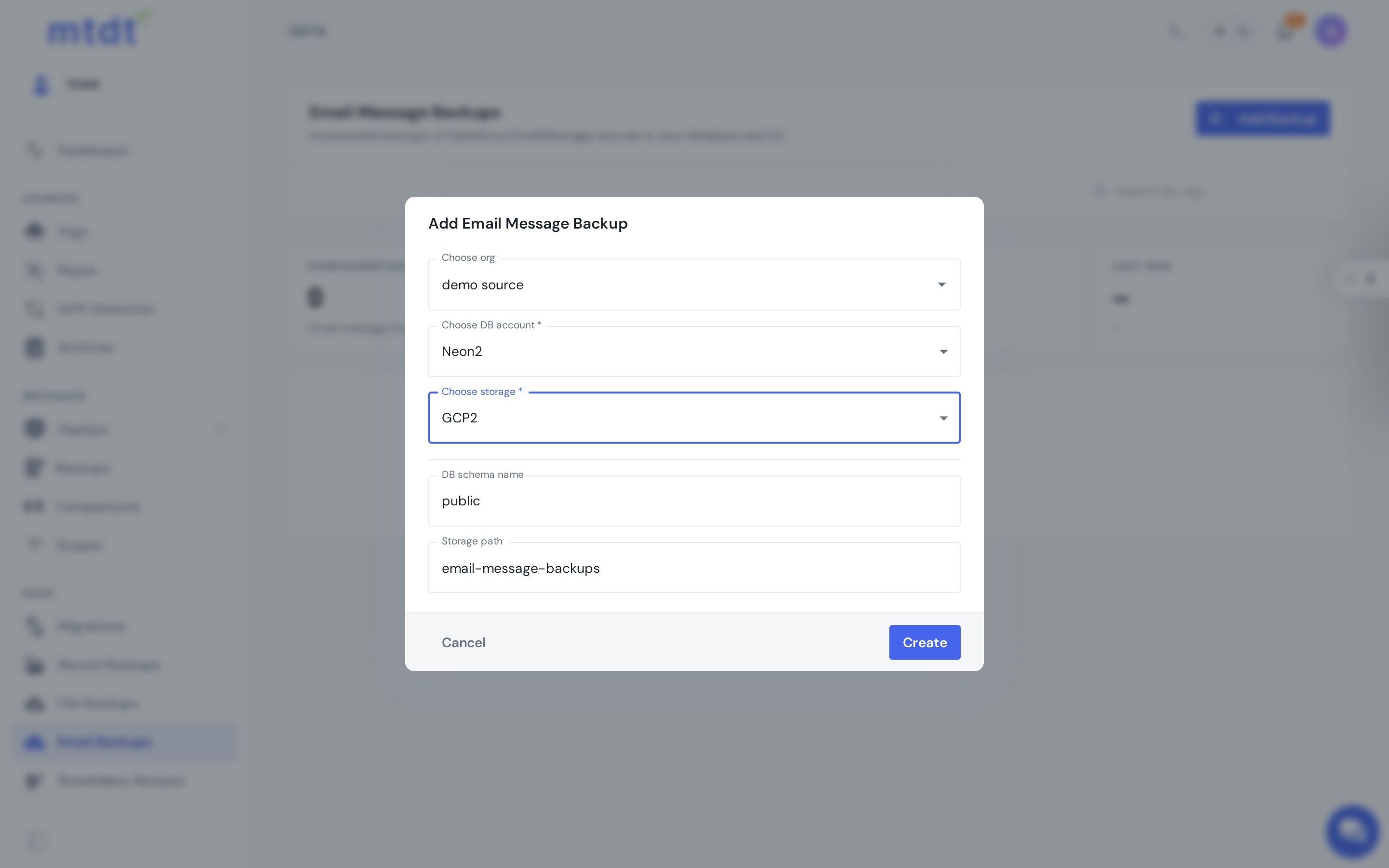
How it works
- Connect a database and an S3-compatible bucket under Storages.
- Under Email Backups, choose Add Backup and set:
- the Salesforce org to back up,
- the DB account (where the EmailMessage records are stored),
- the S3 storage (where bodies and attachments are stored),
- the DB schema name and storage path.
- mtdt.io runs incremental backups — each run captures new and changed EmailMessages without re-pulling everything.
Because the records land in a real database, the archive is queryable: you can read backed-up emails through a database endpoint.
Why back up emails
- Compliance & legal hold — keep a complete, independent email record for as long as policy requires.
- E-discovery & audit — query the archive directly instead of exporting under pressure.
- Retention & storage — preserve emails outside Salesforce's storage limits, in infrastructure you control.
Best practices
- Back up the orgs that log customer email — service and support orgs first.
- Use your own database and bucket so you own the archive and its cost.
- Run on a schedule so the incremental archive stays current.
- Pair with record backups and file backups for complete data coverage.
For the bigger picture, see Salesforce email backup to your own database & S3.