PostgreSQL Data Backups
Back up your Salesforce records into your own PostgreSQL database — a real, queryable database you control, with a full history of every backup and a precise restore back into an org. This is mtdt.io's smart data backup mode.
If you just need simple, portable snapshots, CSV & S3 backups may be enough. Use PostgreSQL when you want a queryable, versioned source of truth.
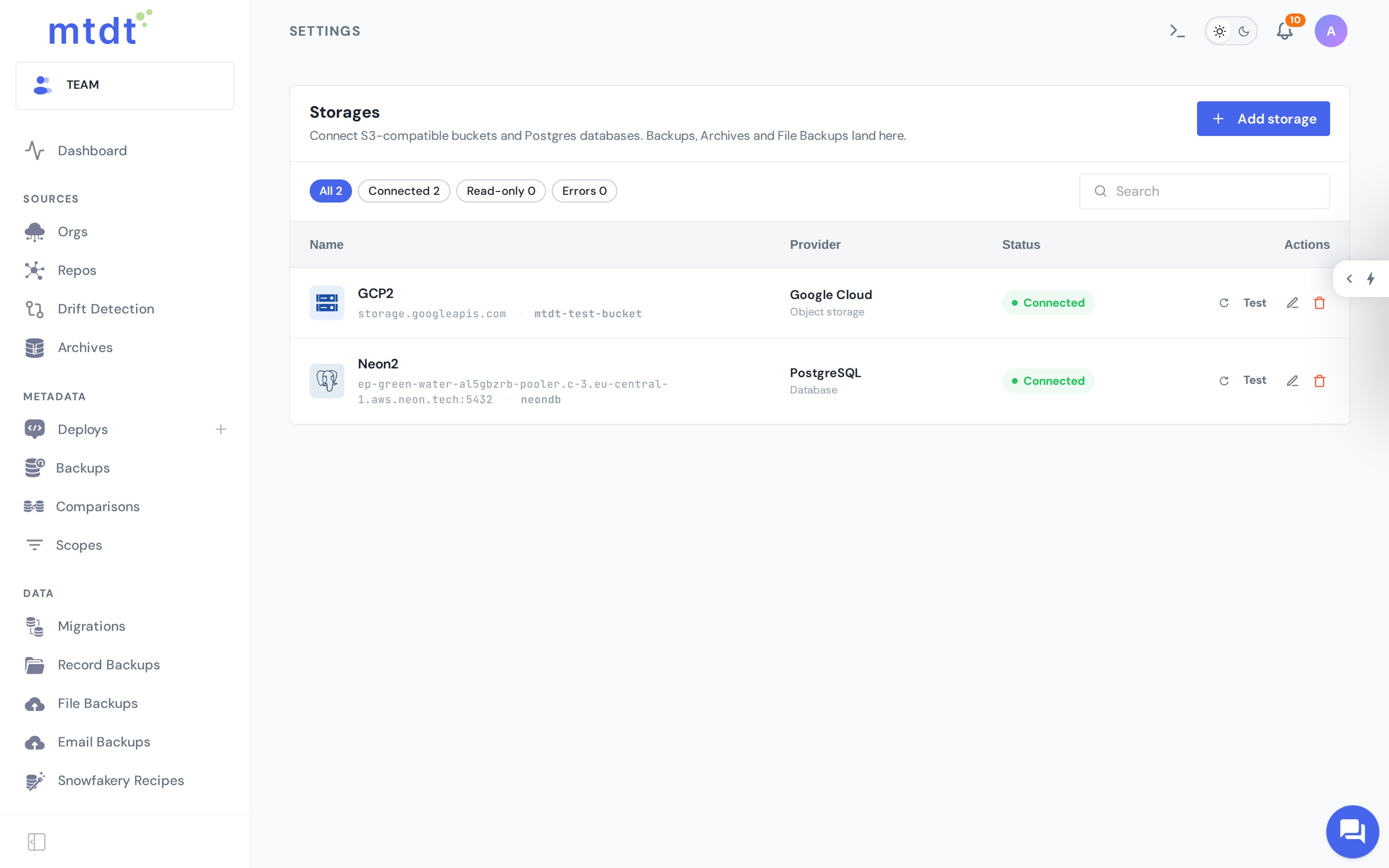
Connect your database
You connect your own PostgreSQL — any standard Postgres works, managed (Neon, AWS RDS, Cloud SQL, Supabase, Azure) or self-hosted — under Storages, and your records land there.
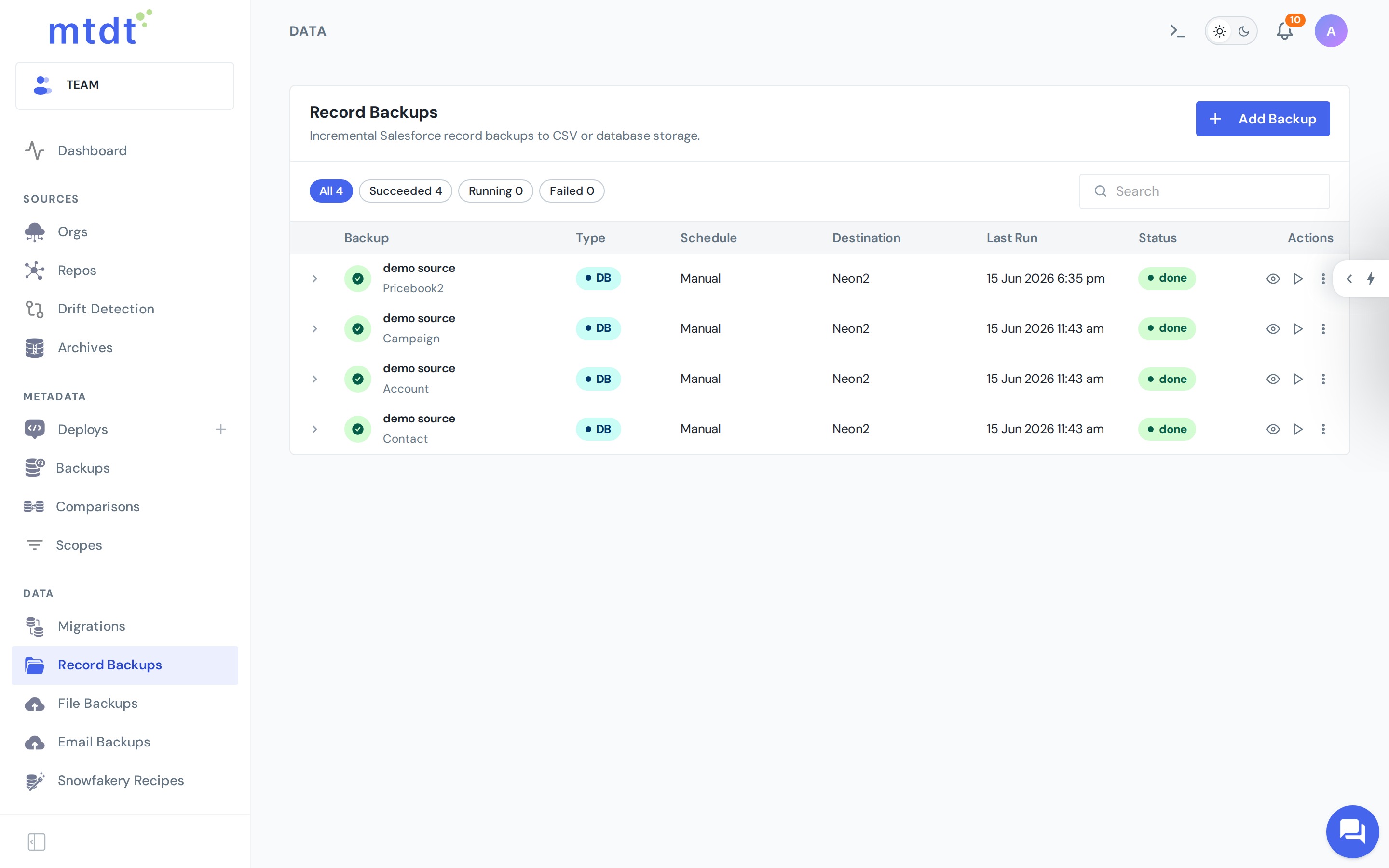
Create the backup
Under Record Backups, create a backup with the DB (PostgreSQL) type, pick the database as the destination, and choose the objects to protect. Backups run incrementally — the first run captures everything, later runs only pull what changed.
A full history you can browse
Each run is a point you can return to, not just "the latest copy." Open a backup to browse the records it captured — pick a snapshot, filter (including deleted records), and drill into any record's history.
Deletions never lose data: when a record is deleted in Salesforce, the backup records that it was deleted, and the previous state stays in your database.
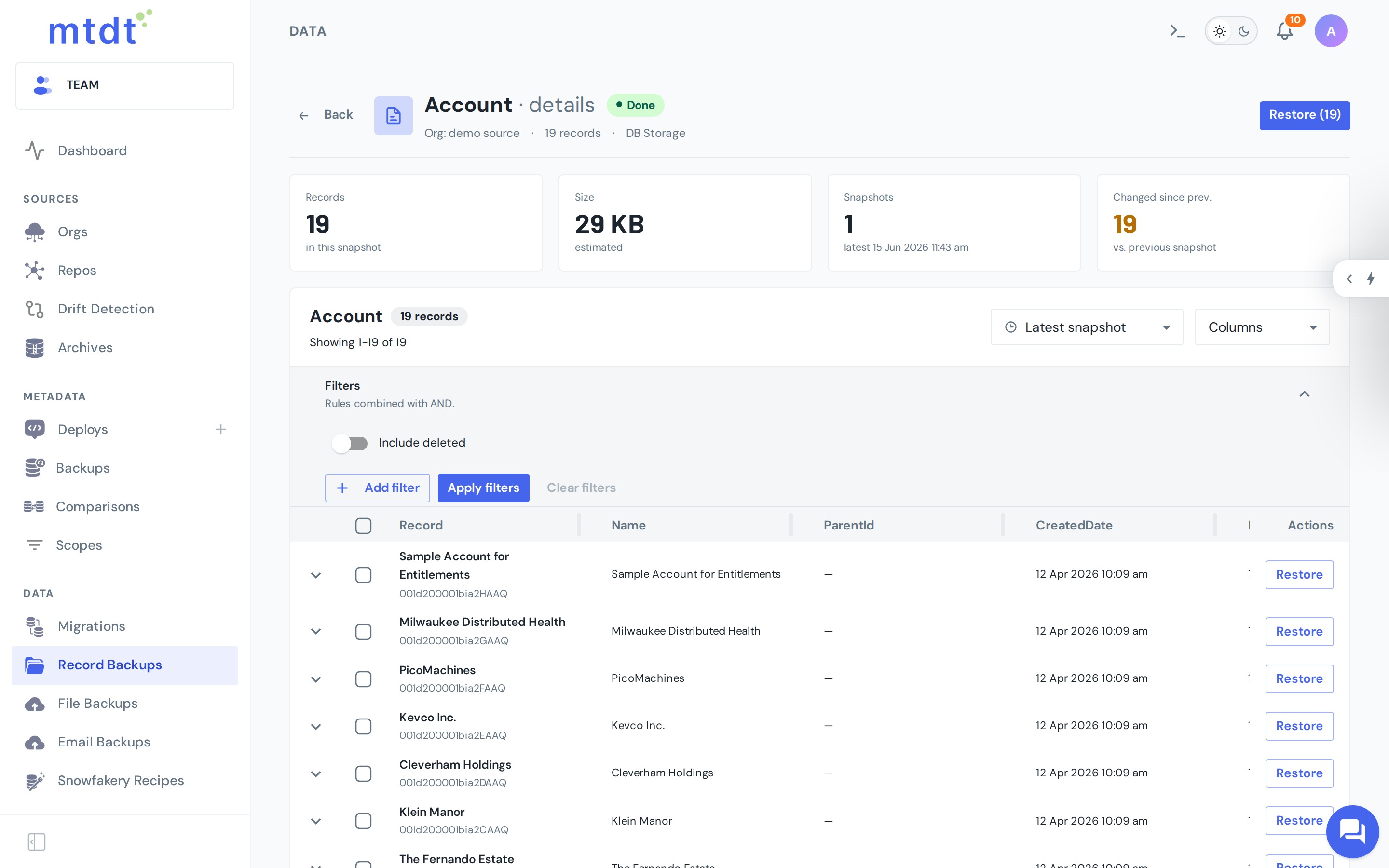
A backup preserves every state it actually observes at each run — a reliable point-in-time history, not a live capture of every intermediate edit between runs.
Changes in your org won't break it
When your Salesforce objects change — fields added, renamed, or retyped — the backup adapts to the new shape on the next run and keeps going. Nothing is silently dropped: the raw record is always preserved, even for a field the backup hasn't seen before.
Restore back into an org
Pick a record (or a whole set) and restore it into a target org. Before anything is written, mtdt.io shows a field-by-field preview — the backed-up value next to the current org value — so you choose exactly which fields to put back. No blind overwrite.
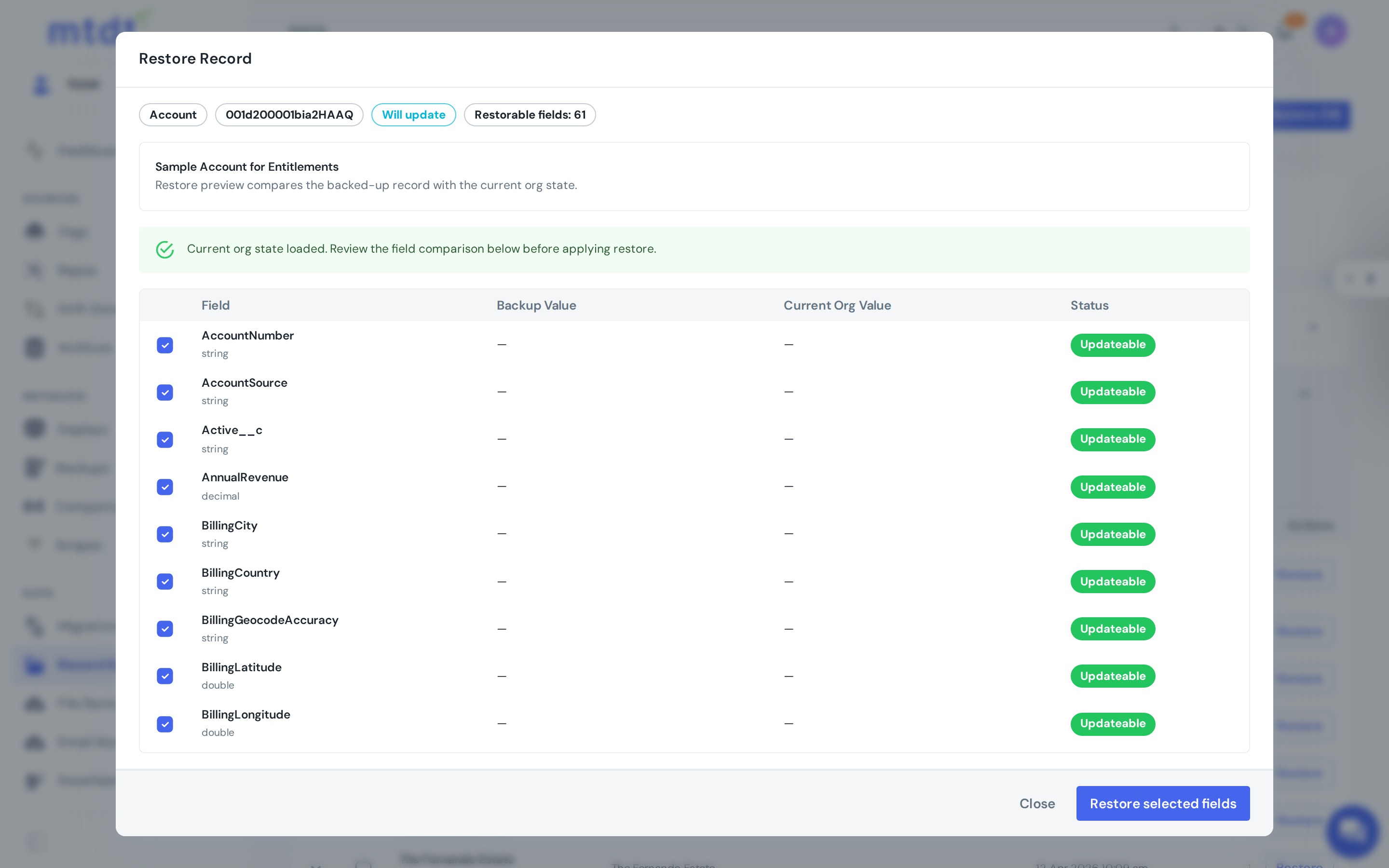
On apply, mtdt writes the records back and re-establishes their relationships, so the restored data is usable, not just present (no orphaned child records).
When to use PostgreSQL
- Compliance & retention — an immutable, time-stamped history in a database you control.
- Point-in-time recovery — restore the last good state of a record.
- Reporting & BI — query your Salesforce data in PostgreSQL without hammering the org's API.
- Audit — see how a record changed over time, including deletions.
For the bigger picture, see Salesforce data backup to your own PostgreSQL. Scheduling, plan limits, and best practices are covered in the data backup overview.