Deploy Apex Test Suites Between Salesforce Orgs — Where Change Sets Can't

You set up a few Apex Test Suites, you like how they group your tests — and then you go to move them to another org through a change set, and there's no option for them anywhere in the component list. You're not missing a setting: change sets simply don't carry test suites. The Metadata API does, though — and that's the path mtdt.io deploys through, moving the suite org→org with its member test classes recommended so nothing lands broken.
Change sets can't deploy an Apex Test Suite
An Apex Test Suite is the ApexTestSuite metadata type — a named set of Apex test classes you run together. Salesforce's own Metadata Coverage report is blunt about how it moves: ApexTestSuite deploys through the Metadata API, source tracking, and unlocked packages, but its Change Sets column is empty.
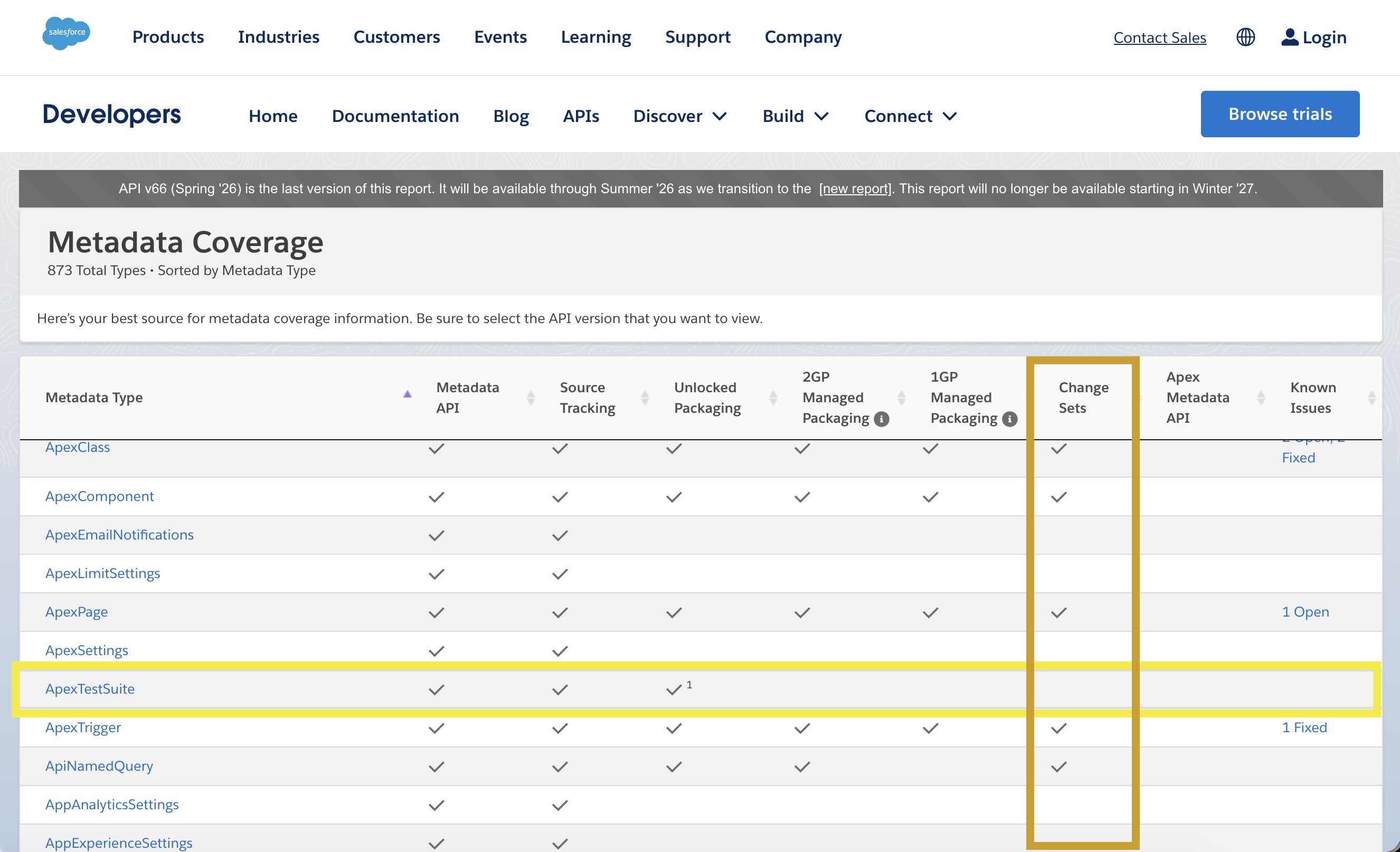
So a change-set-only team has no path to migrate test suites — they recreate them by hand in every org. One thing not to confuse: a change set does have a deploy-time Run specified tests box where you type test-class names, but that runs tests at validation; it doesn't deploy the test suite itself. This is a Salesforce platform limit, the same in Spring '26 as it was years ago.
mtdt.io deploys test suites as first-class metadata
mtdt.io deploys through the Metadata API, so a test suite is just selectable metadata. Pick the suite and it deploys org→org with its membership — which classes belong to it — intact:
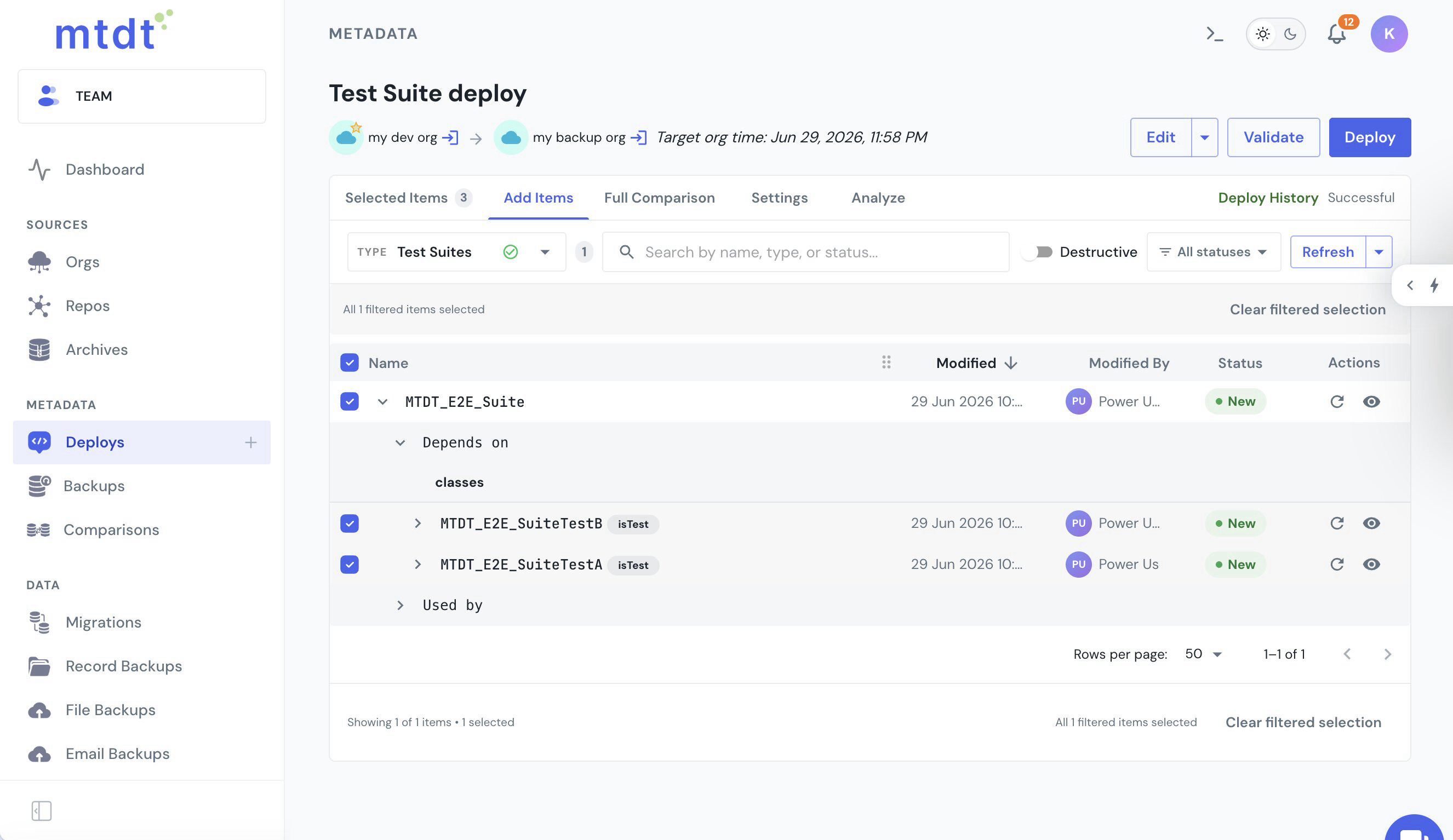
On the target the suite lands as a real ApexTestSuite with its TestSuiteMembership populated — the runtime object behind it, not just the XML — so it's ready to run, no manual rebuild.
A suite needs its member classes — mtdt ships them together
A test suite is only a grouping; it depends on the actual Apex test classes. Deploy the suite into an org that doesn't have those classes and Salesforce rejects it:
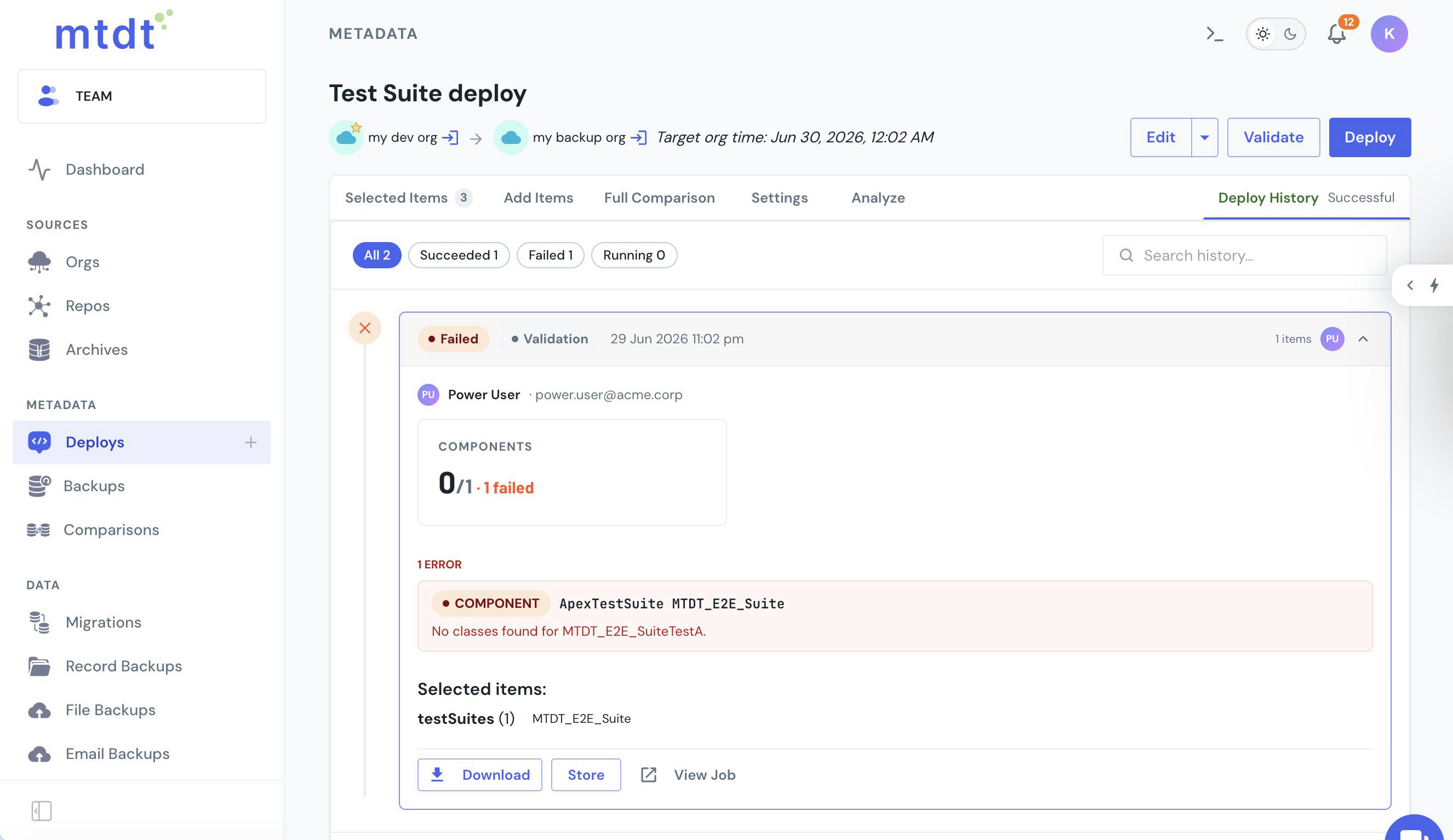
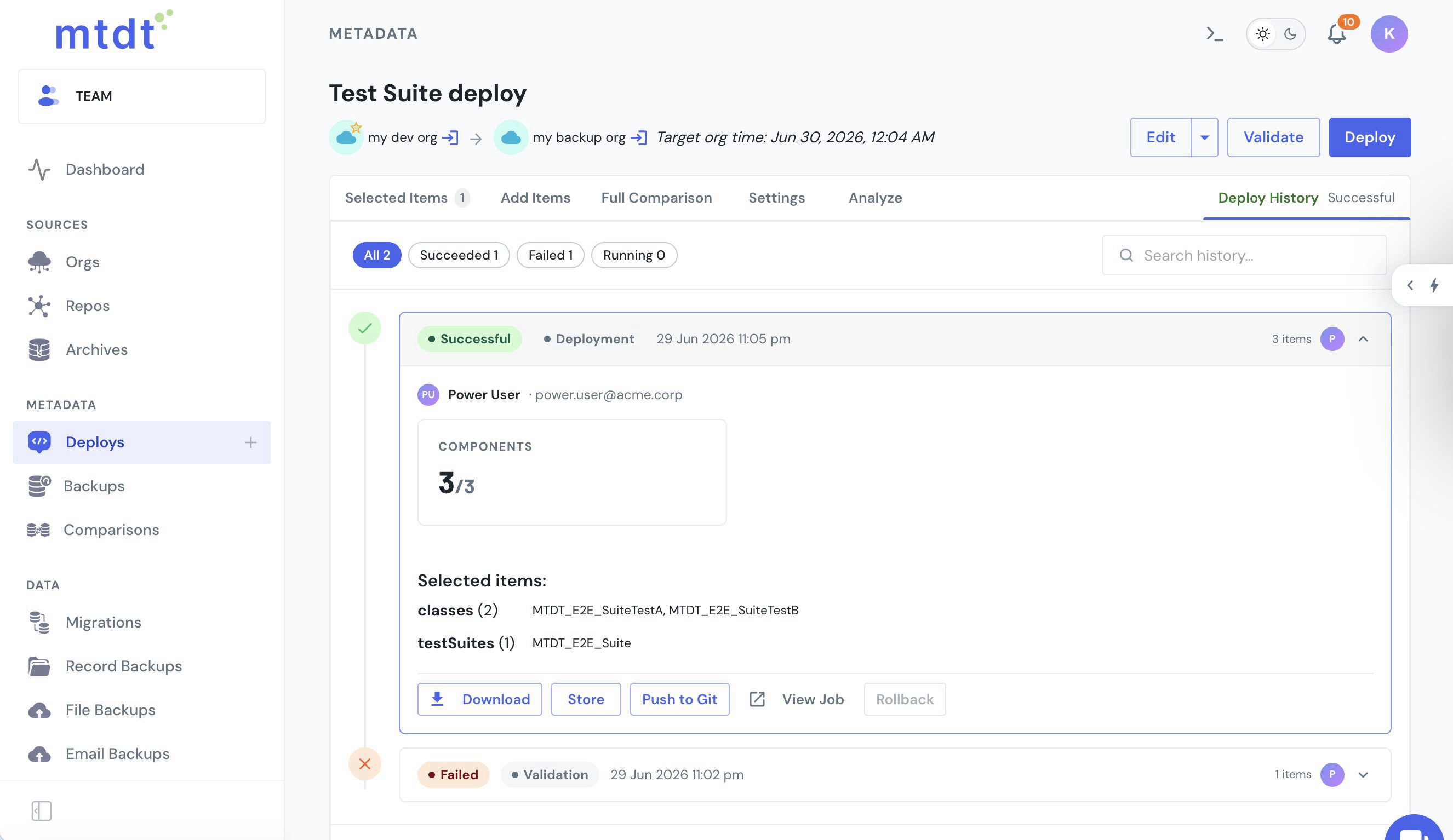
Salesforce's own dependency graph (MetadataComponentDependency) doesn't model the suite→class link, so a tool leaning on it gives no warning. mtdt.io reads the membership out of the suite's metadata and its Impact Analysis maps the suite to the test classes it depends on — flagged against the target, one click to include. Add them and the suite lands in one shot:
Running a suite is a separate step
One honest limit worth stating: there's no "run this test suite" option during a metadata deploy. The Metadata API's deploy test levels take test-class names (Run Specified Tests) or the standard run-all / run-local options — not a suite. That's Salesforce's design: a suite is executed by the Apex test runner (or the Tooling API), separately from a deployment.
mtdt surfaces the suite's member classes, so if you want to gate the deploy on them you can drop them into Run Specified Tests. For the deploy-time test-coverage side of things, see Deploy Salesforce Apex Without Failing the 75% Test Coverage Rule.
FAQ
Can you deploy an Apex Test Suite with a change set?
No. Salesforce's own Metadata Coverage report lists ApexTestSuite as supported by the Metadata API, source tracking, and unlocked packages, but its Change Sets column is empty. A change set's "Run specified tests" box only runs tests at validation time — it doesn't move the suite itself.
Why does deploying just the test suite fail on the target org? A test suite is only a grouping of Apex test classes — it depends on those classes actually existing on the target. If they don't, Salesforce rejects the deploy with an error like "No classes found for [class name]." Salesforce's dependency graph doesn't model the suite→class link, so most tools give no warning before this happens.
How does mtdt.io deploy a test suite without it landing broken?
mtdt.io reads the membership out of the suite's own metadata, and its Impact Analysis maps the suite to the member test classes it depends on, flagged against the target with one click to include them. Deploying the suite together with its recommended classes lands the suite and its TestSuiteMembership in one shot.
Can mtdt.io run the test suite as part of the deploy? Not the suite itself — running a suite is a separate step handled by the Apex test runner or the Tooling API, not the deploy's test-level options. mtdt.io does surface the suite's member classes, so you can drop those class names into a deploy's Run Specified Tests to gate the deploy on them.
Move your test suites between orgs
Let mtdt.io deploy Apex Test Suites org→org — membership intact, the member test classes recommended so nothing lands broken — where change sets give you no path at all.
Log in to mtdt.io and deploy your test suites.
Was this page helpful?
Let us know how we did