Recovering a Salesforce Sandbox After an Accidental Refresh — Back It Up First

There are two kinds of Salesforce admins: the ones who back up their sandboxes, and the ones who haven't been through an accidental refresh yet. A sandbox refresh can't be undone, and as of 2025 Salesforce support no longer recovers an overwritten sandbox — so the only way back is a metadata backup you made before the refresh, which mtdt.io runs on a free, scheduled basis. The day someone refreshes the wrong sandbox — weeks of unreleased config, gone in one click — you find out which kind of admin you are.
A sandbox refresh can't be undone
A refresh permanently replaces a sandbox with a fresh copy from its source org. There's no "undo," and the rescue people used to count on is gone. For years the advice was: call Salesforce support within 72 hours and they'll revert it. As of 2025 that's no longer true — Salesforce support no longer recovers overwritten sandboxes; the internal tool they used was unsupported, and they retired it.
So once a sandbox is refreshed, the only copy of your work is the one you made yourself, beforehand. Miss that and the config really is gone.
The fix is boring: back it up before you need it
mtdt.io runs scheduled metadata backups of your orgs — automatically, on a recurring schedule, with every run logged in a backup history you can restore from. When a sandbox gets refreshed out from under you, the customizations aren't lost: you redeploy them from the most recent backup.
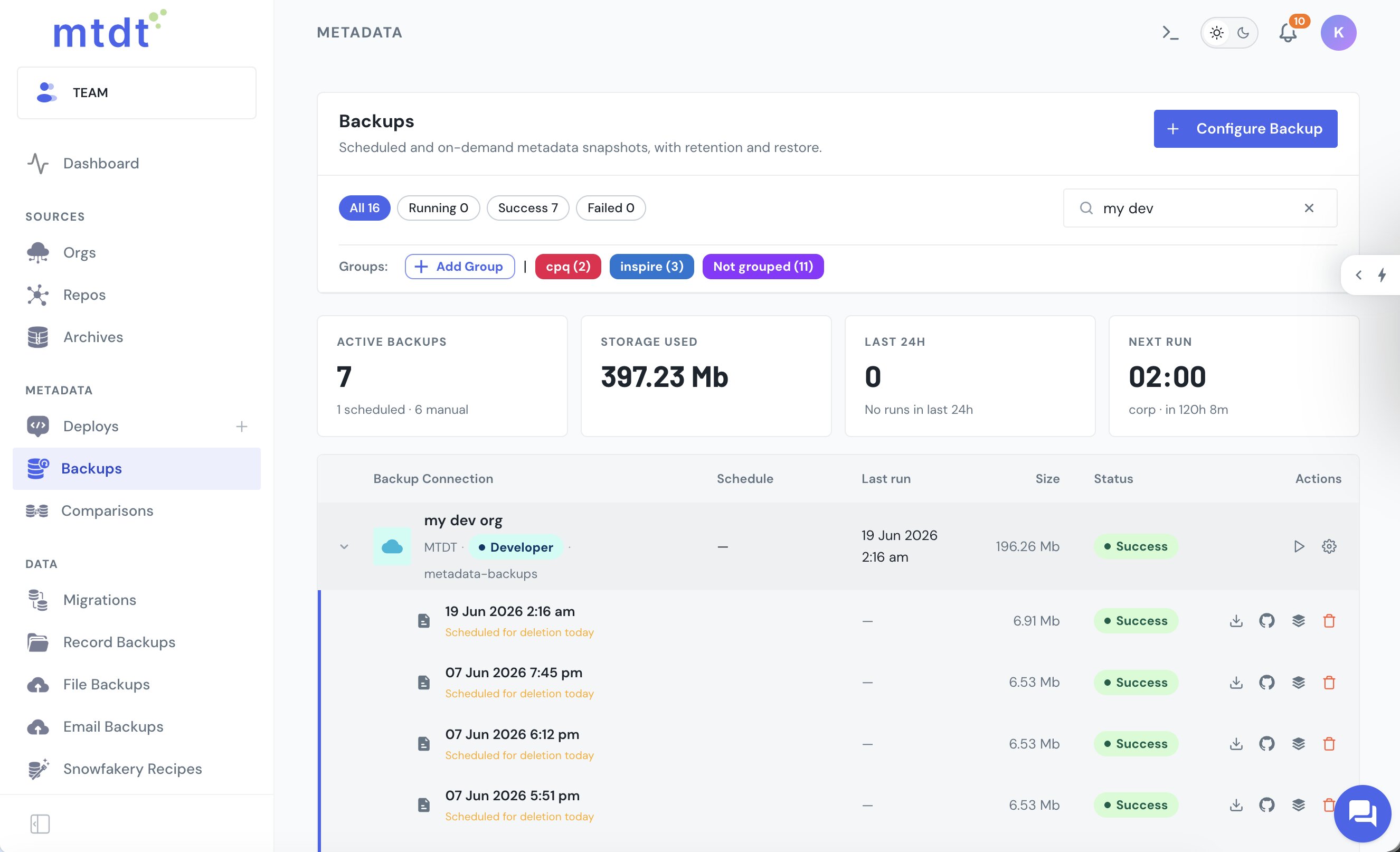
Even better: sync your metadata to Git
A backup you can diff is worth more than one you can only restore. mtdt.io pushes an org's metadata into a connected Git repository, so every change is versioned and reviewable next to your code. A refreshed sandbox becomes a non-event — the full history of your metadata is sitting in Git, and you pull back whatever you need.
And it's on the free plan
Here's the part that removes the excuse: scheduled backups and Git sync aren't paywalled. mtdt's Forever Free plan includes a weekly scheduled metadata backup and a Git integration, no credit card. (Pro and Team add more frequent schedules and more connections.) There's genuinely no reason to be in the second category of admin.
Once a refresh has landed and you're cleaning up, The Salesforce Post-Sandbox-Refresh Checklist covers everything else to fix before your users notice.
FAQ
Can Salesforce support recover a sandbox after an accidental refresh? No, not anymore. For years the advice was to call Salesforce support within 72 hours and they'd revert it, but as of 2025 Salesforce no longer recovers overwritten sandboxes — the internal tool they used for it was unsupported and has been retired. A refresh permanently replaces the sandbox with a fresh copy from its source org, with no built-in undo.
How do you recover config after a Salesforce sandbox refresh wipes it out? The only way back is a copy of your metadata made before the refresh happened. mtdt.io runs scheduled metadata backups of your orgs automatically, logging every run in a backup history, so when a sandbox gets refreshed you redeploy your customizations from the most recent backup instead of rebuilding them by hand.
Is mtdt.io's sandbox backup feature free? Yes. mtdt's Forever Free plan includes a weekly scheduled metadata backup and a Git integration, with no credit card required. Pro and Team plans add more frequent backup schedules and more connections, but the baseline protection isn't paywalled.
What's the advantage of syncing sandbox metadata to Git instead of just backing it up? A Git sync gives you a diffable, versioned history of every change, reviewable next to your code, rather than just a restorable snapshot. mtdt.io pushes an org's metadata into a connected Git repository, so if a sandbox is refreshed, the full history of that metadata is already sitting in Git and you pull back whatever you need.
Don't wait for the refresh that ruins your week
Set up a scheduled metadata backup and Git sync in mtdt.io — free — so an accidental sandbox refresh just means a quick redeploy.
Log in to mtdt.io and back up your orgs.
Was this page helpful?
Let us know how we did