Salesforce Permission Set Flow Access: Why the List Is Empty — and Deploying the Grant Between Orgs

You open a permission set, go to Flow Access, and try to add a flow — but the Available Flows list is empty. Your org has plenty of flows; not one of them shows up to grant. That's by design: the list only shows flows that are active and run in the running user's context, so an inactive flow or one set to system context won't appear. The bigger problem comes later — once a permission set grants flow access, deploying it to an org missing that flow hard-fails, and mtdt.io fixes this by recommending the flow as a dependency before the deploy runs.
Why the Available Flows list is empty
The Flow Access picklist only lists flows that are active and that run in the running user's context — flows whose execution is actually governed by a permission. An inactive flow has nothing to grant yet, and a flow that runs in system context doesn't need user access, so neither one appears.
Activate the flow — and make sure it's a type that runs as the running user (a screen flow, or an autolaunched flow that isn't set to system context) — and it shows up. The empty list is a Setup-UI filter — nothing's broken, there's simply nothing grantable to list yet.
The harder problem: moving the grant to another org
Once you've granted flow access, the grant lives inside the permission set itself, as a flowAccesses entry (the same element for permission sets and profiles):
<flowAccesses>
    <enabled>true</enabled>
    <flow>Onboarding_Screen_Flow</flow>
</flowAccesses>
It points at the flow by name. Deploy that permission set to an org that doesn't have the flow, and the deploy hard-fails:
In field: flow — no FlowDefinition named Onboarding_Screen_Flow found
The permission set doesn't land — the whole component stops on the missing reference.
The catch is what doesn't warn you. Salesforce's own dependency graph — MetadataComponentDependency, the API that change sets and most tools lean on — models nothing for the permission-set-to-flow edge. Nothing flags that the permission set needs the flow before you deploy. You find out when it breaks.
How mtdt.io flags it
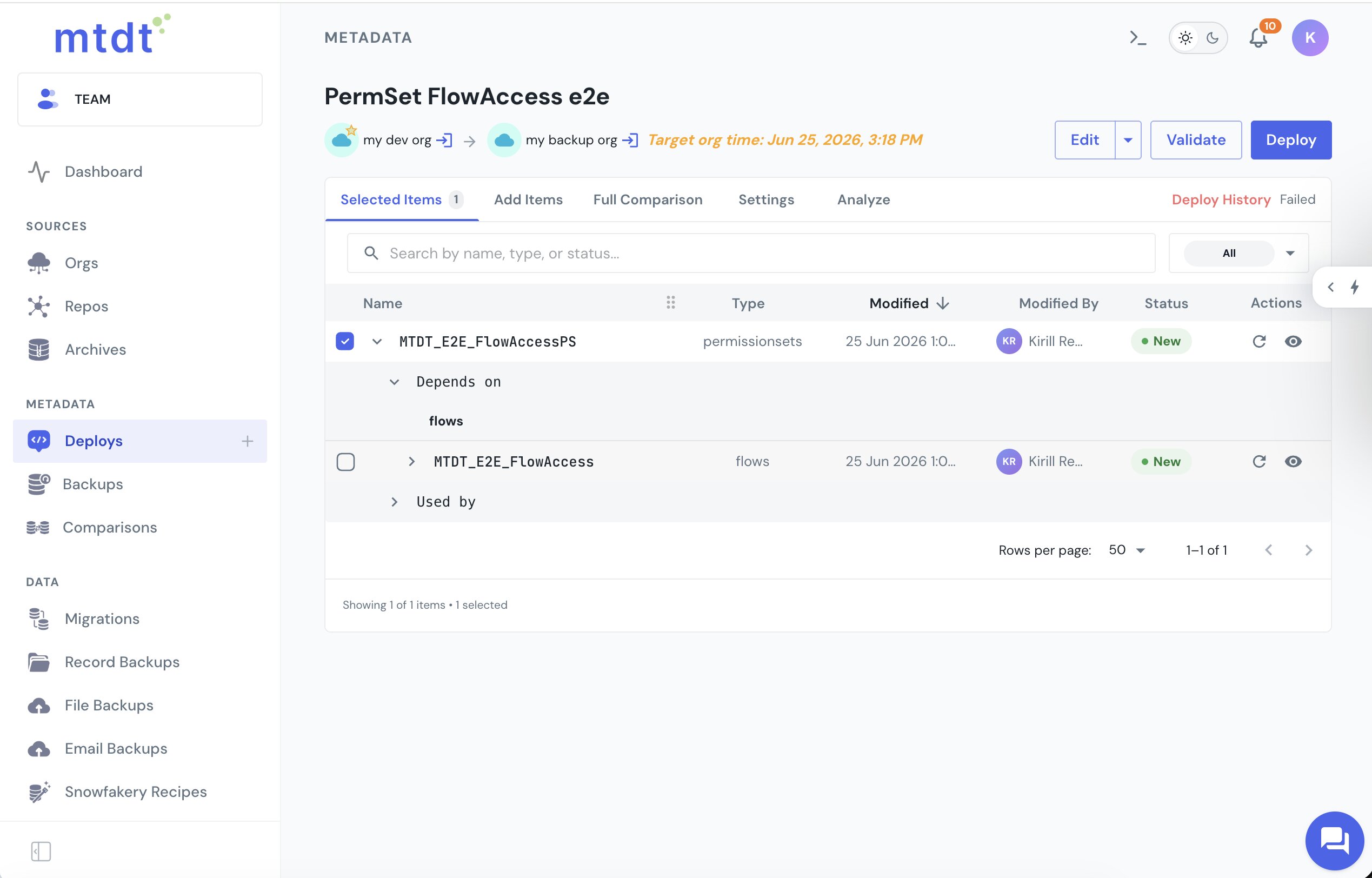
mtdt.io reads a permission set's flow-access grants and recommends the flow each one references. Add a permission set to a deployment, expand it, and its Depends on tree surfaces the granted flow — tagged New when the target doesn't have it yet:
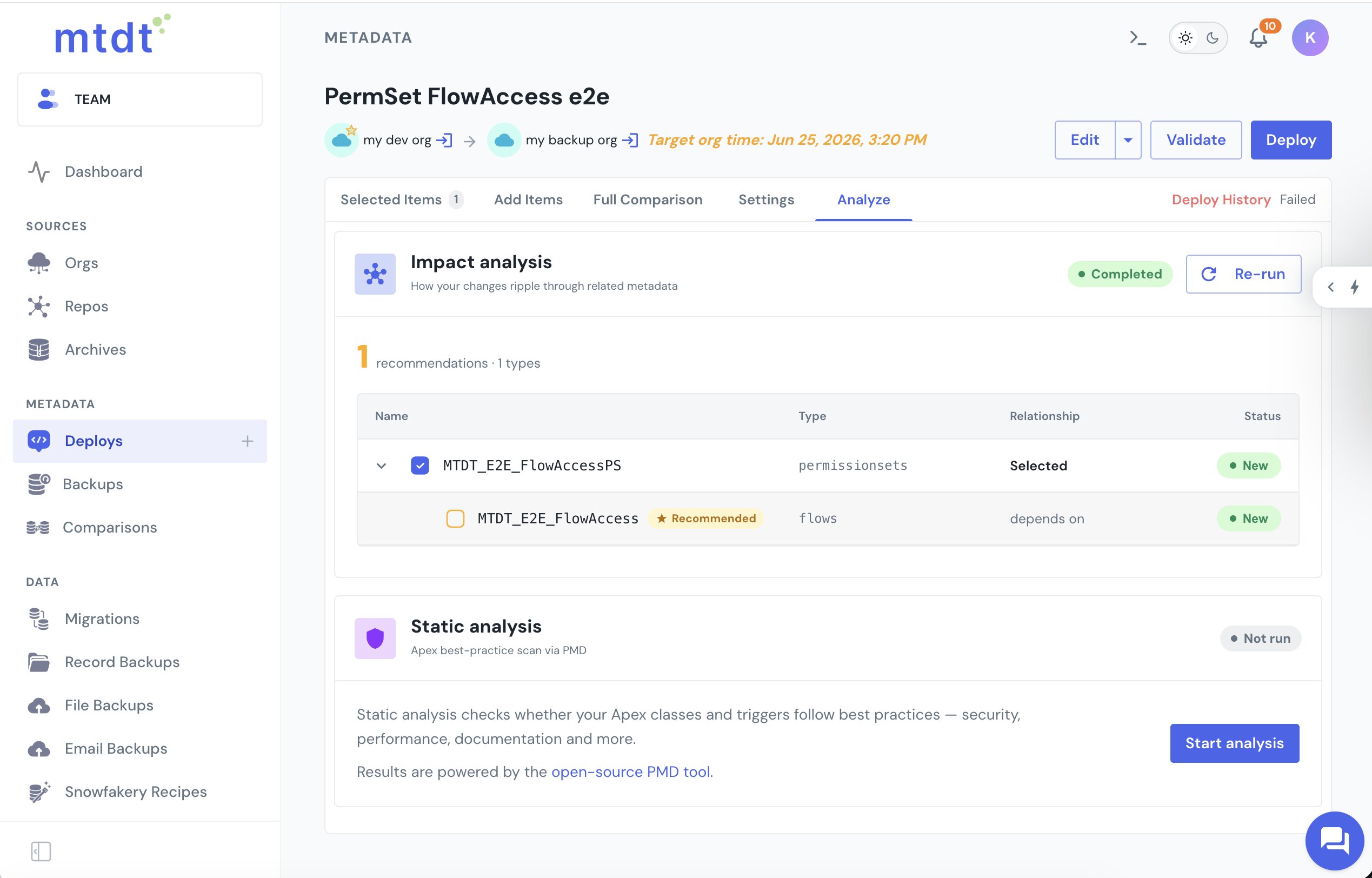
The Analyze tab makes it explicit — Impact Analysis lists the flow as a recommendation, with its type (flows), relationship (depends on), and New status against the target:
And it's surfaced at the moment it matters most: the deploy wizard's Pre-deployment Checks flag the same flow before you confirm, so a permission set never goes out into the missing-flow error:
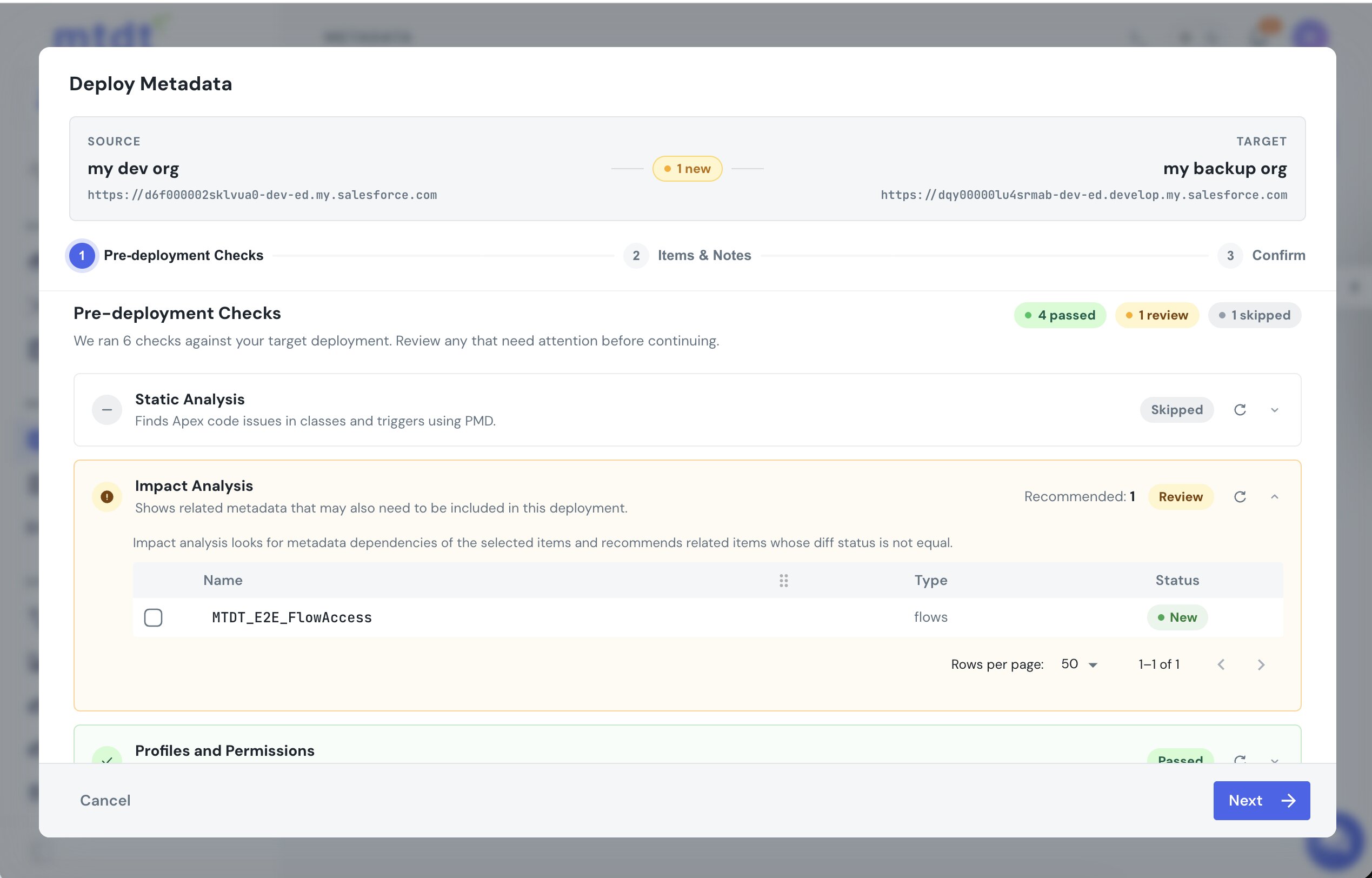
Include the flow, and the permission set and its flow deploy together — the grant resolves instead of hard-failing on a flow that isn't there.
This is the same dependency Salesforce models nothing for with record types, global value sets, and report types — mtdt recommends each one. See Deploy Salesforce Record Types Without 'Picklist Value Not Found', Fix 'Global Value Set Cannot Be Resolved', and Deploy a Custom Report Type to Production.
FAQ
Why is the Available Flows list empty in a permission set's Flow Access? The picklist only lists flows that are active and run in the running user's context — a screen flow, or an autolaunched flow not set to system context. An inactive flow has nothing to grant yet, and a flow running in system context doesn't need user access, so neither appears. Nothing is broken; activate the flow and set the right run context and it will show up.
Why does deploying a permission set with flow access fail on the target org?
The grant lives inside the permission set as a flowAccesses entry that points at the flow by name. If the target org doesn't have that flow, the deploy hard-fails with no FlowDefinition named … found, and the whole permission set fails to deploy — not just the flow-access piece.
Does Salesforce warn me that a permission set needs a specific flow before I deploy?
No. Salesforce's own dependency graph, MetadataComponentDependency — the API most change-set and deployment tools rely on — models nothing for the permission-set-to-flow edge. Nothing flags the missing flow before the deploy; you only find out when it fails.
How does mtdt.io prevent this deploy failure? mtdt.io reads a permission set's flow-access grants and recommends each referenced flow as a dependency. It surfaces this in three places: the permission set's Depends on tree, the Analyze tab's Impact Analysis, and the deploy wizard's Pre-deployment Checks — each tagging the flow New when the target doesn't have it, so you can add it to the deployment before confirming.
Does this same gap exist for other Salesforce metadata types? Yes — Salesforce's dependency graph also models nothing for record types, global value sets, and report types referencing other components. mtdt.io recommends each of those dependencies the same way it does for permission-set flow grants.
Stop deploying permission sets into a missing-flow error
Add a permission set and let mtdt.io flag the flows it grants access to — so the grant resolves instead of failing on a flow the target doesn't have.
Log in to mtdt.io and deploy your permission sets.
Was this page helpful?
Let us know how we did