Salesforce File Backup: Protect Your Files & Attachments in Your Own S3

You back up your metadata. You back up your records. But there's a third pile of data most teams never protect: Files — the attachments, uploaded documents, images, and signed PDFs stored as Salesforce Content Versions. They're often the largest data in the org, the most expensive to store, and the least backed up.
mtdt.io backs them up to your own S3 — a copy of your Salesforce files in storage you control.
Files are the forgotten backup
A metadata backup captures your configuration. A data backup captures your records. Neither captures the binary Files attached to those records:
- contracts, quotes, and signed PDFs;
- images and design assets;
- documents uploaded to records and Chatter;
- anything stored as a Content Version.
Lose them to an accidental delete, a bad integration, or a departed admin's cleanup, and there's nothing in a metadata or record backup to bring them back. On top of that, Salesforce file storage is limited and pricey — so these files are both under-protected and over-charged.
Back up files to your own S3
mtdt.io streams your Salesforce Content Versions into an S3-compatible bucket you own — AWS S3, Google Cloud Storage, or any S3-compatible provider you've connected. Pick the org, pick the destination, and your files land in your storage.
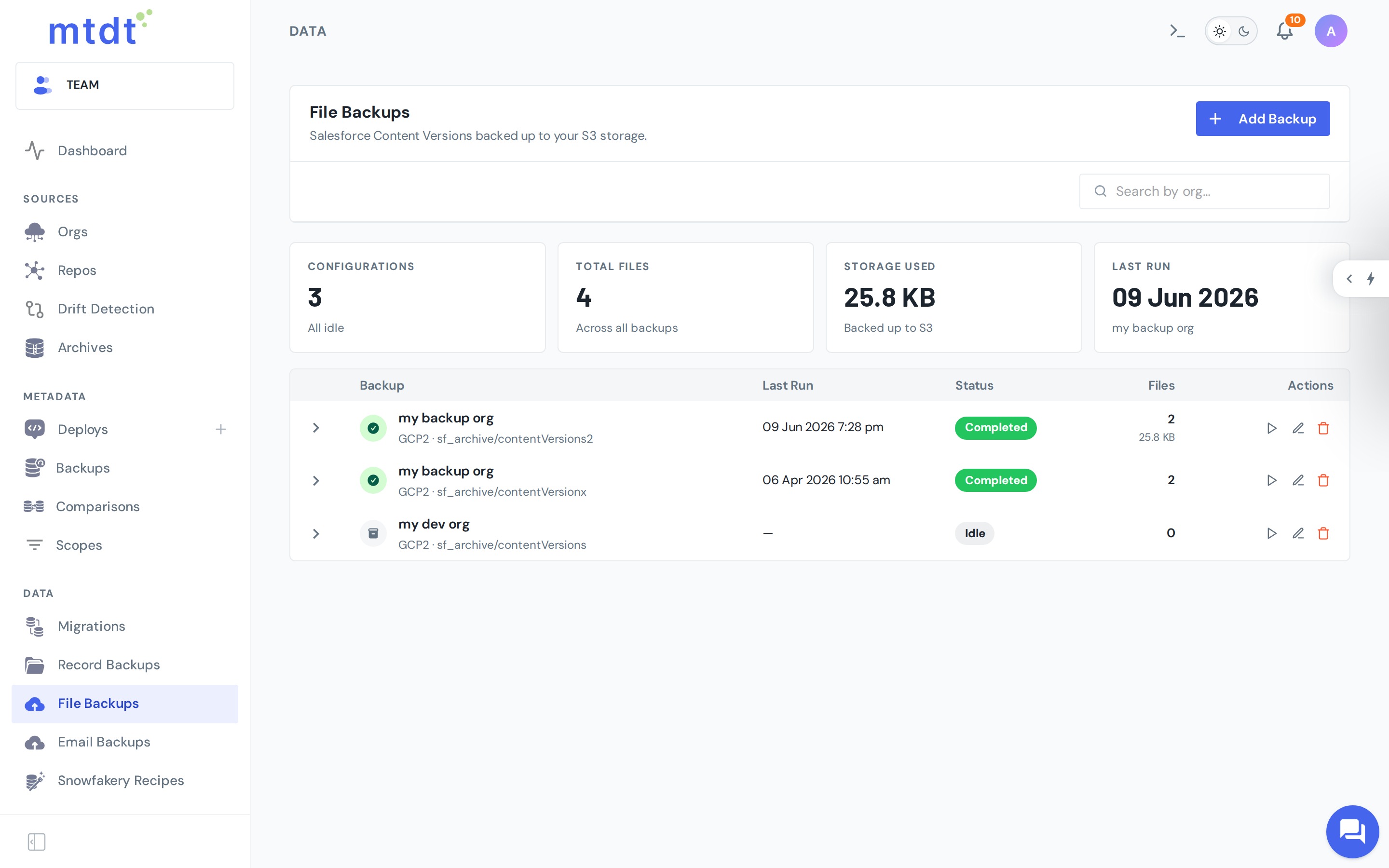
You get a clear view of each backup: how many files are captured, how much storage they use, and when each last ran — on demand or on a schedule.
Your files, your storage
Because the destination is your own bucket, the same "your data, your rules" principle applies as with private cloud storage:
- No lock-in — files sit in standard object storage you already operate and pay for.
- Your region, your access controls — the copy lives in your infrastructure.
- Cheap at scale — S3-class storage is a fraction of Salesforce file storage.
When you'd use it
- Protection — a recoverable copy of business-critical attachments and documents.
- Compliance & retention — keep files for as long as policy requires, in your control.
- Storage pressure — large file volumes you'd rather hold in cheap object storage.
- Completeness — close the gap so every layer of your org is backed up: metadata, records, and files.
Best practices
- Back up the orgs whose files would hurt to lose — production first.
- Use your own S3 bucket so you own the copy and the cost.
- Schedule it so new files are captured continuously, not in occasional manual runs.
- Pair with metadata and record backups for a complete recovery story. (See the disaster-recovery playbook.)
For the step-by-step — connecting storage, picking an org, scheduling — see the guide: Backing Up Salesforce Files.
FAQ
Do metadata or record backups also cover Salesforce Files? No. A metadata backup captures configuration and a data backup captures records, but neither captures the binary Files — Content Versions — attached to those records. Files need their own backup, which is what mtdt.io's file backup covers.
Where does mtdt.io store backed-up files? In an S3-compatible bucket you own — AWS S3, Google Cloud Storage, or any S3-compatible provider you've connected. You pick the org and the destination, and mtdt.io streams your Content Versions into it.
What counts as a Salesforce File in this backup? Anything stored as a Content Version: contracts, quotes, signed PDFs, images, design assets, and documents uploaded to records or Chatter.
Can I see how much a file backup is using? Yes. Each backup shows how many files are captured, how much storage they use, and when it last ran — run on demand or on a schedule.
Does backing up files also help with Salesforce storage cost? Yes. Salesforce file storage is limited and priced accordingly, while S3-class storage is a fraction of the cost. Backing up files to your own bucket protects them from accidental deletes or bad integrations and relieves pressure on Salesforce's storage limits at the same time.
Don't leave your files unprotected
Metadata and records are only two-thirds of your org. Back up the files too — in storage you own.
Log in to mtdt.io and back up your Salesforce files to your own S3.
Was this page helpful?
Let us know how we did