Salesforce Email Backup: Archive EmailMessages to Your Own Database & S3

Every email logged to a case, a contact, or a record lives in Salesforce as an EmailMessage. Those messages are some of the most compliance-sensitive data you hold — e-discovery, audits, disputes all turn on "what was actually sent." Yet they sit in Salesforce with finite storage and retention, and a standard backup doesn't single them out.
mtdt.io backs up your EmailMessages incrementally into your own database and S3 — a queryable email archive you control.
Why emails need their own backup
EmailMessage records are a special kind of data:
- Compliance-critical — legal hold, e-discovery, and audits depend on a complete, tamper-evident email record.
- High-volume — busy service orgs generate huge numbers of emails, eating storage.
- Easy to lose — retention rules, cleanup jobs, or a bad integration can purge them, and they're rarely the thing a generic backup is tuned for.
Keeping a complete, independent copy — outside Salesforce, in storage you control — turns "we hope it's still in the org" into "it's in our archive."
Emails to your database and S3
mtdt.io runs incremental backups of EmailMessage records into your own PostgreSQL database, with the email bodies and attachments stored in your own S3-compatible bucket. You pick the org, the database, and the storage; mtdt keeps the archive current.
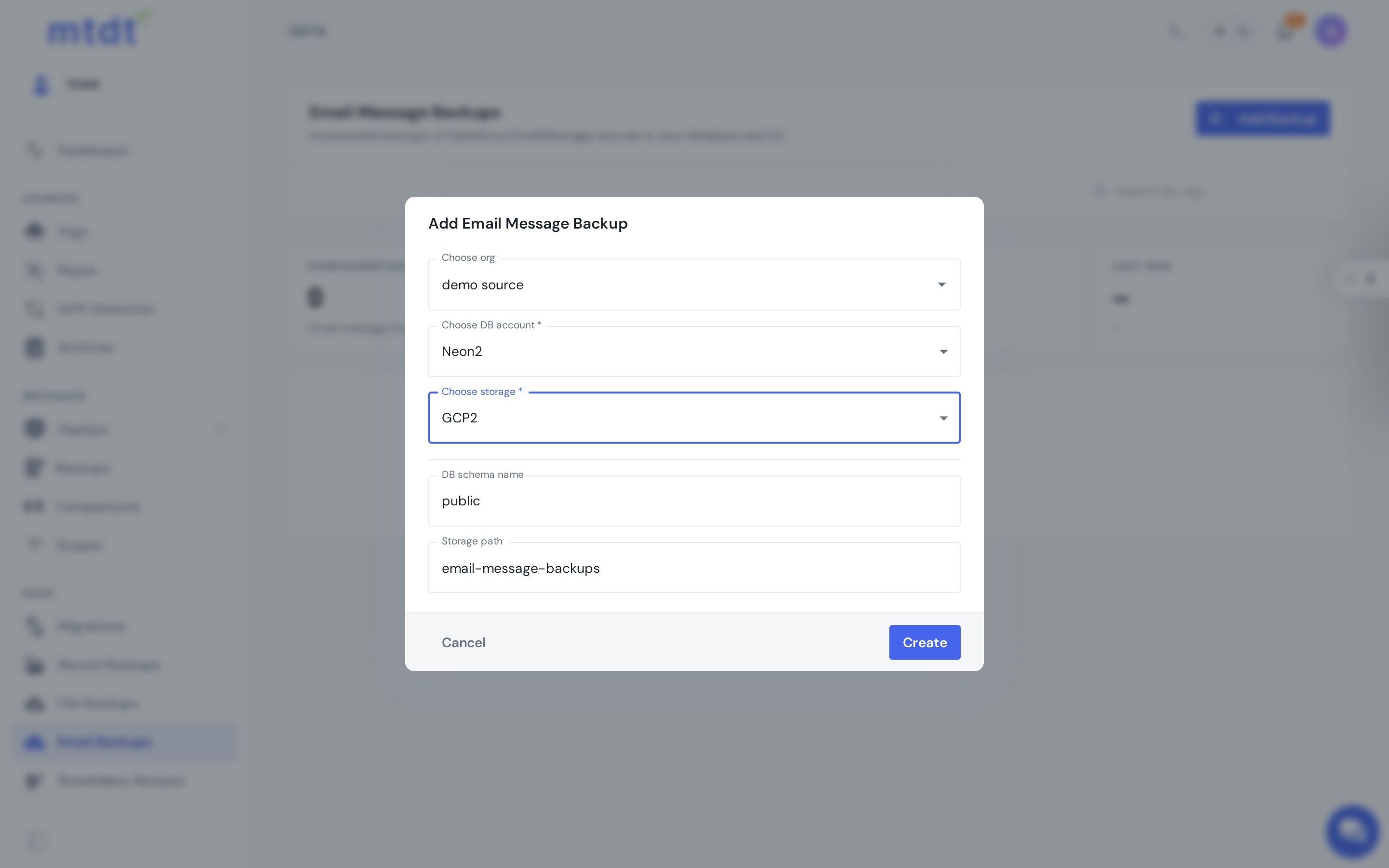
Because the records land in a real database, the archive is queryable — you can read backed-up emails through a database endpoint, not just store them.
Your archive, your infrastructure
The destination is yours: your PostgreSQL, your S3 bucket. Same "your data, your rules" principle as data backup and private cloud storage — the copy lives in your region, under your access controls, with no vendor lock-in.
When you'd use it
- Compliance & legal hold — keep a complete, independent email record for as long as policy requires.
- E-discovery & audit — query the archive directly instead of exporting from Salesforce under pressure.
- Retention & storage relief — preserve emails outside the org's storage limits.
- Completeness — emails are a distinct data type; back them up alongside metadata, records, and files.
Best practices
- Back up the orgs that log customer email — service and support orgs first.
- Use your own database and bucket so you own the archive and its cost.
- Run it on a schedule — incremental backups keep the archive current without re-pulling everything.
For the step-by-step — connecting a database and storage, picking an org — see the guide: Backing Up Salesforce Emails.
FAQ
Does Salesforce back up EmailMessage records by default? No. Salesforce stores EmailMessages with finite org storage and whatever retention rules apply, but a standard backup doesn't single them out. If they're purged by retention rules, cleanup jobs, or a bad integration, there's no built-in archive to recover them from.
Where does mtdt.io store the email backup? In your own PostgreSQL database, with email bodies and attachments in your own S3-compatible bucket. You choose the org, the database, and the storage — mtdt.io keeps the archive current, but the infrastructure is yours.
Is the email archive just cold storage, or can I query it? Because the records land in a real database, the archive is queryable — you can read backed-up emails through a database endpoint rather than only restoring a file dump.
How often does mtdt.io back up emails? Incrementally, on a schedule you set. That keeps the archive current without re-pulling every EmailMessage on each run.
Why back up emails separately from records or metadata? EmailMessages are a distinct, compliance-sensitive data type — e-discovery, audits, and disputes depend on a complete record of what was actually sent. mtdt.io treats email as its own backup alongside metadata, records, and files so none of the four layers gets missed.
Keep an email record you can stand behind
Don't let compliance-critical emails depend on Salesforce retention. Archive them in a database you control.
Log in to mtdt.io and back up your Salesforce emails.
Was this page helpful?
Let us know how we did