A Salesforce Disaster Recovery Playbook: Backup, Rollback, and a Plan That Works

Ask a Salesforce team what their disaster recovery plan is and you'll usually get one of two answers: "Salesforce handles that," or an uncomfortable silence. Both are a problem.
Salesforce is one of the most reliable platforms on earth — but "the platform is up" and "your data and configuration are recoverable" are two very different guarantees. This is a practical playbook for the second one: what to protect, how to think about it, and exactly what to do when something goes wrong.
The shared-responsibility model (the gap people miss)
Salesforce operates on a shared-responsibility model. Salesforce protects the platform — infrastructure, uptime, security of the service. You are responsible for recovering your data and configuration when the cause is something inside your org: a bad deploy, a botched data load, a well-meaning admin, or a compromised account.
And the native safety net is thinner than most teams assume:
- The weekly data export is data only — no metadata — and it's a slow, all-or-nothing file, not a granular restore.
- Change sets have no rollback.
- Salesforce's own backup product exists, but it's a separate, paid add-on — not something you have by default.
Translation: if you haven't set up recovery yourself, you may not have it.
What can actually go wrong
Disaster rarely looks like a data-center fire. On Salesforce it looks like:
- A bad deployment that breaks automation or overwrites configuration.
- A mass data overwrite or delete from a bad import, a misfiring integration, or a wrong-button moment.
- An admin misconfiguration — a changed profile, a deleted field, a broken flow.
- A malicious or compromised user deleting or exfiltrating records.
- A managed-package update that changes things underneath you.
Every one of these is your org's problem to recover from — and most of them are invisible until someone notices the damage.
The two numbers that define your plan: RPO & RTO
Before tools, decide two things:
- RPO (Recovery Point Objective) — how much data can you afford to lose? If you back up nightly, your worst case is ~24 hours of lost work. If that's unacceptable, you need more frequent backups.
- RTO (Recovery Time Objective) — how fast must you be back? An hour? A day? This decides whether you need granular, fast restores or can live with a manual rebuild.
Your RPO/RTO targets drive every other choice below.
The three things you must back up
A complete Salesforce backup covers three distinct classes — miss one and your recovery has a hole:
| What | Examples | Why it's separate |
|---|---|---|
| Metadata | Objects, fields, flows, Apex, profiles, layouts | The structure & behavior of the org; not in a data export |
| Data (records) | Accounts, Opportunities, custom objects, CPQ config data | The business content itself |
| Files | ContentVersion, attachments, documents | Often the largest volume; easy to forget |
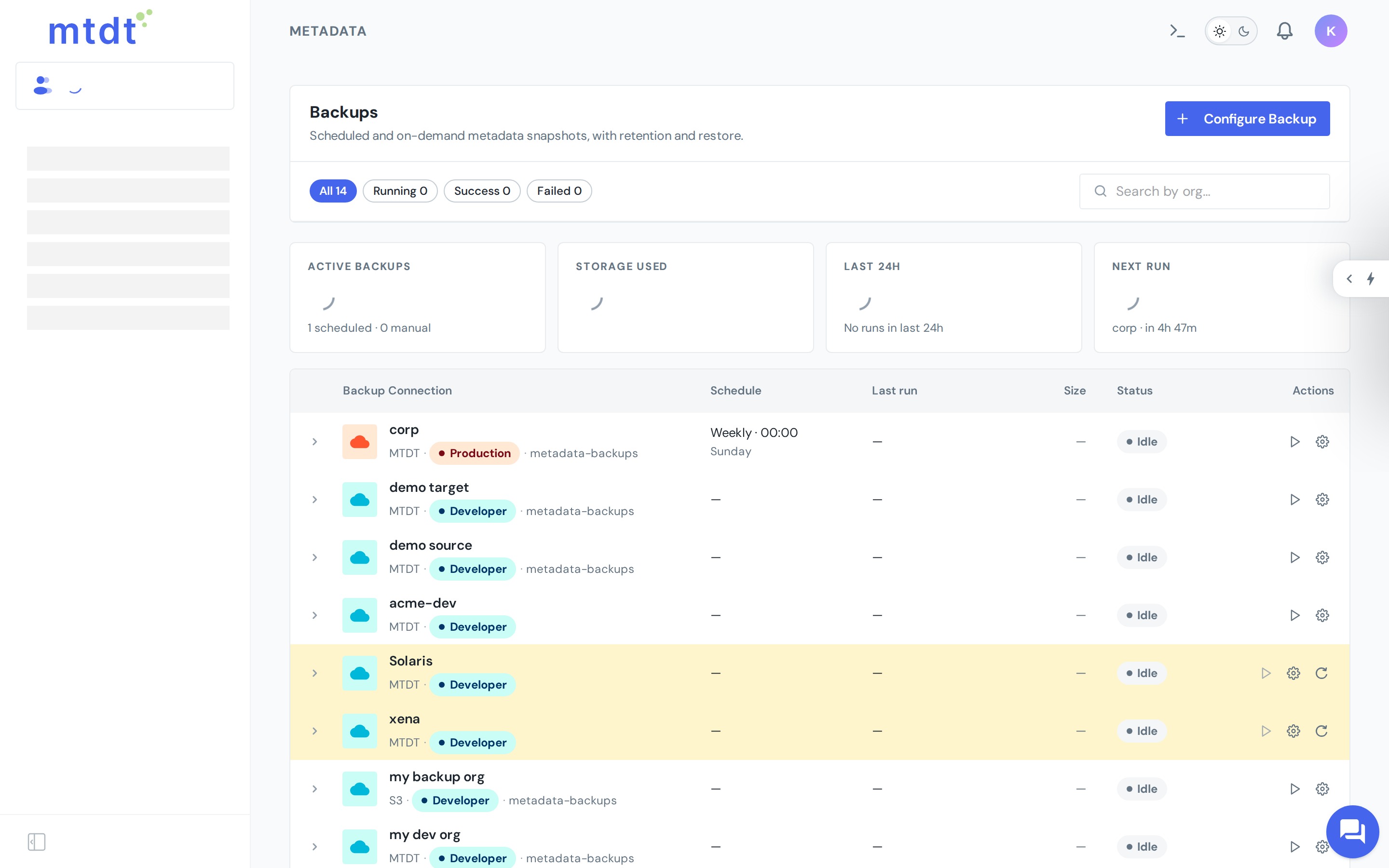
mtdt.io covers all three — scheduled metadata backup, record (data) backup, and file backup — so there's no gap between them.
The recovery layers
Good disaster recovery isn't one backup — it's layers, each catching what the others miss:
- Git as source of truth. Your metadata, versioned, with full history. Any past configuration is a checkout away. (See deploy & back up metadata to Git.)
- Scheduled backups. Point-in-time copies of metadata, data, and files for recovery independent of your Git workflow. (See metadata backup.)
- A rollback point before risky changes. Capture the org's state before an important deploy so a bad release is a one-click revert. (See one-click rollback.)
Together these are the backup-and-recovery layer of a complete DevOps stack.
The runbook: what to do when disaster strikes
A plan you have to invent during the incident isn't a plan. Write this down before you need it:
- Detect & contain. Stop the bleeding — disable the integration, deactivate the user, halt the job that's causing damage.
- Assess the scope. What changed? Which objects, which records, metadata or data or both, and over what time window? Backup diffs can save hours here.
- Choose the recovery source. Metadata regression → roll back or restore from Git. Mass data loss → restore records from the most recent good backup within your RPO. Files → restore from file backup.
- Restore. Recover the affected scope — ideally granularly, so you don't overwrite good data fixing bad.
- Verify. Confirm the org is correct and that the root cause is closed, so you're not restoring into the same failure.
- Post-mortem. Capture what happened and tighten the layer that let it through.
Test your restores
The most important sentence in this article: a backup you've never restored is not a backup — it's a hope.
Schedule a recovery drill. Restore a sample object to a sandbox. Time it against your RTO. Confirm metadata, data, and files all come back intact. Teams that test restores recover in minutes; teams that don't discover their gaps mid-crisis.
So, do you have a plan?
If you can't answer "what's our RPO/RTO, what are we backing up, and who runs the restore?" — you have a gap, not a plan. The good news is it's a weekend of setup, not a quarter of work: turn on scheduled backups for all three data classes, version metadata in Git, capture rollback points on important deploys, and write the six-step runbook above.
FAQ
Does Salesforce back up my data and metadata for me? No. Salesforce operates on a shared-responsibility model: it protects the platform itself (infrastructure, uptime, service security), but you're responsible for recovering your own data and configuration. The native safety net is thin — the weekly export is data-only with no metadata, change sets have no rollback, and Salesforce's own backup product is a separate paid add-on.
What are RPO and RTO, and why do they matter for Salesforce? RPO (Recovery Point Objective) is how much data you can afford to lose — a nightly backup means a worst case of about 24 hours of lost work. RTO (Recovery Time Objective) is how fast you need to be back up and running. Your RPO/RTO targets should drive how often you back up and how granular your restore process needs to be.
What should a complete Salesforce backup actually cover? Three distinct classes: metadata (objects, fields, flows, Apex, profiles, layouts), data records (Accounts, Opportunities, custom objects, CPQ config), and files (ContentVersion, attachments, documents). Missing any one of the three leaves a hole in your recovery — mtdt.io covers all three with scheduled metadata, record, and file backups.
What's the difference between Git as a source of truth and a scheduled backup? Git gives you versioned metadata with full history, so any past configuration is a checkout away — but it only covers metadata, not data or files. Scheduled backups are point-in-time copies of metadata, data, and files that work independently of your Git workflow, so you're covered even for data loss or changes made outside your normal deploy process.
How do I know my backups will actually work when I need them? Test them. A backup you've never restored is a hope, not a backup. Schedule a recovery drill, restore a sample object to a sandbox, time it against your RTO, and confirm metadata, data, and files all come back intact — teams that test restores recover in minutes, teams that don't find their gaps mid-crisis.
Build your recovery plan before you need it
Metadata, data, and files — backed up, versioned, and one click from restore.
Log in to mtdt.io and set up backups across your orgs today.
Was this page helpful?
Let us know how we did