Salesforce DevOps in 2026: The Complete Stack

A few years ago, "Salesforce DevOps" mostly meant "please stop using change sets." In 2026 it means a connected stack of version control, safe deployment, backup & recovery, quality, data, and governance — practices and tools that take a change from a developer's sandbox to production safely, repeatably, and with a way back if something breaks.
If you're assembling (or upgrading) that setup, this is the map: what each layer is for, and how they fit together.
What "Salesforce DevOps" actually means
DevOps is the combination of people, practices, and tools that shorten the path from idea to running in production — without sacrificing stability. On Salesforce specifically, it means uniting the people who build (admins and developers) with the people who release and maintain (release managers and ops), around a single source of truth and an automated, auditable release process.
A complete stack has five layers. Most teams build them in roughly this order.
Layer 1 — Version control & a source of truth
Everything starts with Git. Your metadata lives in a repository, a branch represents "what production should look like," and every change is a tracked, reviewable commit.
Without this layer you have no history, no diffing, no rollback, and no collaboration — which is exactly why change sets eventually hurt. If you're still there, start with our guide on why deployments fail and mtdt.io vs Change Sets.
Layer 2 — Safe deployment
The deployment itself needs guardrails:
- Compare source and target so you ship the real delta, not a guess.
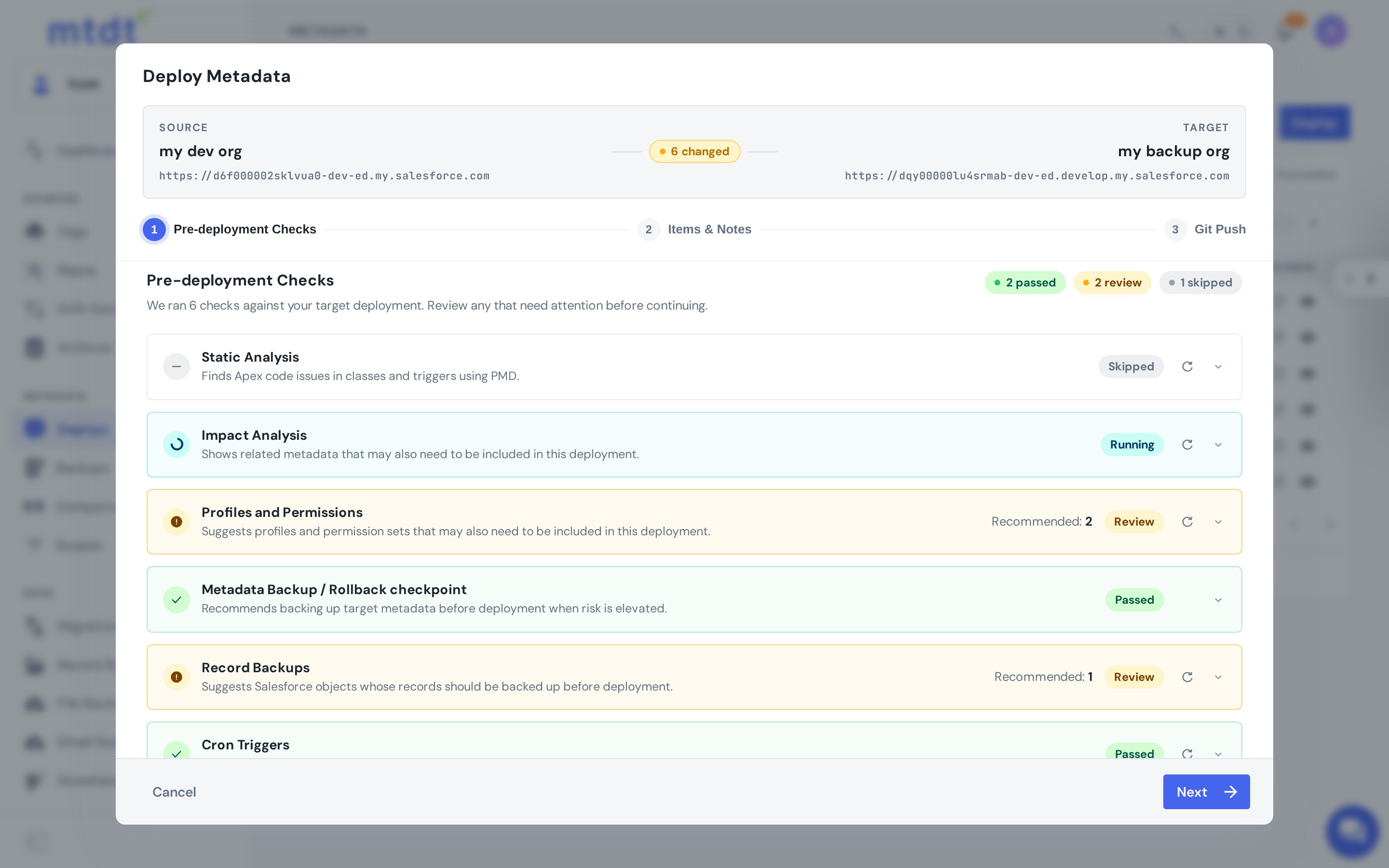
- Validate (check-only) before you commit.
- Partial / field-level control so you ship exactly what changed — safely. See safe field-level deployments.
- Edit-before-deploy for those last-mile package tweaks.
Layer 3 — Backup & recovery
The layer most teams skip until it bites them. A complete stack backs up metadata, data, and files, and — critically — lets you roll back a bad release in one action. When (not if) something goes wrong in production, recovery should be a click, not a project. See one-click rollback.
Layer 4 — Quality
Good teams catch problems before the deploy:
- Static code analysis flags Apex issues as a quality gate.
- Health checks watch for the silent killers (inactive flows, aging API versions, expiring certs) — see our org health check.
Layer 5 — Data & governance
The top of the stack:
- Data migration for the things metadata can't carry — CPQ configuration, reference data.
- RBAC & approvals so the right people authorize the right actions.
- Audit trails & reports for compliance and for proving delivery performance.
The maturity ladder
Most teams climb these rungs:
- Change sets — manual, no history, no rollback.
- Git + manual deploys — source of truth, but releases are still hand-driven.
- DevOps Center — Git-backed and visual, but limited (see outgrowing DevOps Center).
- A full platform — all five layers, connected.
Each rung removes a class of pain. The jump that matters most is from "we have Git" to "our releases are controlled and we can always roll back."
Build the layers in order. Version control and a validation step alone will eliminate most of your failed releases. Backup and rollback are the next highest-leverage additions.
Bringing it into one platform
The reason teams end up with a dedicated platform is simple: stitching five layers together from separate tools (a VCS, a backup vendor, a data tool, and quality tooling) is its own full-time job.
mtdt.io brings version control integration, safe deployment, backup and one-click rollback, static analysis, data migration, and governance into one place.
FAQ
What are the five layers of a Salesforce DevOps stack? Version control & a source of truth (Git), safe deployment (compare, validate, field-level control), backup & recovery, quality (static analysis and health checks), and data & governance (data migration, RBAC & approvals, audit trails). Most teams build them roughly in that order.
Do I need all five layers before I get value? No. Version control plus a validation step alone eliminates most failed releases. Backup and rollback are the next highest-leverage additions — build the layers in order rather than trying to stand up all five on day one.
What's the difference between DevOps Center and a full DevOps platform? DevOps Center is Git-backed and visual but limited to part of the stack. A full platform connects version control, safe deployment, backup and rollback, quality, and governance rather than covering one layer on its own.
Why do teams end up consolidating into one platform instead of stitching tools together? Because wiring together a separate VCS, backup vendor, data tool, and quality tooling — and keeping them all working together — becomes its own full-time job. mtdt.io brings version control integration, safe deployment, backup and one-click rollback, static analysis, data migration, and governance into one place.
What's the highest-leverage next step if I'm just starting out? Get metadata into Git as a source of truth, then add a validation (check-only) step to your deploys. Those two alone remove most of the pain that pushes teams to look for a DevOps stack in the first place.
Build your stack one layer at a time
Wherever you are on the ladder, the next rung is the one that pays off fastest.
Log in to mtdt.io and connect your repo to start building your Salesforce DevOps stack.
Was this page helpful?
Let us know how we did