One-Click Rollback: How to Undo a Bad Salesforce Deployment

A deployment succeeds, everyone moves on — and an hour later a key flow is misfiring in production. Now what? With native Salesforce tooling, the honest answer is: you rebuild the previous state by hand, under pressure, while production misbehaves.
There's a better answer. Here's why Salesforce rollback is genuinely tricky, and how to turn it into a single click. mtdt.io does it by capturing a rollback point — a snapshot of the target org's metadata — right before a deployment runs; if the release goes wrong, you open the deployment and click Rollback to restore that pre-deployment state.
Why Salesforce has no "undo"
Change sets are one-directional and stateless. Once you deploy, there's no captured "before" to return to. And rolling back isn't simply re-deploying the old version, because:
- Creating and then removing components can affect a wider set of objects than the ones you originally deployed.
- Deletions (a removed field, a dropped permission) can't be un-deleted by re-running the old package.
- Dependencies mean the safe revert order isn't always the reverse of the deploy order.
In other words, a real rollback needs a point-in-time snapshot of how the target looked before the deploy — not just your previous package.
The key idea: capture a rollback point before you deploy
The trick is to snapshot the target org's relevant metadata at the moment just before a deployment. That snapshot becomes your rollback point. If the release goes wrong, you restore from it instead of reconstructing the past from memory.
This is exactly how rollback works in mtdt.io: when you run an important deployment, enable the backup / rollback point option and the target's state is captured as part of the release. The deploy proceeds; the safety net is already in place.
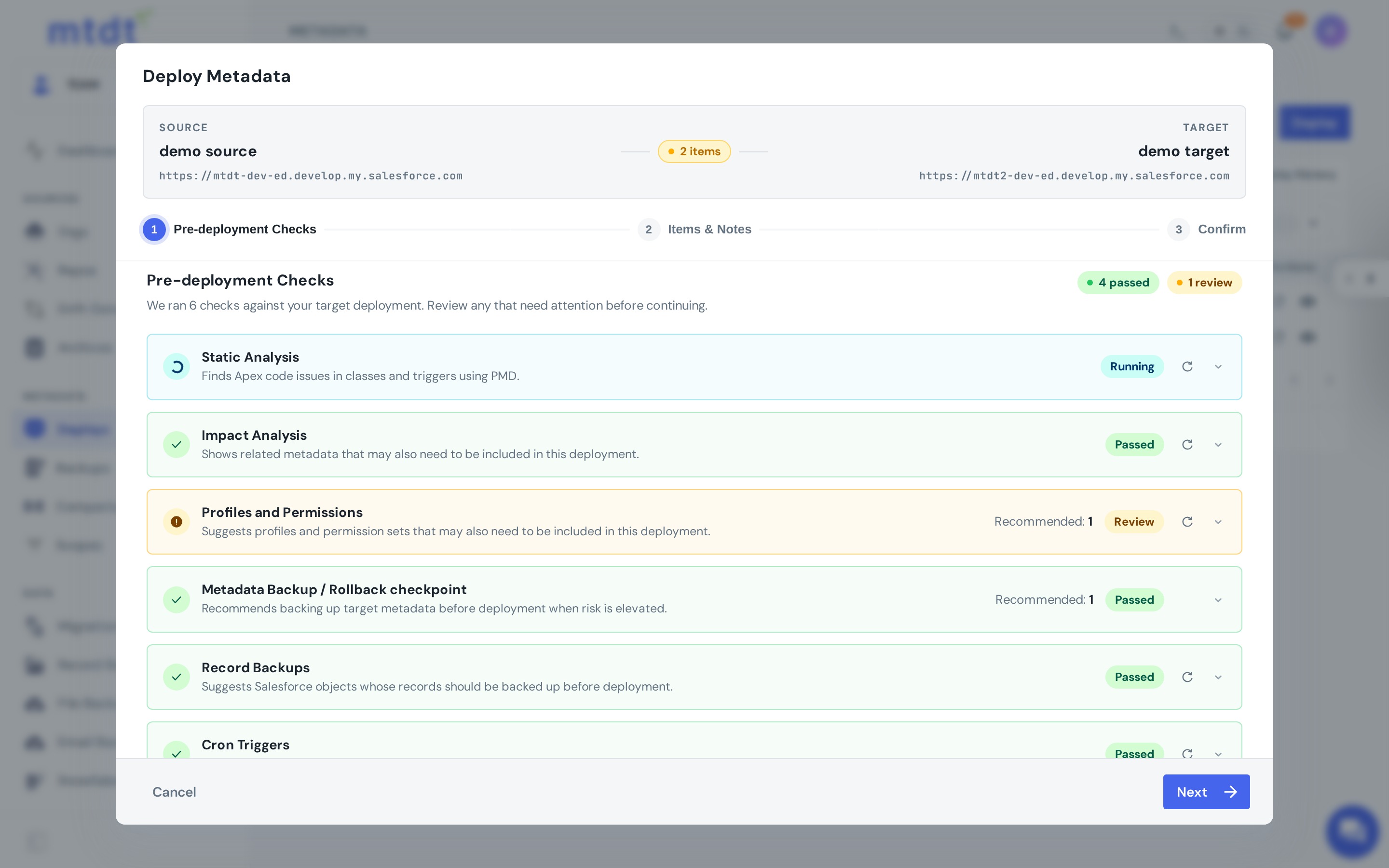
Rolling back in one click
When a release needs reverting, you don't rebuild anything. You open the deployment, choose Rollback, and mtdt.io redeploys the captured rollback point — returning the org to its pre-deployment state.
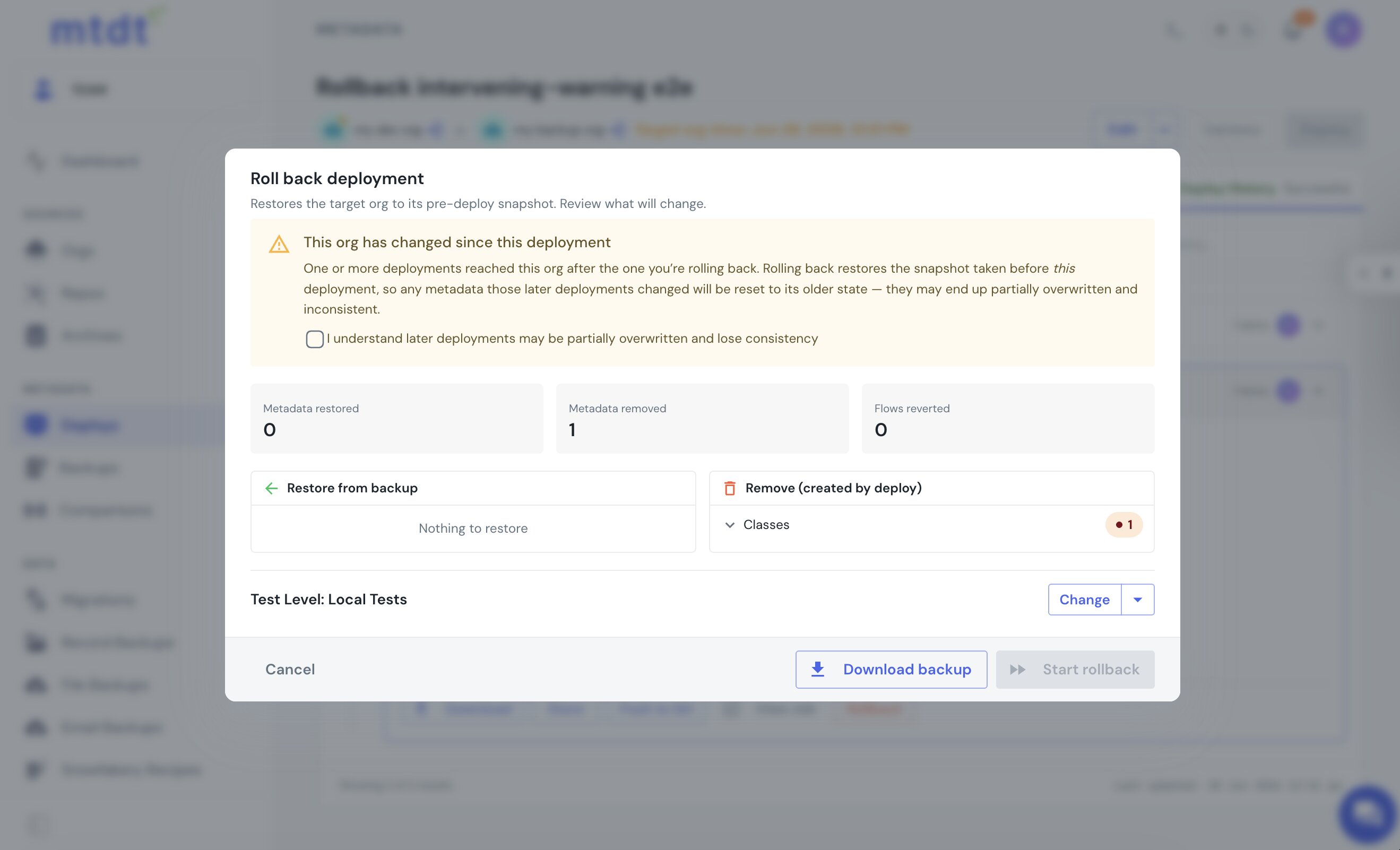
Make it a habit, not a panic button
A few practices turn rollback from an emergency tool into routine insurance:
- Always capture a rollback point for production deploys. It costs you nothing until you need it — and then it's everything.
- Test your rollback path the same way you test a deploy. A revert you've never tried isn't a plan.
- Pair it with validation. Catching problems in a check-only run (see why deployments fail) means you rarely need the rollback — but you'll be glad it's there.
Rollback is one layer of a complete backup-and-recovery strategy; the others are scheduled metadata, data, and file backups.
FAQ
Why doesn't Salesforce have native deployment rollback? Change sets are one-directional and stateless — once you deploy, there's no captured "before" state to return to. Re-deploying the old package isn't a true rollback either, because deletions can't be un-deleted by re-running an old package and the safe revert order isn't always the reverse of the deploy order.
How does mtdt.io make rollback a single click? mtdt.io captures a rollback point — a snapshot of the target org's metadata — right before a deployment runs, when you enable the backup/rollback point option. If the release needs reverting, you open the deployment, choose Rollback, and mtdt.io redeploys the captured point to restore the org's pre-deployment state.
Do I need to enable anything to get a rollback point, or is it automatic? You need to enable it: when running a deployment in mtdt.io, turn on the backup / rollback point option so the target's state is captured as part of that release. Without it enabled, there's no snapshot to roll back to.
Does validating a deployment before running it remove the need for rollback? No — validation (a check-only run) catches many problems before they reach production and reduces how often you'll need rollback, but it's a separate safety layer. Rollback is still the backstop for issues that only surface after a deployment actually runs.
What else is part of a complete Salesforce backup-and-recovery strategy besides rollback? Rollback is one layer; a complete strategy also includes scheduled metadata, data, and file backups, so you have recovery options beyond just the pre-deployment snapshot captured for rollback.
Never debug a bad release in production again
Capture a rollback point before your next deployment and turn "undo" into a click.
Log in to mtdt.io and enable a rollback point on your next deploy.
Was this page helpful?
Let us know how we did