Compare Salesforce Metadata Without Reading XML
Comparing a profile, a picklist, or a page layout as raw Salesforce XML is slow and easy to get wrong — the real change is buried in nested tags and machine ordering. For the metadata types where XML is genuinely hard to read, mtdt.io renders the diff as a structured, clickable view instead: a Table View for fields, objects, layouts, value sets, record types, report types, and Lightning pages, and a permission-manager grid for profiles and permission sets. You review the change by reading rows and pick exactly what to deploy — no XML editing. (Every other metadata type still shows a normal XML diff.)
Two non-XML views
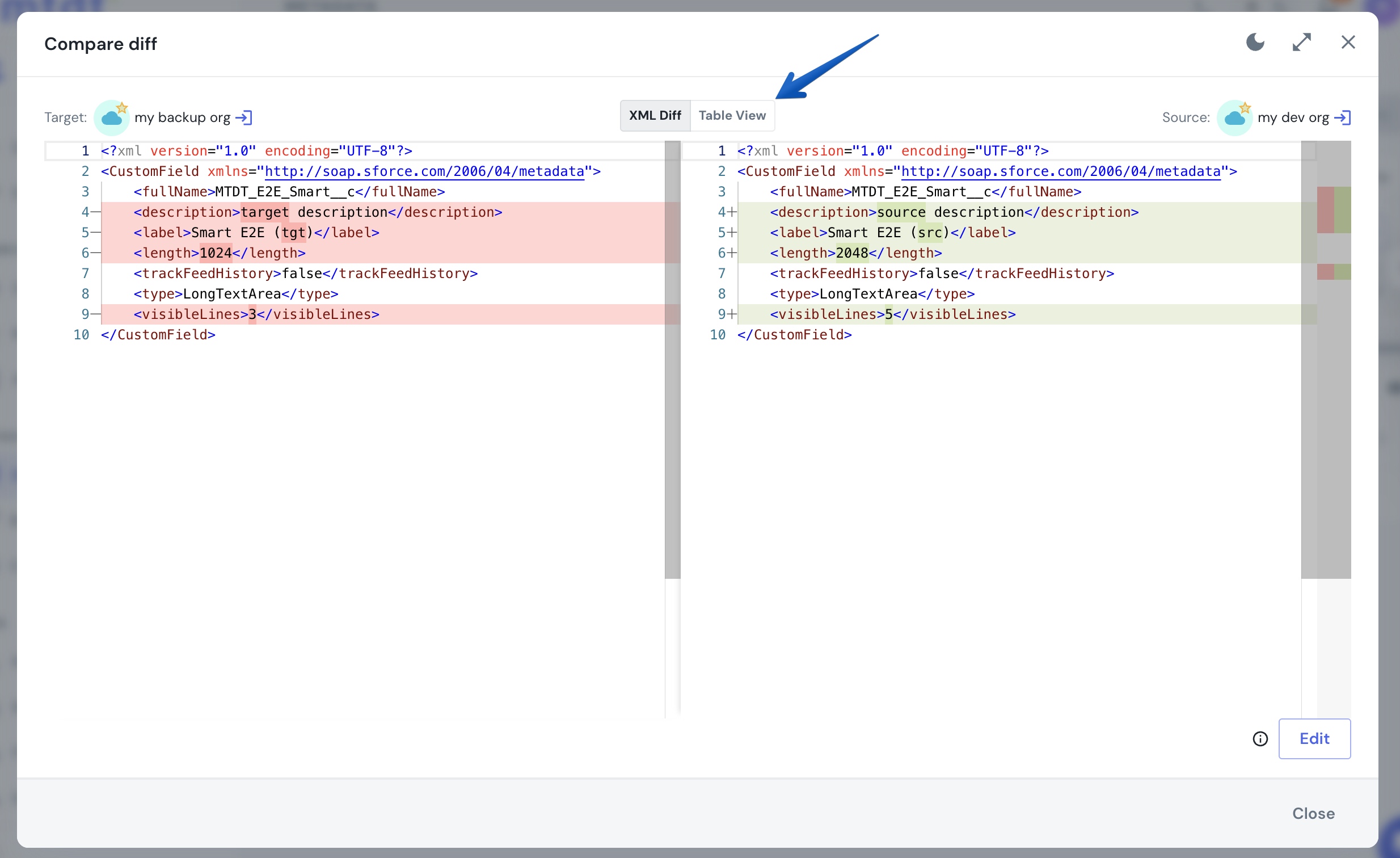
mtdt.io's Compare diff dialog gives you a human-readable diff through two mechanisms, depending on the metadata type:
- Table View — a per-property diff with a source and target side and a checkbox on each row, so you can see (and select) exactly which properties differ. Toggle it with the XML Diff / Table View switch in the compare dialog header.
- Permission manager — for profiles and permission sets, the diff opens straight into a row-per-permission grid: each object, field, tab, and record-type permission is a row, with a read-only Source column and an editable Target toggle. Flipping a Target toggle marks that one permission as an override — you tune access by clicking rows, not by hand-editing a profile's XML.
Which metadata gets a structured diff
Nine metadata types get a non-XML view today:
| Metadata type | View |
|---|---|
| Custom fields (including picklists and value sets) | Table View |
| Custom objects (label, sharing model, name field, search layouts) | Table View |
| Page layouts | Table View |
| Record types | Table View |
| Global value sets | Table View |
| Custom report types | Table View |
| Lightning pages (FlexiPages) | Table View |
| Profiles | Permission-manager grid |
| Permission sets | Permission-manager grid |
Everything else — Apex, Lightning web components, flows, email templates, and the rest of Salesforce's metadata types — falls back to the standard XML diff. The structured views exist for the types where XML is hardest to read (nested value sets, layout grids, permission matrices), not as a replacement for every diff.
Picklists and value sets: the Value Set Merge Preview
Picklist fields and global value sets are among the worst to diff as XML — the values are nested and order-sensitive. In Table View, mtdt.io shows a Value Set Merge Preview that lists the values side by side and marks what's source-only versus target-only, so you can see at a glance which entries a deploy would add or change.
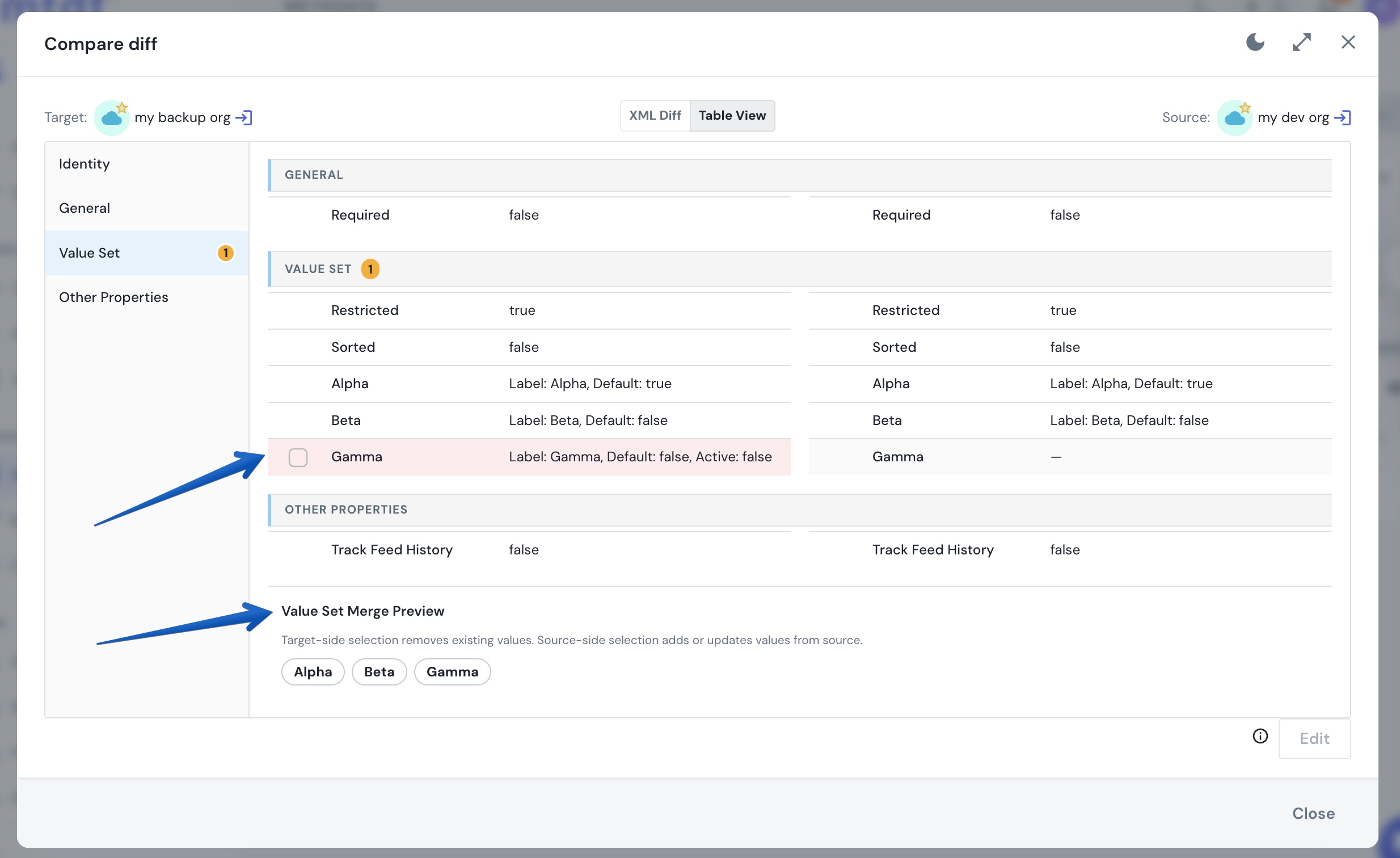
One Salesforce behavior worth knowing: removing a value from a picklist or value set through a metadata deploy deactivates it rather than hard-deleting it — that's the platform's own semantics, and the diff reflects it as a deactivation.
Page layouts and objects
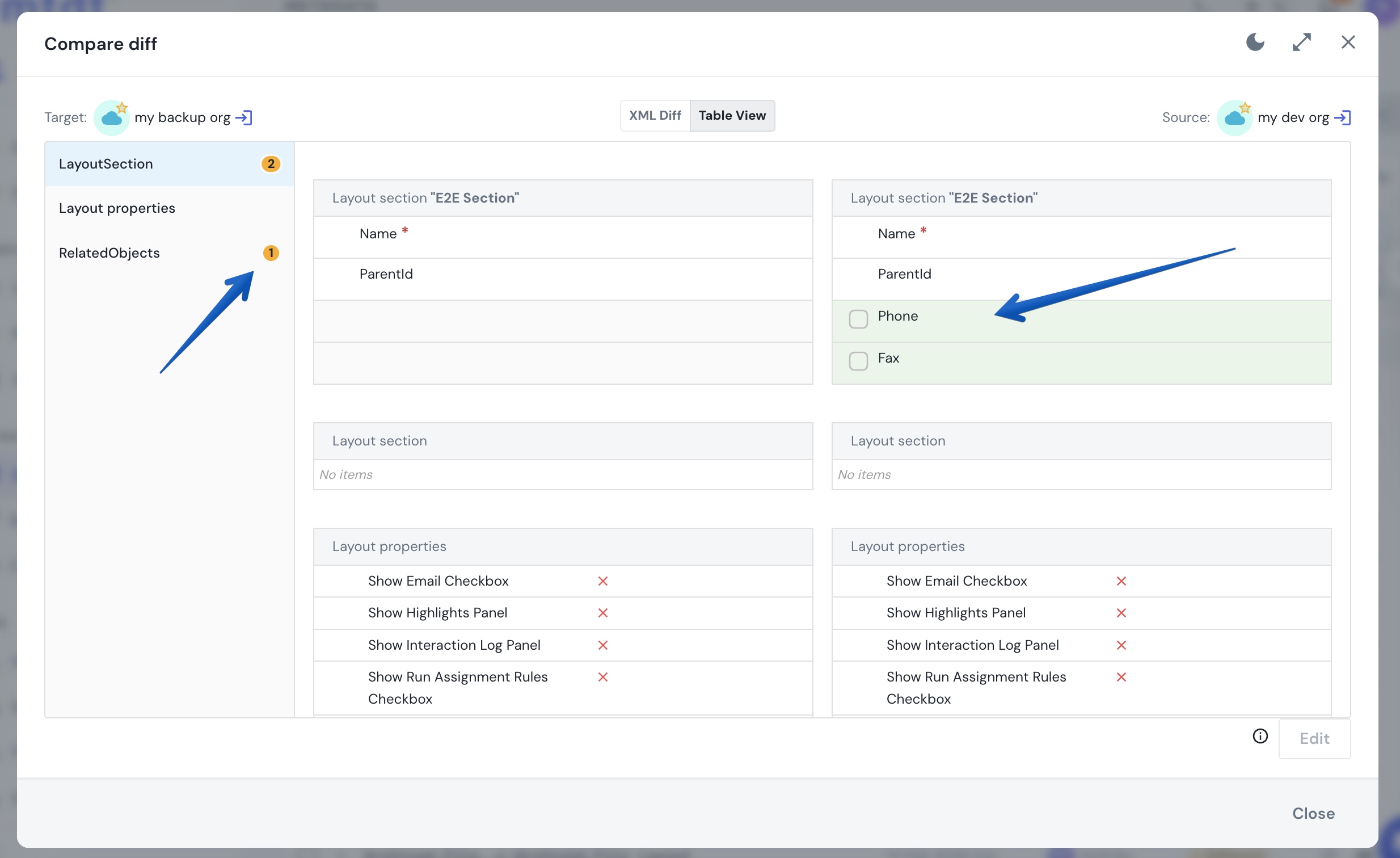
Layouts and custom-object shells are structural, so Table View compares them as fields and properties rather than XML. A layout diff shows which fields were added, removed, or moved; an object diff shows label, description, sharing model, and the rest as rows.
Profiles and permission sets: the permission manager
Profiles and permission sets open directly into the permission-manager grid — there's no XML/Table toggle, because the grid is the diff. Each permission is a row with the source value and a target toggle:
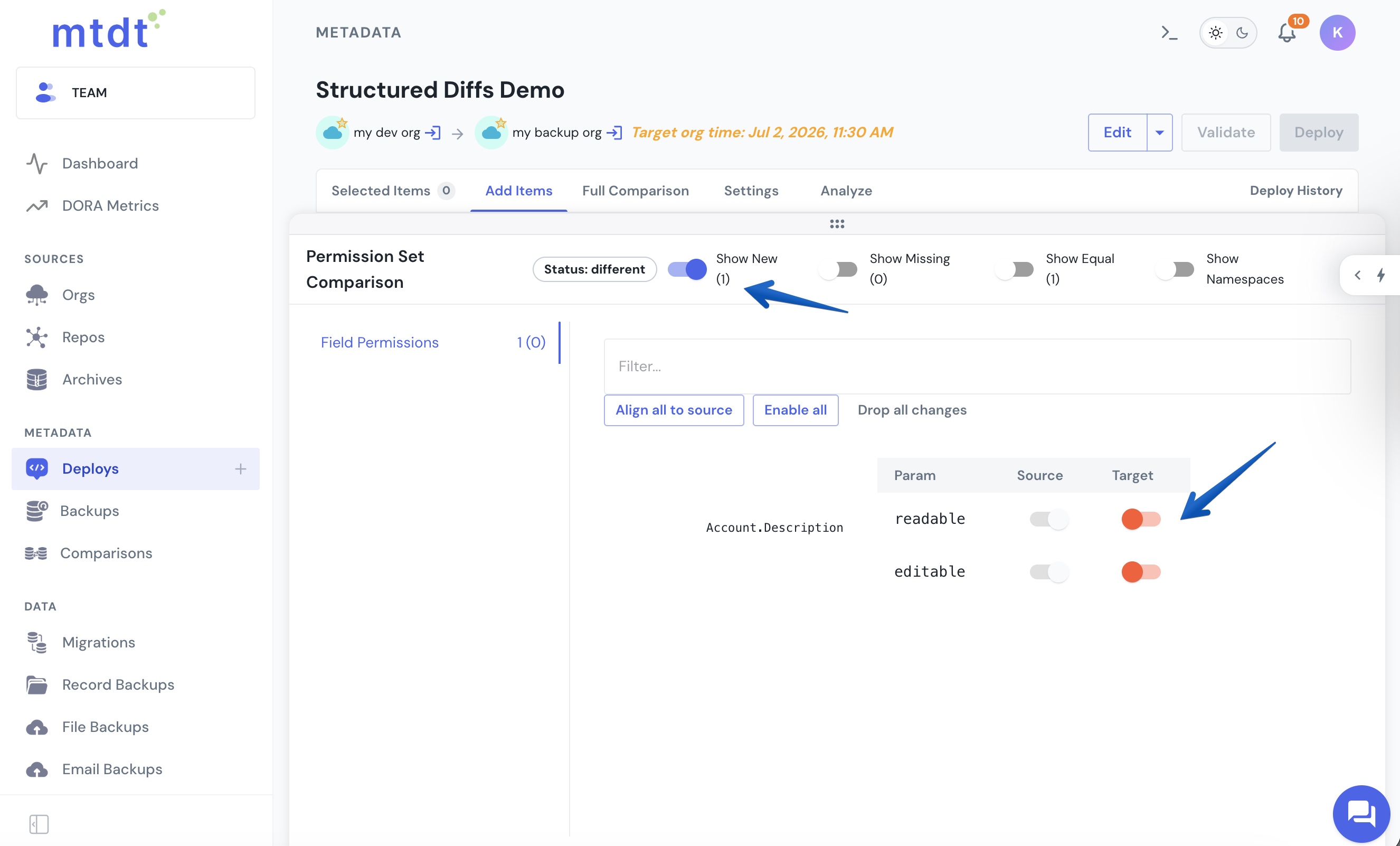
The same grid drives partial deploys: the toggles you flip become the set of permissions mtdt.io deploys, so you can push a few permission changes without shipping (or overwriting) the rest of the profile. The same view works for both profiles and permission sets.
FAQ
Which Salesforce metadata types get a non-XML diff in mtdt.io? Nine: custom fields (including picklists/value sets), custom objects, page layouts, record types, global value sets, custom report types, and Lightning pages get a Table View; profiles and permission sets get a permission-manager grid. Every other type falls back to the standard XML diff.
How do I switch to the structured view? Open a deployment's Compare diff on a supported item and click the Table View toggle next to XML Diff in the dialog header. Profiles and permission sets skip the toggle — they open straight into the permission-manager grid.
Can I deploy only some of the differences? Yes. Both views are selectable: in Table View you check the properties you want, and in the permission-manager grid you flip the target toggles you want. mtdt.io deploys only the selected changes and leaves the rest of the component untouched.
Do profiles and permission sets work the same way as fields and layouts? They share the "review by clicking, not by reading XML" idea but use different views: profiles and permission sets render as the permission-manager grid, while the other seven types render as Table View. Both let you pick exactly what to deploy.
Does mtdt.io still show raw XML? Yes. For the nine structured types you can switch back to the XML Diff at any time, and every other metadata type shows the XML diff by default.
Related
- Comparing Metadata with Diffs — how the source↔target comparison is built.
- Field-Level Deployment — deploying part of a field/object with Table View.
- The Best Way to Deploy Profiles — the permission-manager grid for profiles.
- Deploy Picklist Values Between Orgs — value-set diffs in practice.