Deploying Metadata with mtdt.io
Deployments are the core of mtdt.io: move metadata between environments — org to org, or from a Git branch to an org — with a clear review step before anything lands.
Start a deployment
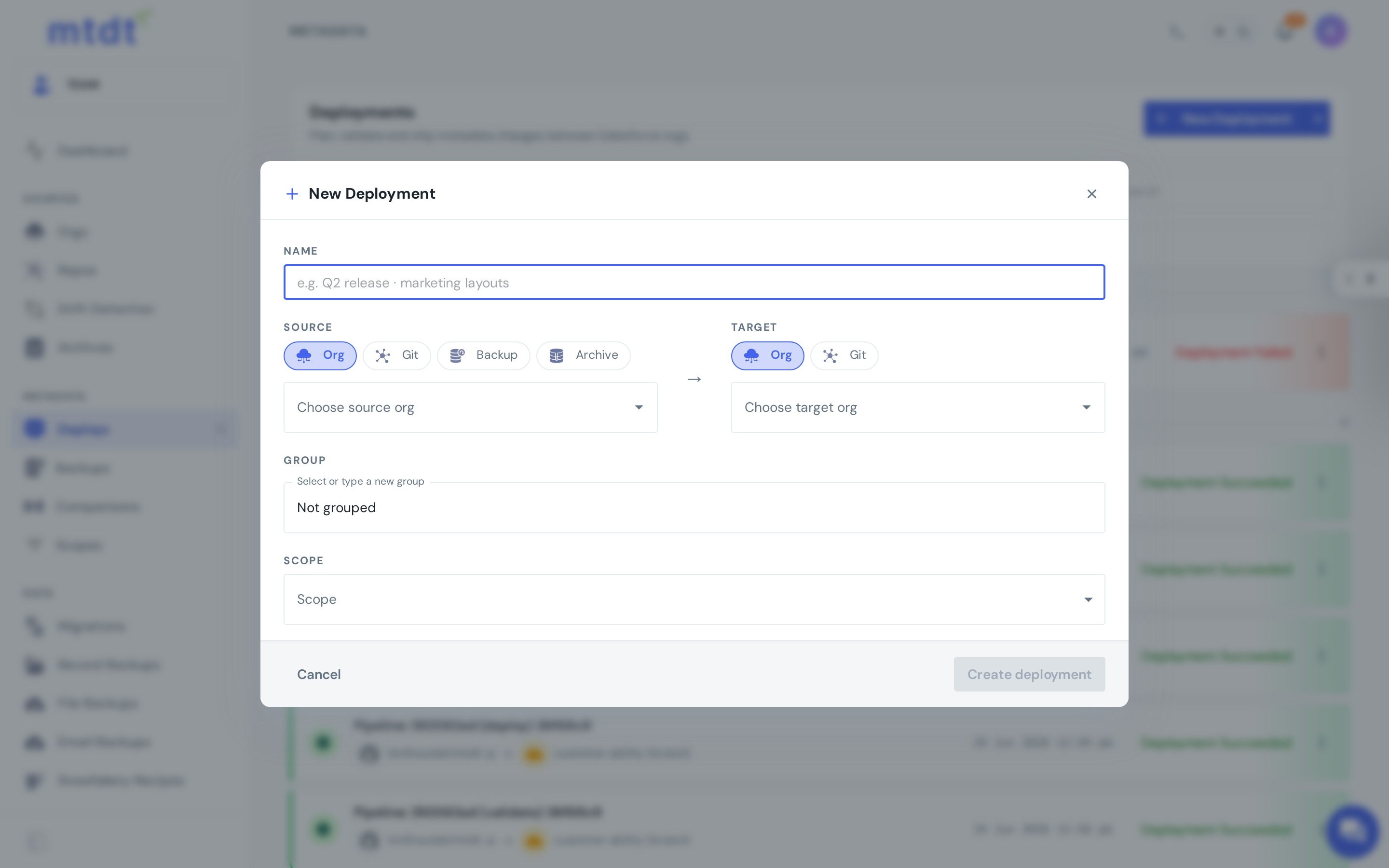
- Open Deploys and create a new deployment.
- Choose your source and target:
- Org → Org — promote changes from a sandbox to UAT or production.
- Git → Org — deploy a branch (your source of truth) into an org.
- Select components. Browse the source by metadata type and pick exactly what you want to move. You can add classes, triggers, flows, fields, layouts, permission sets, and more.
Review before you deploy
This is where mtdt.io goes beyond a raw sfdx push:
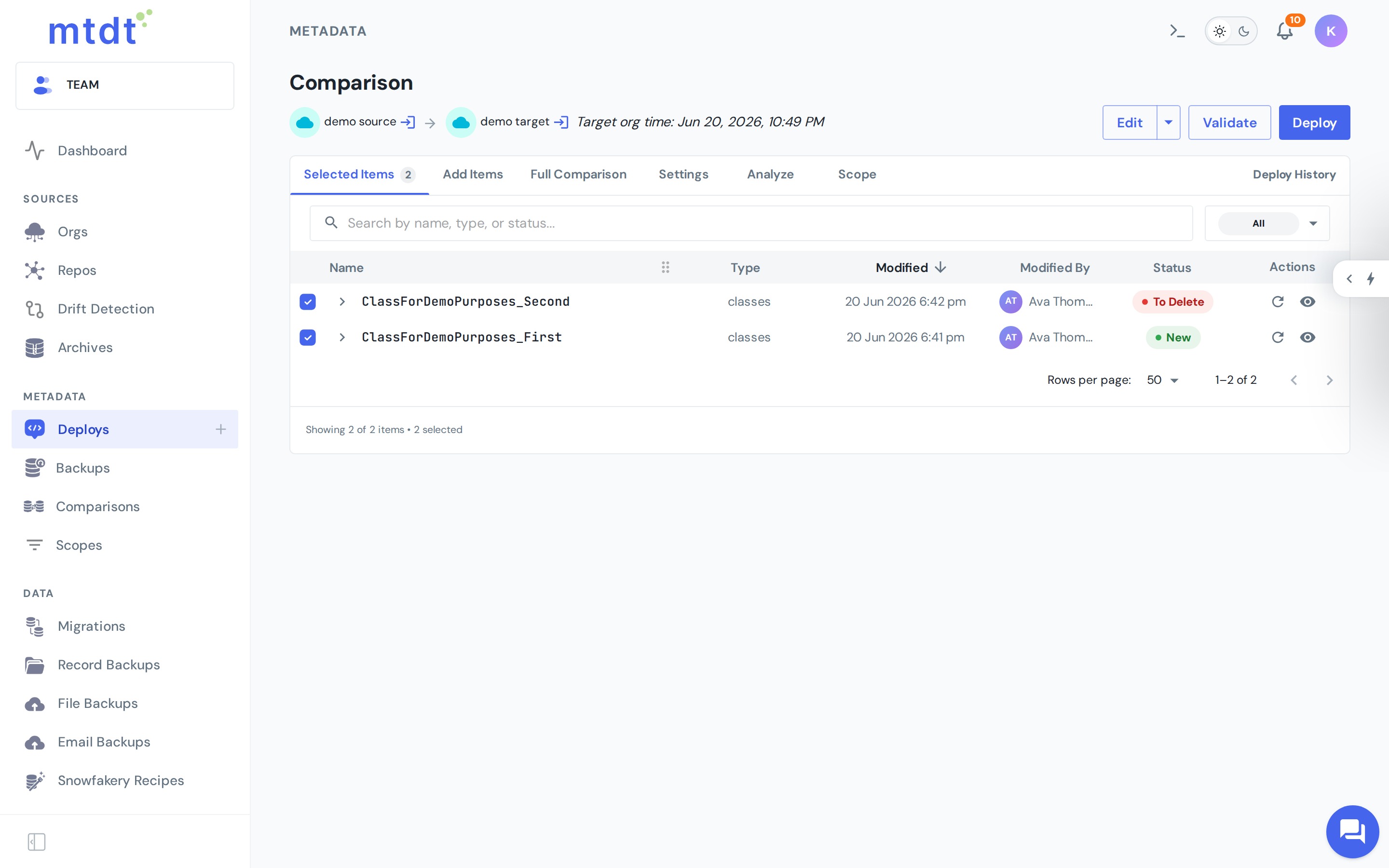
- Diffs — see exactly how each selected component differs between source and target before it deploys. (See Using Diffs to Compare Metadata.)
- Edit before deployment — adjust a component in place when you need a small, deploy-time change without a round trip to the source org.
- Validate only — run a check-only deployment to confirm everything compiles and tests pass, without committing the change.
Deploy and track
When you're satisfied, run the deployment. mtdt.io shows live status and a complete history of every deployment — who ran it, what was included, and the result. Failed deployments surface the underlying Salesforce errors so you can fix and retry quickly.
Going further
- Approvals — require a reviewer to approve a deployment before it can run, so production changes always get a second set of eyes. Roles and permissions are managed in Team Access and Roles.
- Combined deployments — bundle metadata from multiple sources (and archives) into a single, ordered deployment.
- Deploy and push to Git — promote to an org and commit the same change to a branch in one step, keeping your source of truth in sync.
- Capture a rollback point — enable the backup option to snapshot the target before deploying, so you can revert in one click. See Managing Metadata Rollbacks.
Best practices
- Validate against production before a real deploy, especially for Apex-heavy changes.
- Review the diff every time — the few seconds it takes is cheaper than a failed production release.
- Use approvals on production targets so no change lands unreviewed.
- Enable the rollback point on important deployments before you run them.
For the bigger picture of which source→target combinations exist and when to use each — sandbox to production, org to org, Git, and backups — see How to Deploy Between Salesforce Environments.