Salesforce Static Code Analysis: Catch Apex Problems Before They Ship

Salesforce makes you hit 75% Apex test coverage to deploy to production. It's an easy target to game — and it proves only that your code runs, not that it's fast, safe, or maintainable. Coverage is not quality.
The issues that actually bite — a SOQL query inside a loop, an unhandled exception, a hardcoded ID, a sharing leak — sail straight through a coverage check and surface later as governor-limit errors, slow pages, or a security finding. Static analysis is how you catch them before they ship: mtdt.io runs the industry-standard analyzer PMD across your org's Apex, on demand or on a schedule, and reports every violation ranked by severity.
What static analysis catches (that tests don't)
Static analysis reads your Apex without running it and flags patterns known to cause trouble:
- Performance anti-patterns — SOQL or DML inside loops, the classic road to governor limits.
- Error-prone constructs — empty catch blocks, unhandled exceptions, hardcoded IDs.
- Security-sensitive code — missing CRUD/FLS checks, sharing violations, injection-prone queries.
- Maintainability — dead code, over-complex methods, deviations from Salesforce best practices.
None of these fail a deployment on their own. They accumulate as technical debt until something breaks in production.
Why this is hard on Salesforce
Salesforce gives you the coverage gate and nothing else. To get real analysis you're left wiring up the tooling yourself:
- The CLI / PMD by hand — install it, maintain a ruleset, retrieve the Apex, run it, parse the output. It works, but it's a setup-and-maintenance chore nobody runs on every change.
- No shared baseline — without one agreed ruleset, "clean" means something different to every developer, and reviews turn into opinion.
So most teams either skip static analysis or run it inconsistently — which is the same as not running it.
How mtdt.io runs it
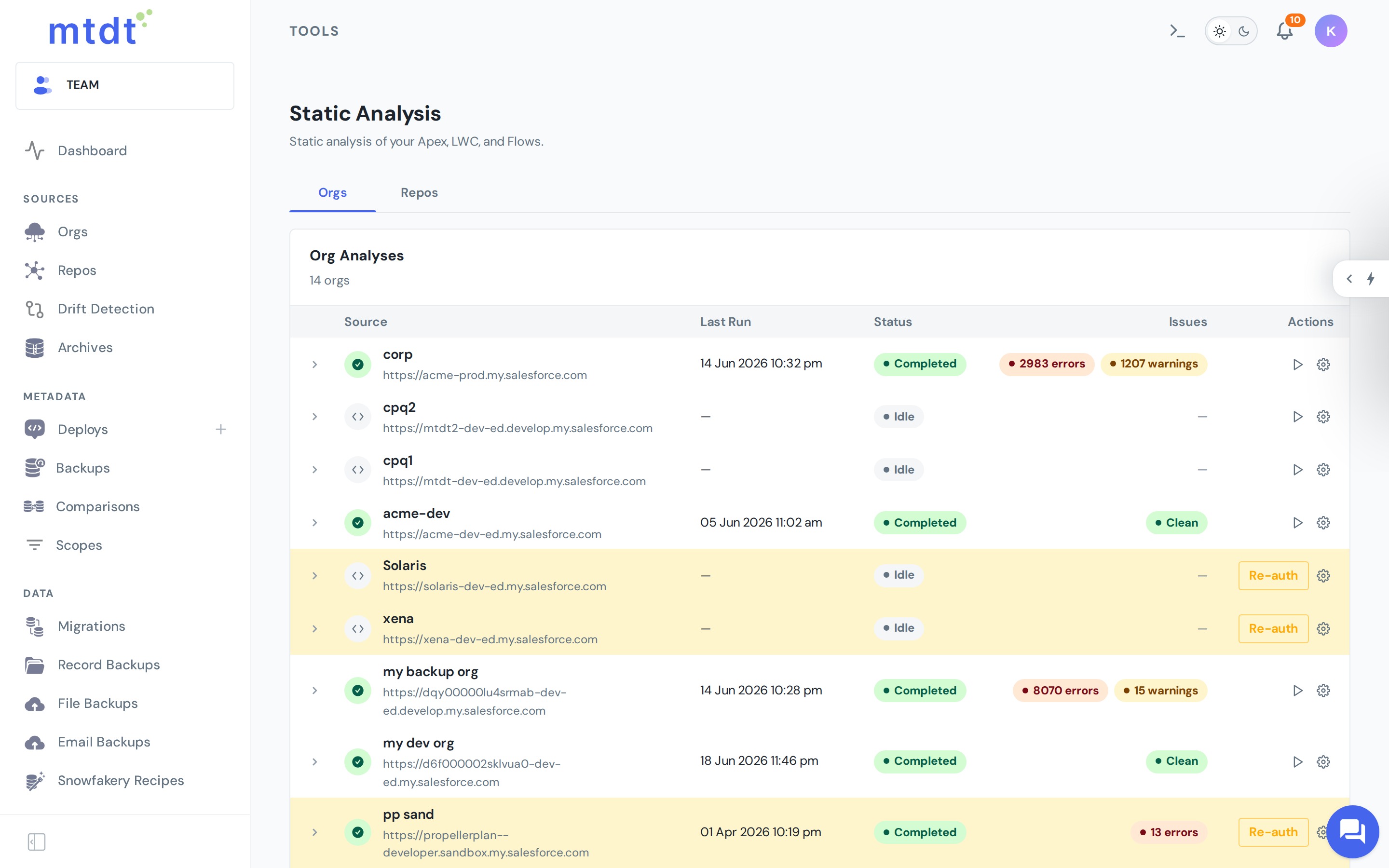
mtdt.io Static Analysis runs an industry-standard analyzer (PMD) across a connected org's Apex and reports every rule violation it finds, ranked by severity and pointing at the exact rule and location — so a reviewer goes straight to the code that needs attention.
You run it on demand or on a schedule, and the history shows whether your codebase is trending cleaner over time — no local setup, no brittle CI script to own.
Make it part of the workflow
Static analysis is most valuable as a gate before promotion, not a quarterly cleanup:
- Analyze before promoting Apex to production, and treat high-severity findings as blockers.
- Schedule a recurring scan so new violations are caught as the codebase grows, not discovered months later.
- Agree on a ruleset with your team so "clean" means the same thing for everyone — then review trends rather than chasing every individual finding.
Run analysis first, fix what matters, then deploy with confidence. It complements a rollback point on every important release.
See it in action
For the step-by-step — running a scan, scheduling it, and reading the results — see the guide: Performing Static Analysis.
FAQ
Does 75% Apex test coverage mean my code is good? No. Coverage only proves your code runs when a test exercises it — it says nothing about performance, security, or maintainability. Issues like a SOQL query inside a loop, an unhandled exception, a hardcoded ID, or a sharing leak all pass a coverage check and only surface later as governor-limit errors, slow pages, or a security finding.
What does static analysis catch that tests don't? Performance anti-patterns like SOQL or DML inside loops, error-prone constructs like empty catch blocks and hardcoded IDs, security-sensitive code such as missing CRUD/FLS checks and injection-prone queries, and maintainability issues like dead code and over-complex methods.
What tool does mtdt.io use for static analysis? PMD, an industry-standard analyzer. mtdt.io runs it across a connected org's Apex and reports every rule violation ranked by severity, pointing at the exact rule and location.
Do I need to install and maintain PMD myself? No. Normally getting real Apex analysis means installing the CLI or PMD by hand, maintaining a ruleset, retrieving the code, and parsing the output — a setup-and-maintenance chore most teams end up skipping. mtdt.io runs it on demand or on a schedule with no local setup or CI script to own.
Can I track whether my codebase is getting cleaner over time? Yes. Running static analysis on a schedule builds a history that shows whether violations are trending down as the codebase grows, rather than only seeing a single point-in-time result.
Ship Apex you can trust
Coverage proves your code runs. Static analysis proves it's worth running. Catch the problems in review, not in production.
Log in to mtdt.io and run static analysis on your Apex.
Was this page helpful?
Let us know how we did