Deploy Custom Fields in Salesforce Without the 'Not in package.xml' Error

You deploy a custom object and one of its fields throws … is not in package.xml — even though the object is right there in your manifest. Or the deploy succeeds, but the field never shows up in the target. Both trace back to one fact: a custom field and the object it lives on are separate metadata components, and your deployment has to keep the two in agreement on every field.
Why a field is "not in package.xml"
A custom object (CustomObject) and its custom fields (CustomField) are different components. For a field to deploy, two things have to line up:
- the object's metadata has to contain the field, and
- the deployment has to declare that field, alongside its object.
When those drift apart, you get the familiar symptoms:
not in package.xml— the object's metadata carries a field the manifest doesn't declare.- Fields don't show up after deploy — the object deployed, but its fields were never included.
- "Do I need to add custom fields separately?" — in a hand-built manifest, yes: each field is its own line.
Keeping the object and every field in sync by hand — in an ANT build, a raw package.xml, or a change set — is exactly where it breaks.
How mtdt.io composes the fields for you
With mtdt.io there's no manifest to hand-build. Pick the Objects and Fields type, and the object and each of its custom fields appear as their own selectable rows — so you choose exactly the fields you want:
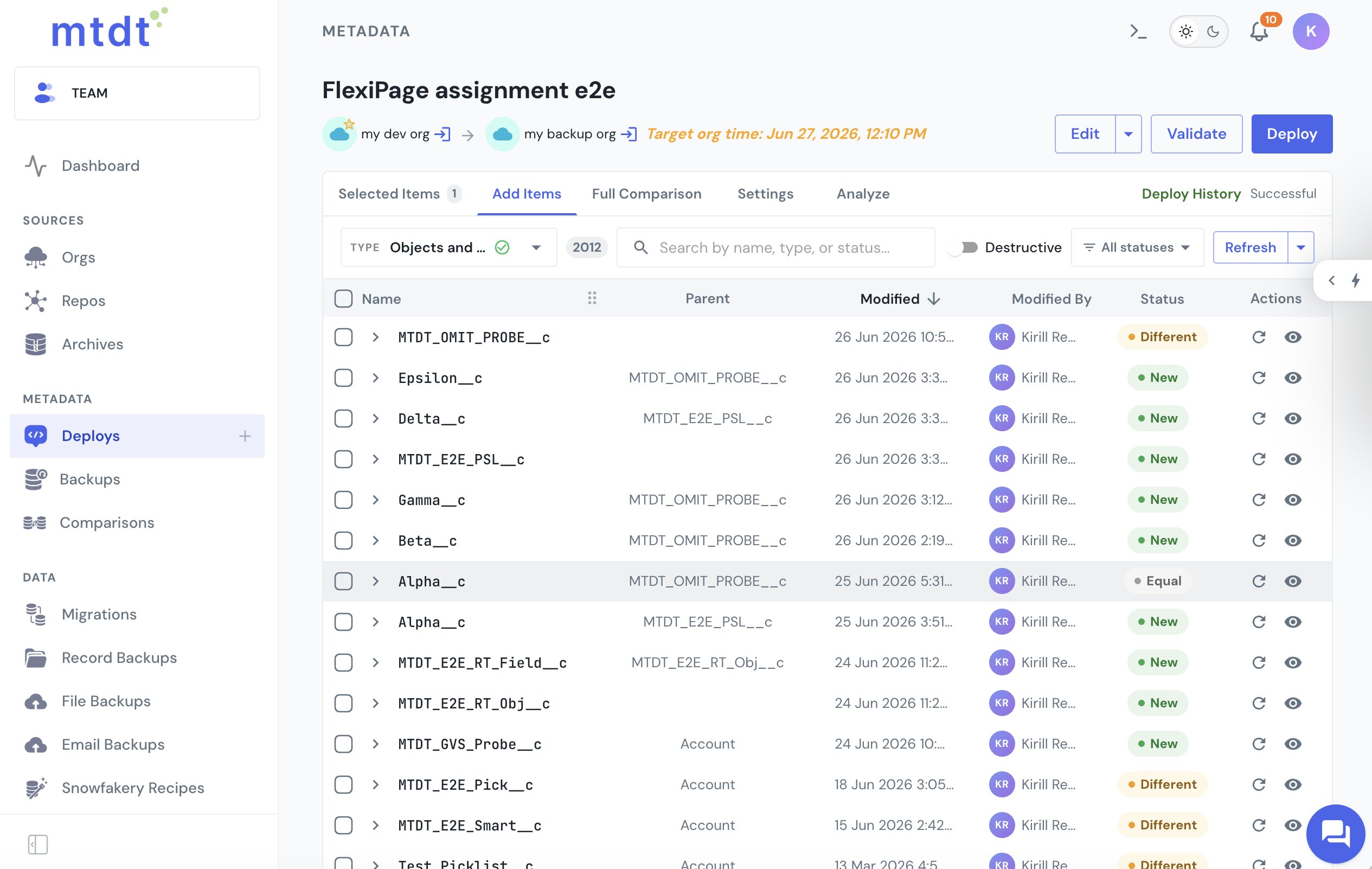
On deploy, mtdt composes the fields you picked into the object's metadata and carries them together — the object and its fields always agree, so the not in package.xml mismatch can't arise and nothing lands with its fields missing.
And mtdt maps the dependencies — it sees which fields an Apex class, layout, or record type references, and which value set sits behind a picklist:
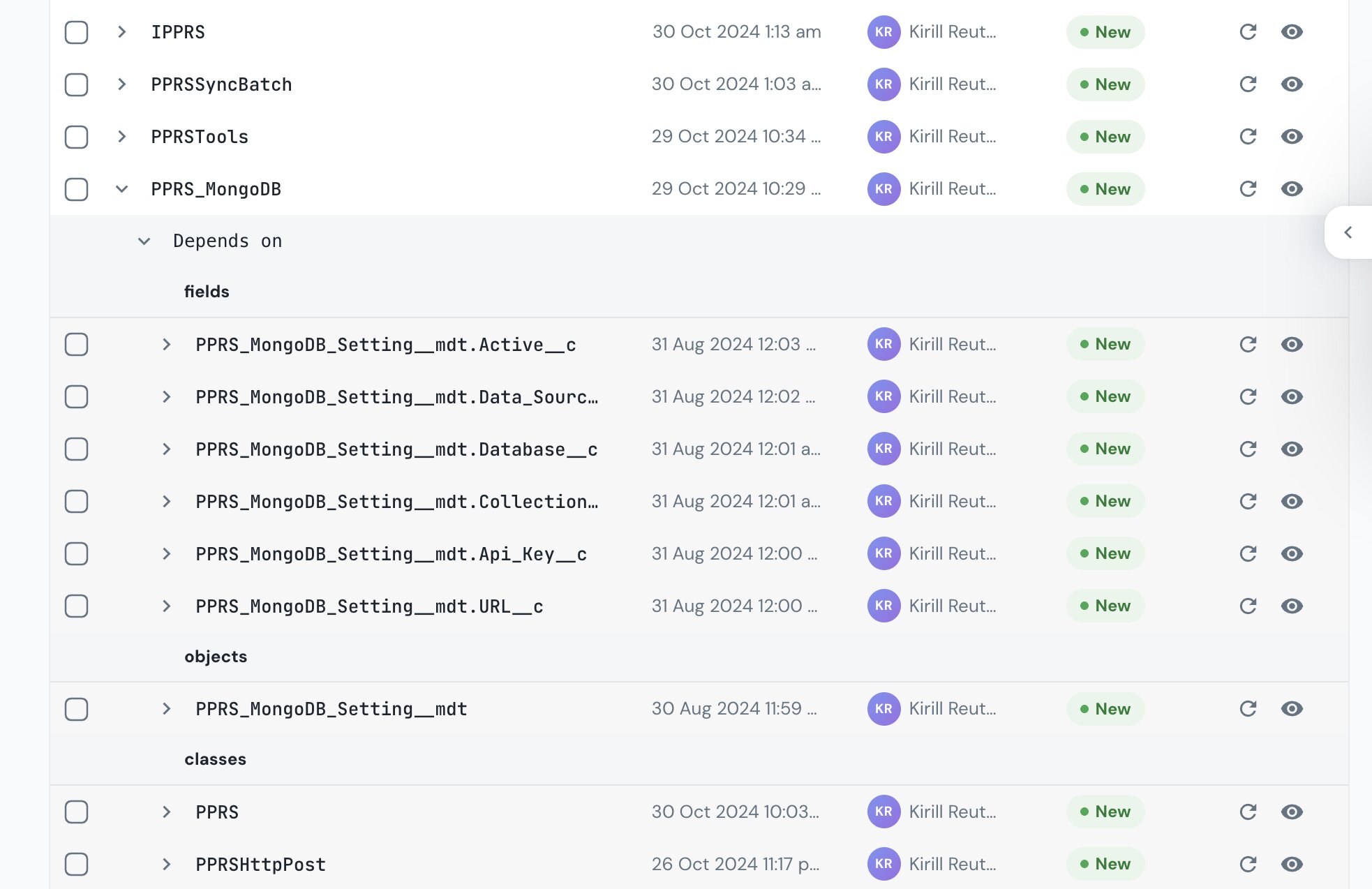
So at deploy its Impact Analysis recommends the related fields and components you'd otherwise miss, and a field never lands half-broken:
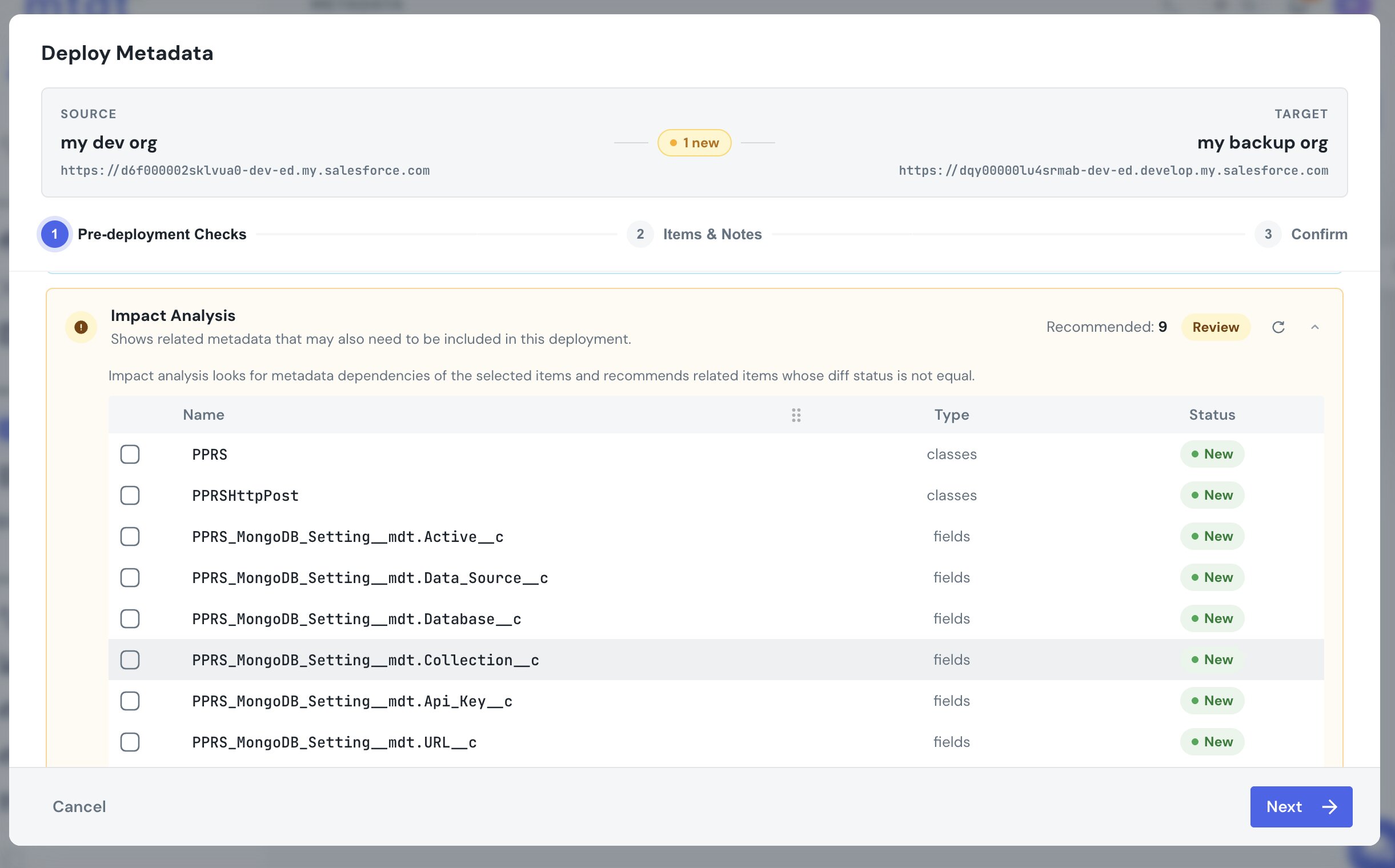
You pick the fields that changed; mtdt handles the composition and flags what they need. This is the same dependency Salesforce doesn't model for record types and search layouts — see Deploy Salesforce Record Types Without 'Picklist Value Not Found'.
FAQ
Why does Salesforce say a custom field is "not in package.xml" when the object is in my manifest? Because a custom object and its custom fields are separate metadata components — the object's metadata can carry a field that your deployment's manifest never declares, and that mismatch is exactly what throws the error. Both the object and the field have to be declared together for the field to deploy.
Do I need to add custom fields separately from their object in a deploy?
In a hand-built manifest, yes — each field is its own line that has to stay in sync with the object's metadata by hand, which is where ANT builds, raw package.xml files, and change sets tend to drift. mtdt.io removes that manual step: pick the object and its fields as selectable rows, and it composes the fields you picked into the object's metadata on deploy.
Why does a deploy succeed but the field never shows up in the target org? Because the object deployed without its fields being included in the same deployment — the object and fields are separate components, so a deploy can complete "successfully" while silently leaving fields out. mtdt.io avoids this because the fields you select are always composed into the same object deploy, so the object and its fields agree.
How does mtdt.io know which other components a custom field depends on? Its Impact Analysis maps the dependencies — it detects which fields an Apex class, layout, or record type references, and which value set sits behind a picklist — and recommends those related components at deploy time, tagged New against the target when the target doesn't have them yet.
Deploy custom fields without the manifest headaches
Let mtdt.io compose your fields into the object for you — and recommend the value sets and fields they depend on — so a deploy never fails with not in package.xml or lands with fields missing.
Log in to mtdt.io and deploy your fields.
Was this page helpful?
Let us know how we did