Deploy Profile-Specific Search Layouts in Salesforce — and Fix 'Not Applicable for Object'

You give one profile a different set of search-results columns on an object — a profile search layout — and deploy it to another org. On a custom object, Salesforce rejects it:
Profile Search Layout: profile name - Sales User - is not applicable for object
The layout deployed fine where you built it. In the target, the profile isn't "applicable" for that object — and the error doesn't tell you which of the requirements is missing. On a custom object, a profile is only "applicable" when the object has search enabled, has a custom tab, and the profile has read access to the object — miss any one and the deploy fails. mtdt.io fixes this by flagging the missing tab and read access before you deploy, through Impact Analysis and its Profiles & Permissions check.
Why profile search layouts are hard to deploy
A profile search layout (profileSearchLayouts) is a per-profile override of an object's default search layout — it lets your Sales profile, say, see different columns in search results and lookup dialogs than everyone else. Like the standard search layout, it lives inside the object and can't deploy on its own.
It also carries a rule the standard search layout doesn't. On a custom object, a profile is only "applicable" for a profile search layout when all of these are true in the target:
- the object has search enabled (
enableSearch), - the object has a custom tab,
- and the profile has read access to the object.
Miss any one and the deploy fails with not applicable — and Salesforce won't say which. Standard objects like Account are applicable out of the box, so the trap is specific to custom objects, where it's easy to deploy the layout before the profile is set up for it.
How mtdt.io handles them
mtdt.io decomposes profile search layouts into per-profile selectable items — each profile's override is its own row, so you deploy one profile's search layout on its own, without dragging the whole object along:
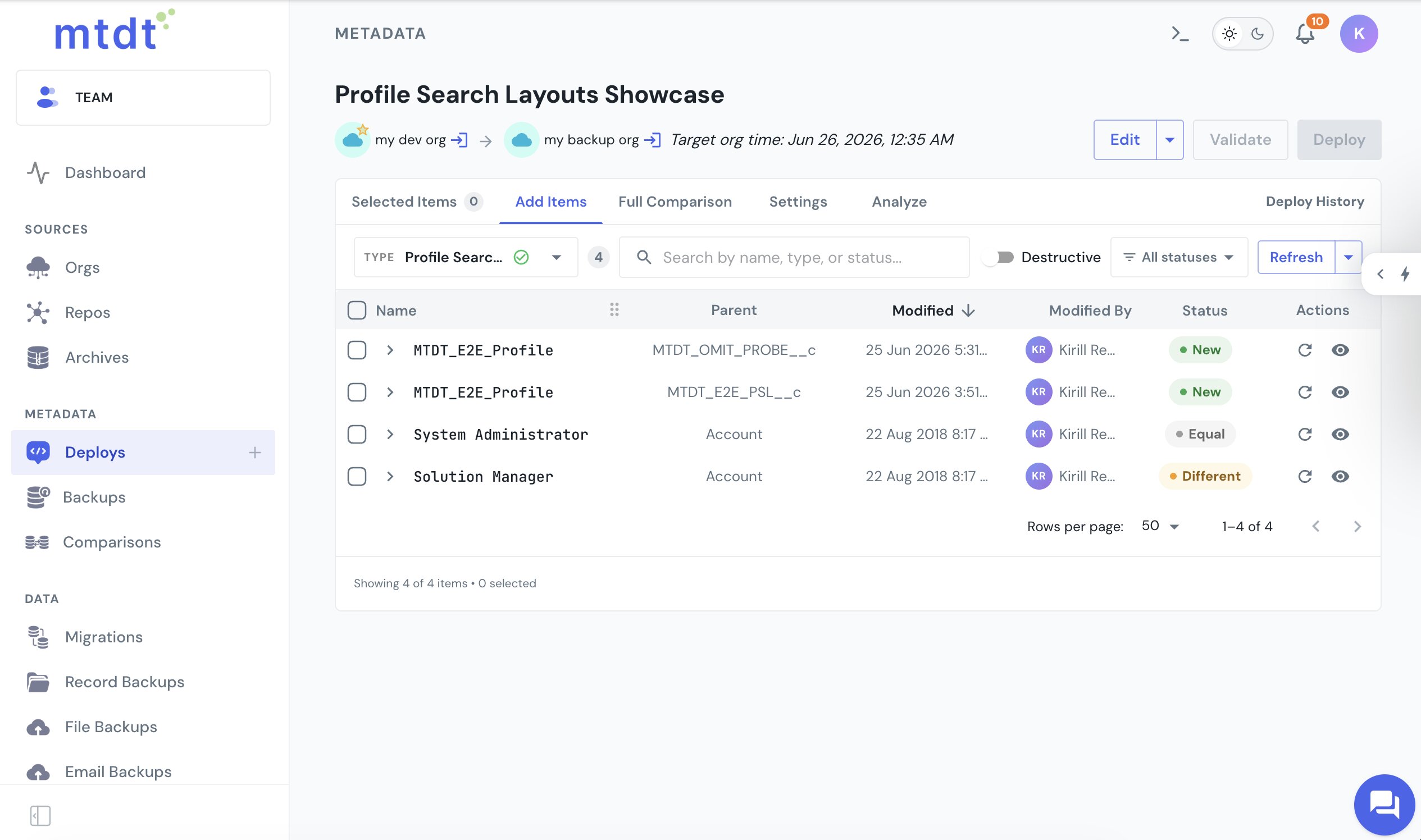
And it makes the profile applicable on the target instead of leaving you to decode not applicable after a failed deploy. Two pre-deploy checks team up.
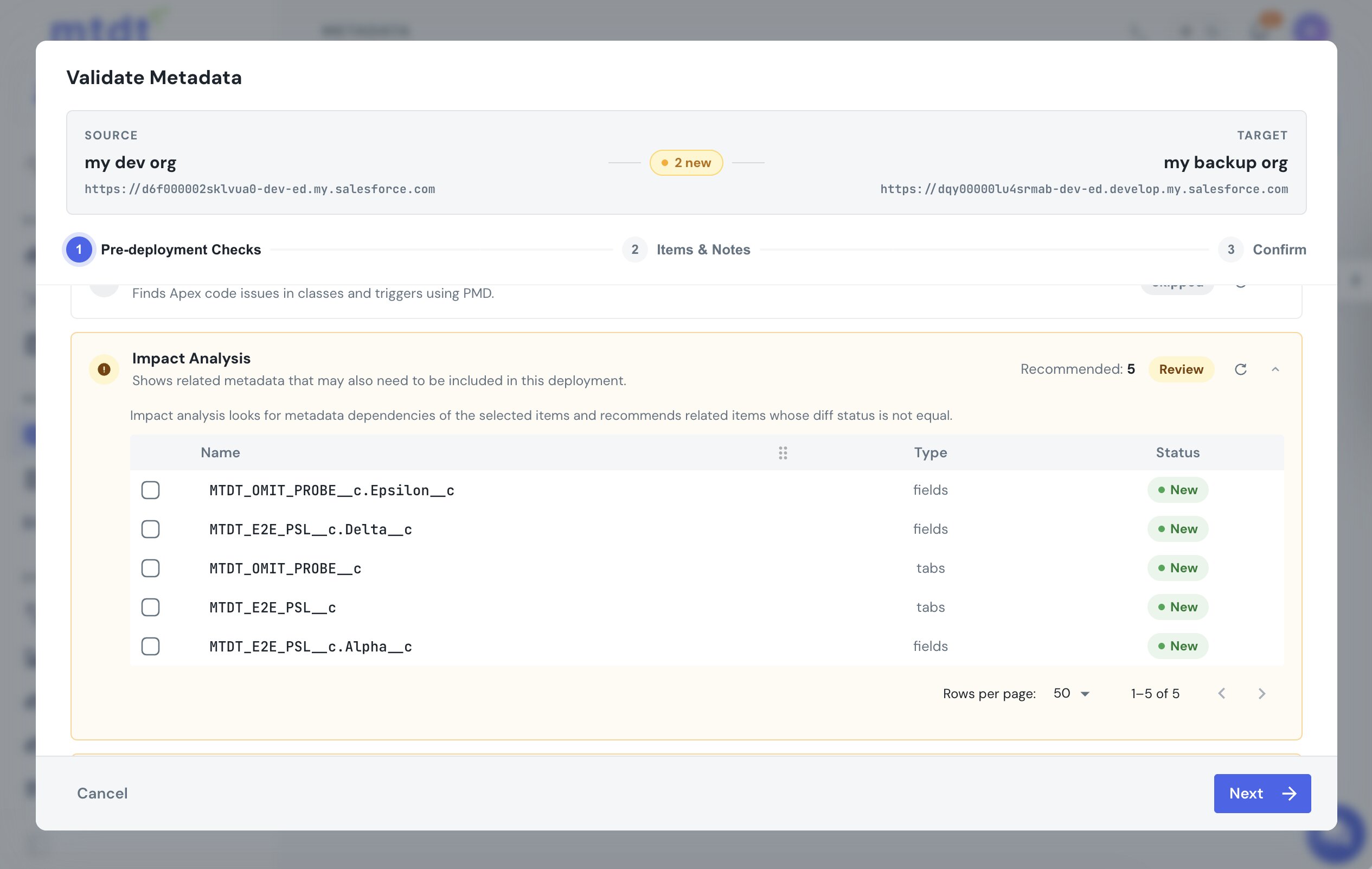
Impact Analysis recommends the object's custom tab when the target is missing it, so you pull the tab into the same deploy:
The Profiles & Permissions check names the profiles that aren't applicable yet — the object, the profile, and the gap (no tab, no read) — and offers a row that grants the profile read on the object:
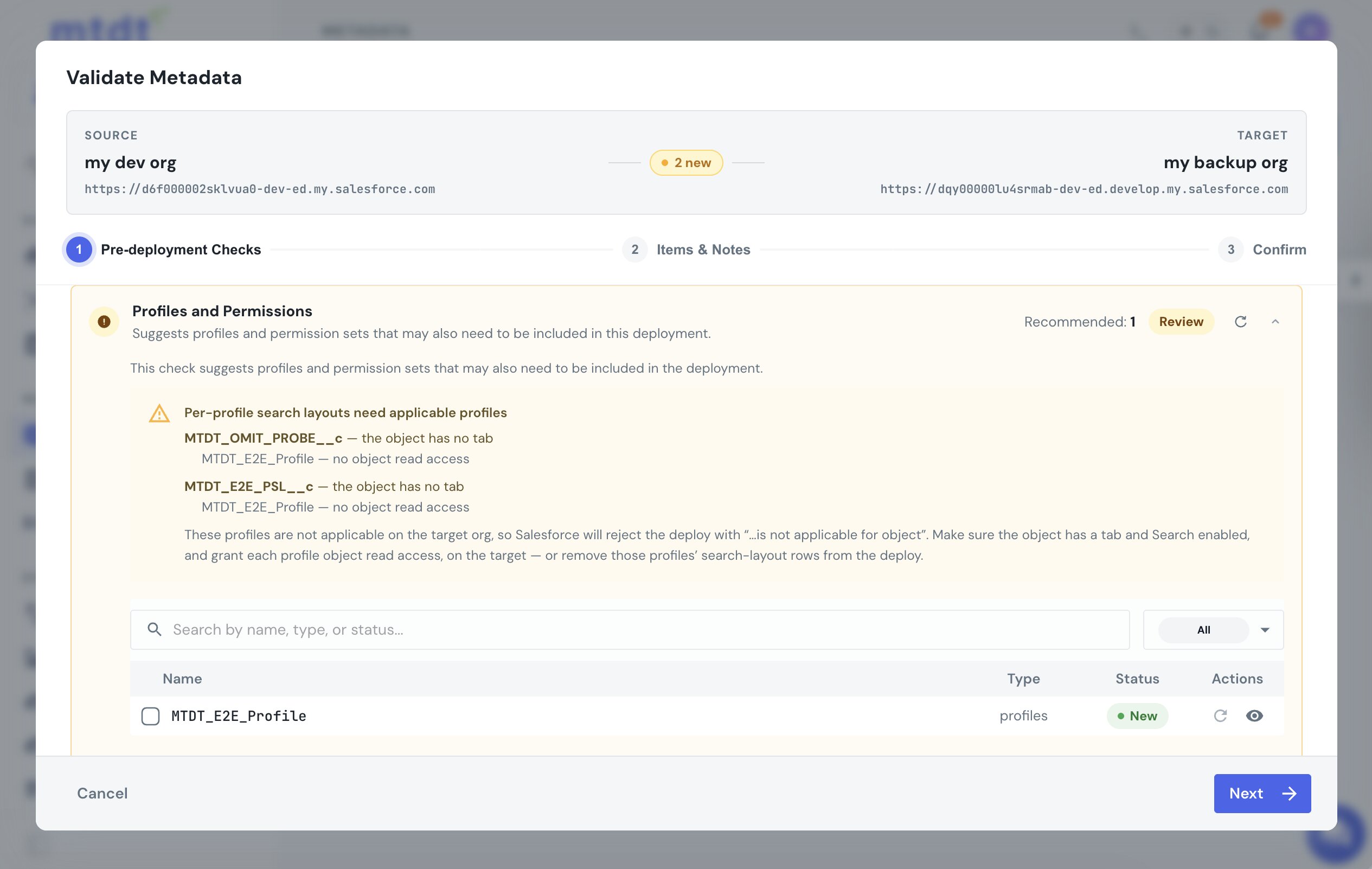
Search is enabled on the object itself, which rides along when you deploy it. You include the recommended pieces and deploy. mtdt surfaces each fix for you to add; it never changes permissions behind your back, so the grant stays your call.
It also recommends the fields the layout references — the columns it shows — so you include them and the layout lands intact. For the standard, org-wide version, see Deploy Edited Search Layouts Without Redeploying the Whole Object.
FAQ
What does "Profile Search Layout: profile name - X - is not applicable for object" mean? It means the profile doesn't meet Salesforce's requirements to have a search layout override on that object in the target org. On a custom object, all three of these must be true: the object has search enabled, the object has a custom tab, and the profile has read access to the object. The error doesn't say which requirement is missing.
Why does this only happen on custom objects? Standard objects like Account are applicable for profile search layouts out of the box. The applicability rule — search enabled, custom tab, profile read access — is specific to custom objects, where it's easy to deploy the search layout before the profile and object are fully set up to support it.
Can I deploy a profile search layout without deploying the whole object? Yes. mtdt.io decomposes profile search layouts into per-profile selectable items, so each profile's override is its own row you can deploy on its own, without dragging the rest of the object's configuration along.
How does mtdt.io figure out what's missing before the deploy fails? Two pre-deploy checks work together: Impact Analysis recommends the object's custom tab when the target is missing it, and the Profiles & Permissions check names which profiles aren't applicable yet and why (no tab, no read access), offering a row that grants the profile read access on the object. mtdt.io never changes permissions automatically — you choose whether to add the recommended grant.
Does mtdt.io also handle the fields a profile search layout references? Yes. It recommends the fields the layout shows as columns, so you can include them in the deployment and the layout lands intact instead of failing on a missing field reference.
Deploy profile search layouts without the guesswork
Let mtdt.io deploy each profile's search layout on its own — and hand you the tab and access each profile needs before Salesforce rejects them.
Log in to mtdt.io and deploy your search layouts.
Was this page helpful?
Let us know how we did