Backing Up Salesforce Data Records
Metadata backups protect your org's configuration. Data backups protect your records — Accounts, Contacts, custom objects, and the relationships between them. mtdt.io captures record data on a schedule and lets you restore it back into an org when you need it.
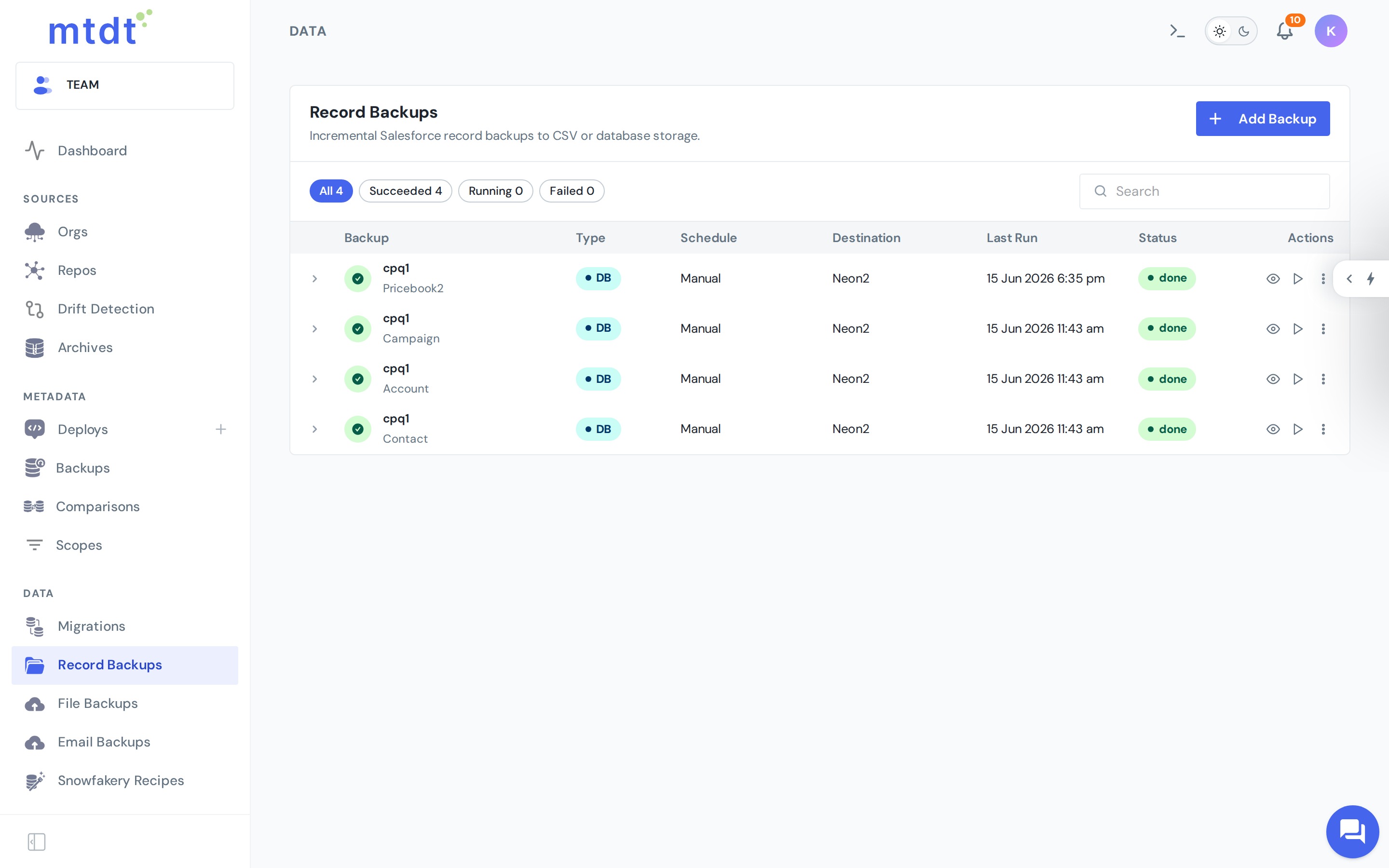
You create and manage data backups under Record Backups.
Two backup modes
mtdt.io offers two ways to store a data backup. You pick the mode per backup, based on what you need from it.
| CSV / S3 | PostgreSQL | |
|---|---|---|
| Where it lands | CSV files in object storage (your S3 bucket, or mtdt storage) | Your own PostgreSQL database |
| Best for | simple, portable, point-in-time copies | a queryable, versioned source of truth |
| Version history | point-in-time snapshots per run | full per-record history |
| Query with SQL / BI | no (flat files) | yes (real database tables) |
| Setup | none beyond a storage bucket | connect a database |
- CSV & S3 backups — the simplest option: portable CSV snapshots you can download or store in your own bucket.
- PostgreSQL backups — records land in your own database, queryable and with full version history.
Not sure which? See the deep dive: Salesforce data backup to your own PostgreSQL.
Scheduling and limits
Data backups run on a schedule that depends on your plan:
- Free — weekly schedule, up to 3 objects.
- Pro — daily schedule, up to 10 objects.
- Team — unlimited objects, no cadence limit.
You can also run a backup on demand at any time.
Data backup vs. metadata backup
- Metadata Backup protects configuration (fields, flows, Apex…).
- Data Backup protects the records inside those objects.
A complete recovery plan uses both: metadata to rebuild how the org works, data to restore what's in it.
Best practices
- Back up your highest-value objects (the ones that would hurt most to lose or corrupt) first.
- Test a restore into a sandbox occasionally so you know the recovery path works before you need it.
- Schedule production data backups rather than relying on ad-hoc exports.