Migrating Salesforce CPQ Data
Salesforce CPQ (the SBQQ package) stores its configuration as records, not metadata — product rules, price rules, discount schedules, configuration attributes, and the web of lookups between them. That makes moving a CPQ setup between orgs notoriously error-prone. mtdt.io packages it into a guided migration.
What makes CPQ special
CPQ configuration spans many related SBQQ objects with deep parent-child and lookup relationships. Move them in the wrong order, or without remapping IDs, and the target org ends up with broken rules. mtdt.io knows the CPQ object model, so it migrates the whole graph coherently.
Running a CPQ migration
- Open Migrations and start a CPQ migration.
- Select source and target orgs (for example, a configuration sandbox → production).
- Retrieve the CPQ configuration from the source.
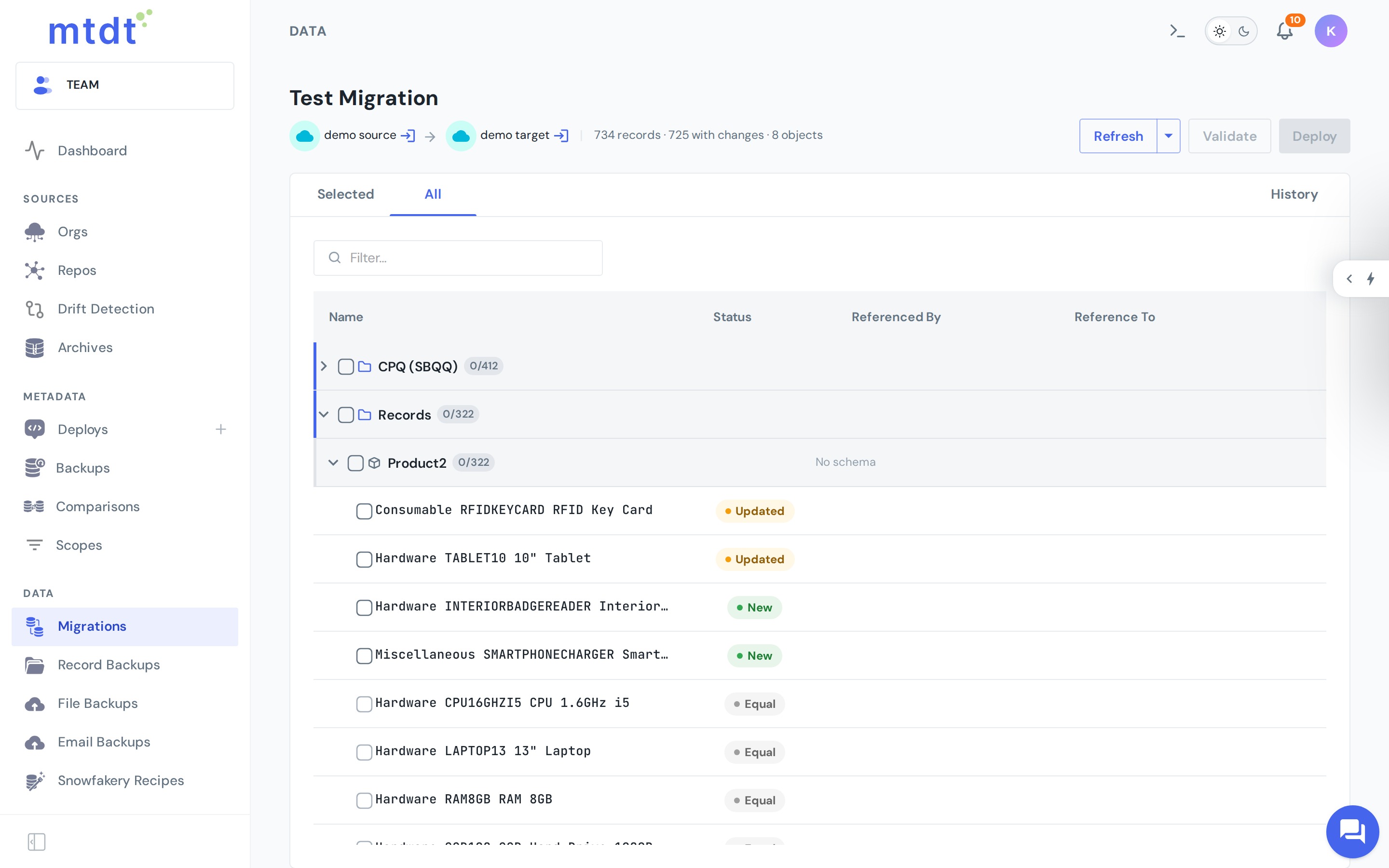
- Validate — review what will be inserted versus matched against records already present in the target.
- Deploy — mtdt.io writes the configuration to the target in dependency order, remapping lookups so every rule points at the right related record.
Bringing the fields along
CPQ records can only land if the target org has the fields to hold them. When mtdt.io compares the two orgs and finds an object whose custom fields differ — a field that's missing on the target, or configured differently — it shows an Add to Deployment checkbox on that object.
Tick it, and before writing any data mtdt deploys those missing or changed custom fields to the target, together with their field-level security (the field permissions on each profile). The records then have somewhere to go — no separate metadata deployment to run first. For CPQ this is on by default, so the option simply appears whenever there's a gap.
It's a targeted shim, not a full schema migration: mtdt brings custom fields and their FLS, not whole objects, layouts, record types, or validation rules. The object itself must already exist on the target — mtdt fills in the fields it's missing.
Matching and re-runs
Re-running the same migration is safe: mtdt.io remembers how each source record maps to the one it created in the target, so a second run updates those records instead of duplicating them. Iterate freely — migrate, adjust in the source, and migrate again.
When a record already exists in the target independently — created by hand, or by an earlier load mtdt didn't run — use the Match feature to pair it with its source counterpart. Salesforce IDs differ in every org, so matching is how mtdt knows the two are the same record; once matched, the migration updates it instead of inserting a duplicate.
Best practices
- Rehearse in a sandbox before migrating into production.
- Validate and read the insert/match summary every time — it's your preview of what the deploy will do.
- Keep source and target on compatible CPQ package versions to avoid field-level mismatches.
- Confirm field-level security landed when you let mtdt.io deploy fields. mtdt migrates profile field permissions (not permission-set ones), matched by profile name; if a profile exists in the source but not the target, the field still deploys but that profile's permission is skipped.
- Migrate during a quiet window for large configurations, since the process is subject to Salesforce API limits.
For the general concepts behind record migration, see Data Migration Between Environments.