Backing Up Metadata to a Repository
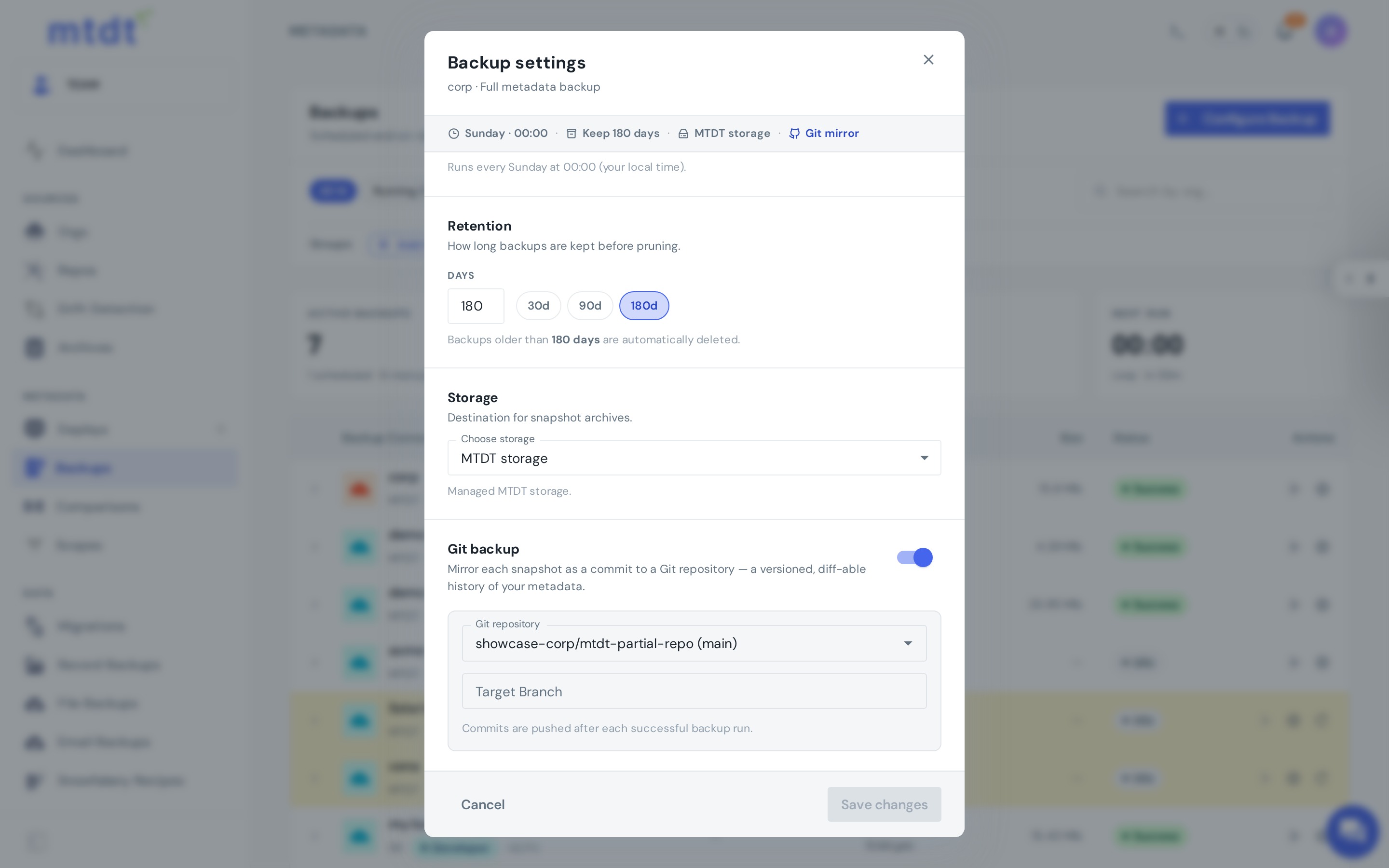
Beyond deployments, mtdt.io can snapshot an org's metadata and push it to a branch as a standalone backup — a complete, source-formatted copy of your configuration, versioned in Git. No deployment required, and no sfdx scripts to maintain.
This gives you a living mirror of an org in version control: full history, diffs, and a baseline for reliable comparisons.
How it works
- Choose the org to snapshot and the connected repository (and branch) to push into.
- mtdt.io retrieves the org's metadata and commits it to the branch in source format.
- Later, re-push to update the branch with the org's current state — so the Git mirror keeps tracking the org instead of going stale after a one-time dump.
When you'd use this
- Onboarding a repo from an existing org — capture the current configuration as your starting baseline.
- A versioned safety net — keep a Git-tracked copy you can diff, review, and check out any past state from.
- Capturing out-of-band changes — pick up edits made directly in the org (outside mtdt.io) by re-pushing on a cadence.
Backup to Git vs. Metadata Backup
These sound alike but solve different problems — most teams want both:
- Backup to Git (this guide) — metadata as a version-controlled source of truth with history, diffs, and branches.
- Metadata Backup — scheduled point-in-time snapshots for recovery, independent of your Git workflow.
Think of Git as your working history and Metadata Backup as your insurance policy.
Best practices
- Re-push on a cadence so the mirror stays current even for changes made outside mtdt.io.
- Use a dedicated branch for org snapshots if you want to keep them separate from your development branches.