Pushing Changes as a Pull Request
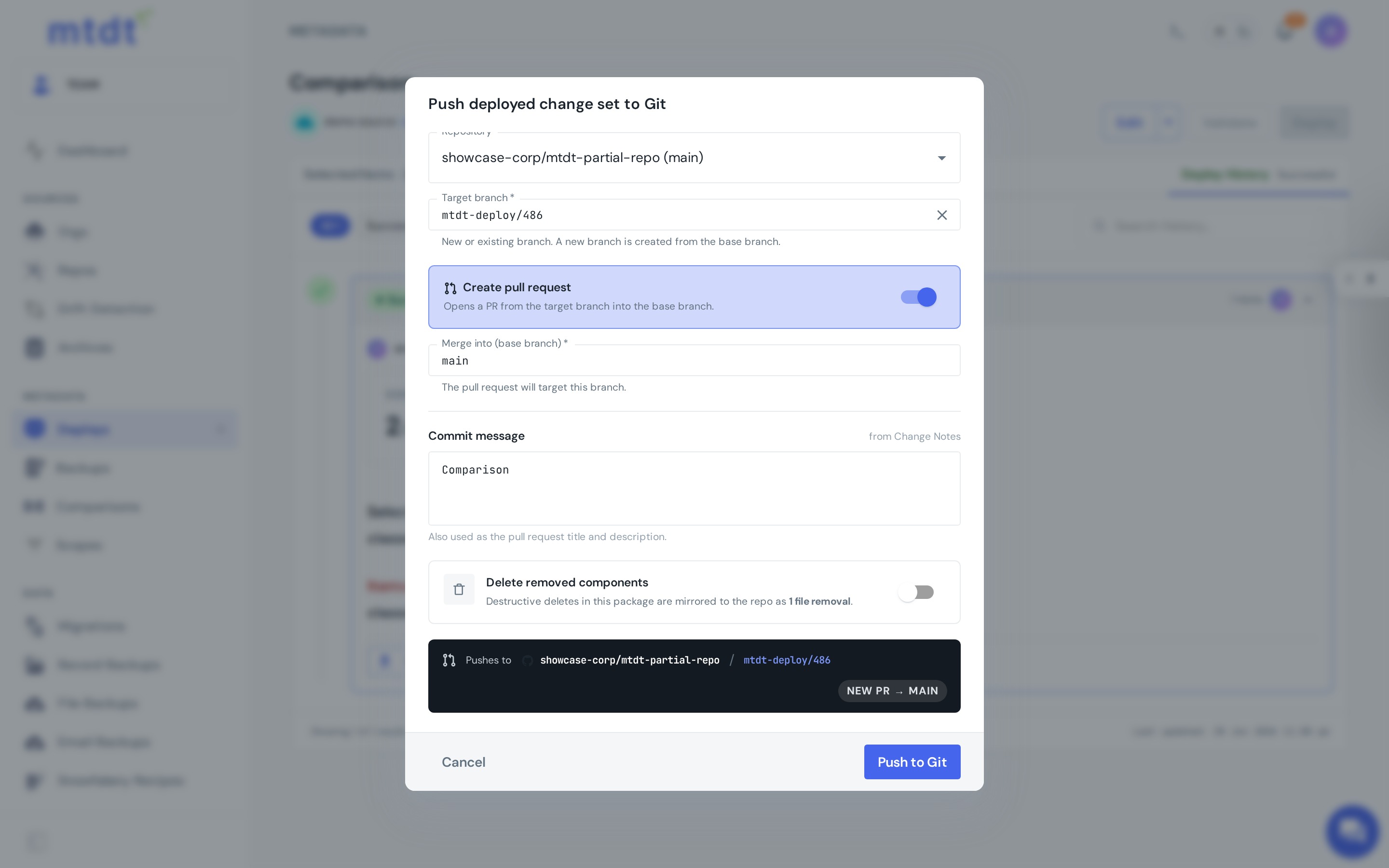
Sometimes a change shouldn't land straight on a protected branch. Instead of committing directly, mtdt.io can push a change set to your repository as a pull request — so it goes through normal code review before it's merged.
You get the second set of eyes and the audit trail that a direct commit skips, without leaving mtdt to do it.
How it works
- When pushing to Git — whether at deploy time or afterward — choose to open a pull request instead of committing to the branch directly.
- mtdt.io creates a branch with your changes and opens a PR against the target branch in your provider (GitHub or GitLab).
- Your team reviews the diff and merges it through your normal process.
When you'd use this
- Protected branches —
main(or any release branch) requires PRs, so a direct commit isn't an option. - Mandatory review — your team policy is that every change gets a second reviewer.
- Audit and compliance — you need a recorded approval trail for changes to production-bound branches.
- Cross-team changes — the people deploying and the people who own the branch aren't the same.
Direct commit vs. pull request
- Direct commit — fastest; good for your own dev branch or low-risk sync.
- Pull request — adds review and an approval trail; right for protected and shared branches.
Best practices
- Default to PRs for any protected branch and keep direct commits to personal/dev branches.
- Write a descriptive PR title and body — reviewers shouldn't have to reverse-engineer intent from the diff.
- Combine with Static Analysis in CI so reviews catch quality issues, not just correctness.