Deploying and Pushing to a Repository
When you deploy a change to an org, the same change should land in your repository — otherwise Git quietly falls behind the org. mtdt.io gives you two ways to get a deployed change into the repo, differing only in when it happens.
Variant A — push at deploy time (one step)
In the deployment dialog, enable "Push changes to git after deploy." mtdt.io then deploys the selected components to the target org and commits exactly those components to your chosen repository and branch — in source format, in a single action. Pick the repo, the branch, and a commit message, and the push happens automatically once the deployment succeeds.
Use this when you want the repo to stay in sync by default, with nothing to remember after the fact.
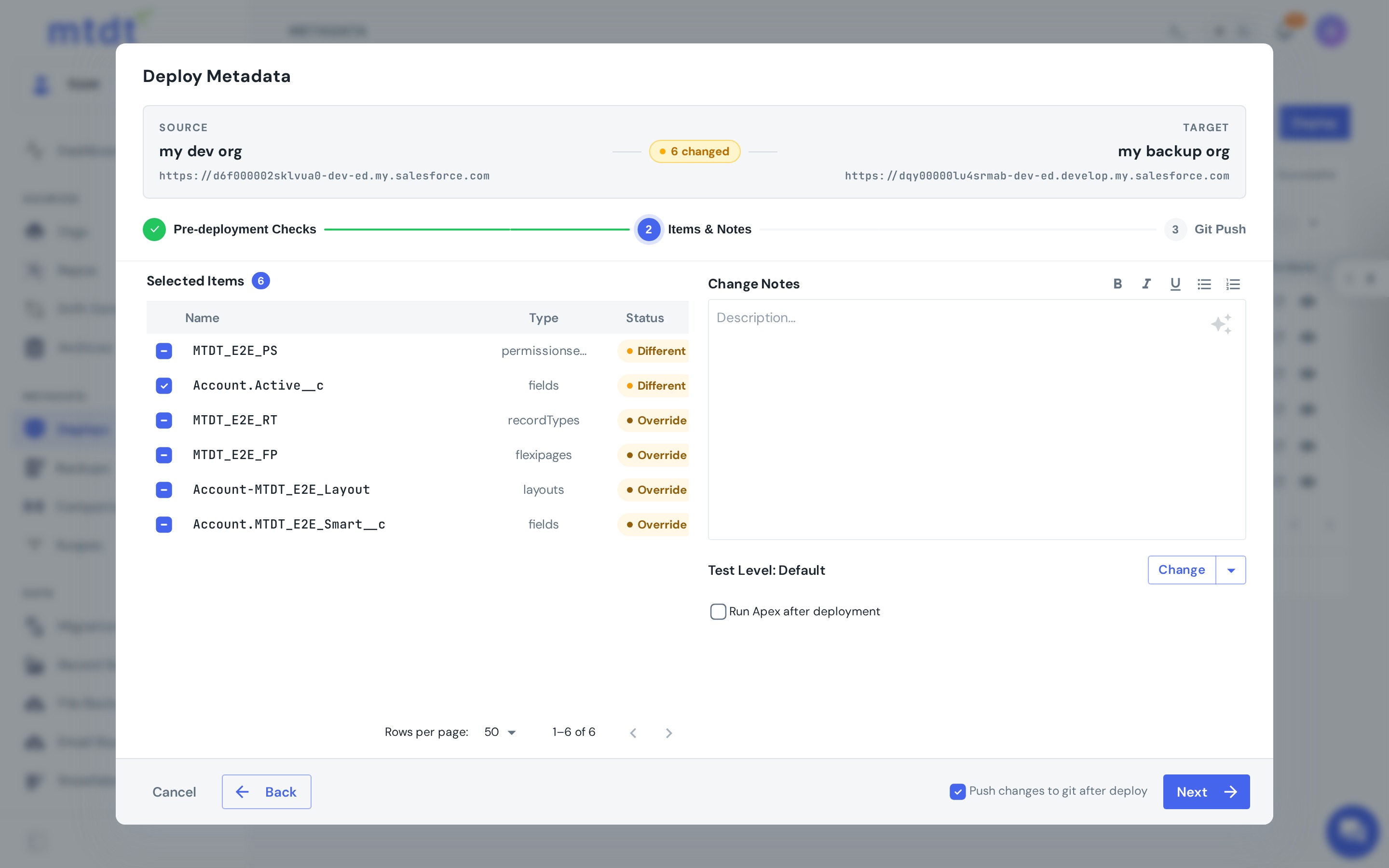
Variant B — push a successful deploy afterward
Already deployed, and want it in Git now? Open the deployment from Deploy History and choose Push to Git. mtdt.io pushes that deployment's exact change set to the repository after the fact — no need to reconstruct what changed.
Use this when the deployment already ran (maybe before a repo was connected, or you decided to version it later), or when you only want some deploys committed.
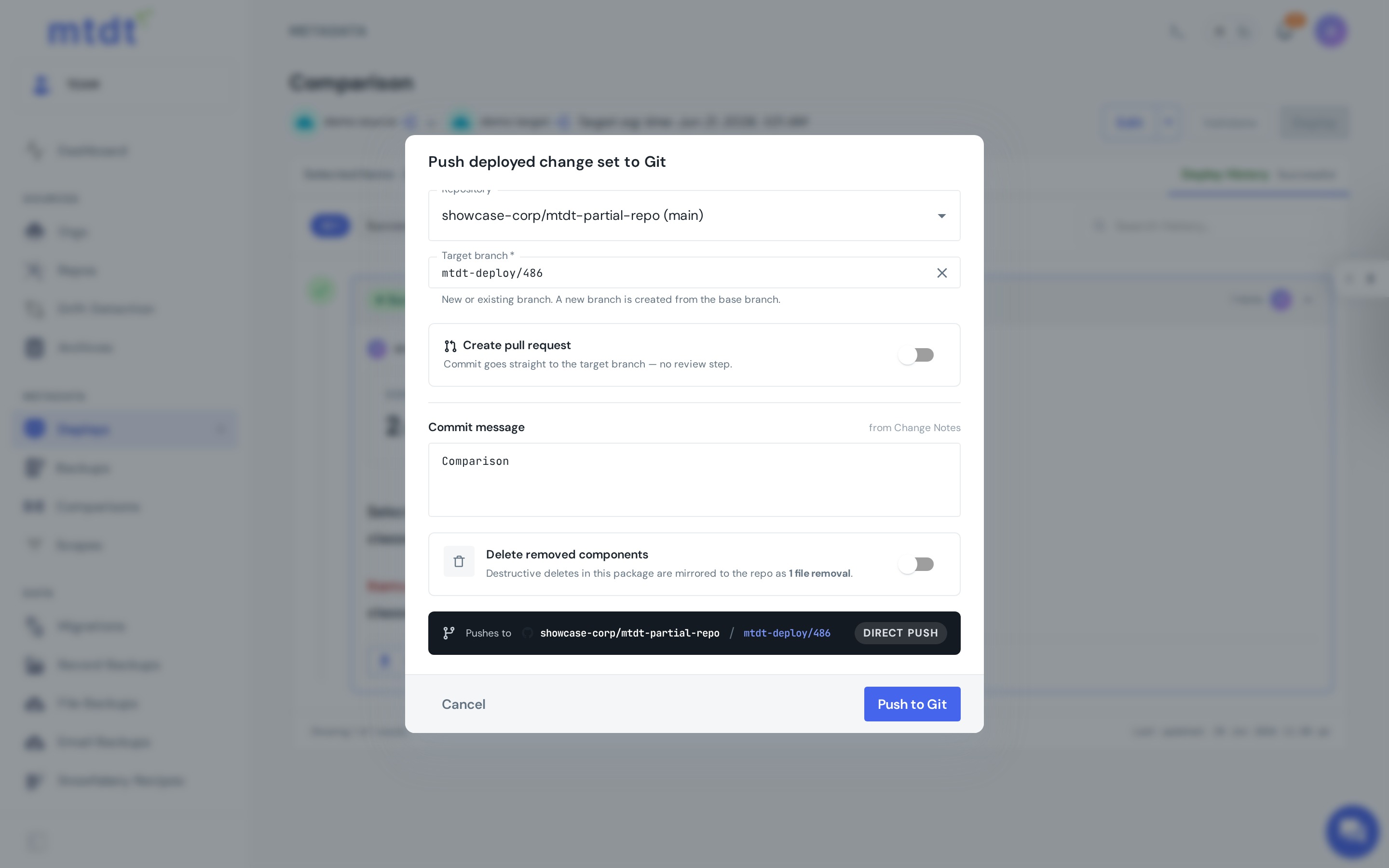
Which variant should I use?
| Situation | Use |
|---|---|
| Keep the repo in sync on every release | Variant A — push at deploy time |
| Deploy happened before a repo was connected | Variant B — push afterward |
| Only specific deployments should be versioned | Variant B — push selectively |
| You want review before it hits the branch | Either, via pull request |
When you'd use this
- Org → Git on every change so the repo never drifts behind production.
- Backfilling history — push past deployments into the repo to build up a record.
- A current baseline for comparisons, reviews, and repeatable releases.
Best practices
- Turn on push-at-deploy for routine releases so the repo stays current with zero extra steps.
- Write a real commit message — it's your change history; "deploy" tells future-you nothing.
- For protected branches, push as a pull request instead of committing directly.
- Pair with a rollback point on important deploys so the change is both versioned and reversible.