Connecting to a Salesforce Environment
Before you can deploy, back up, or analyze anything, mtdt.io needs access to your Salesforce org. Connections use Salesforce's standard OAuth flow — mtdt never stores your Salesforce password.
Connect an org
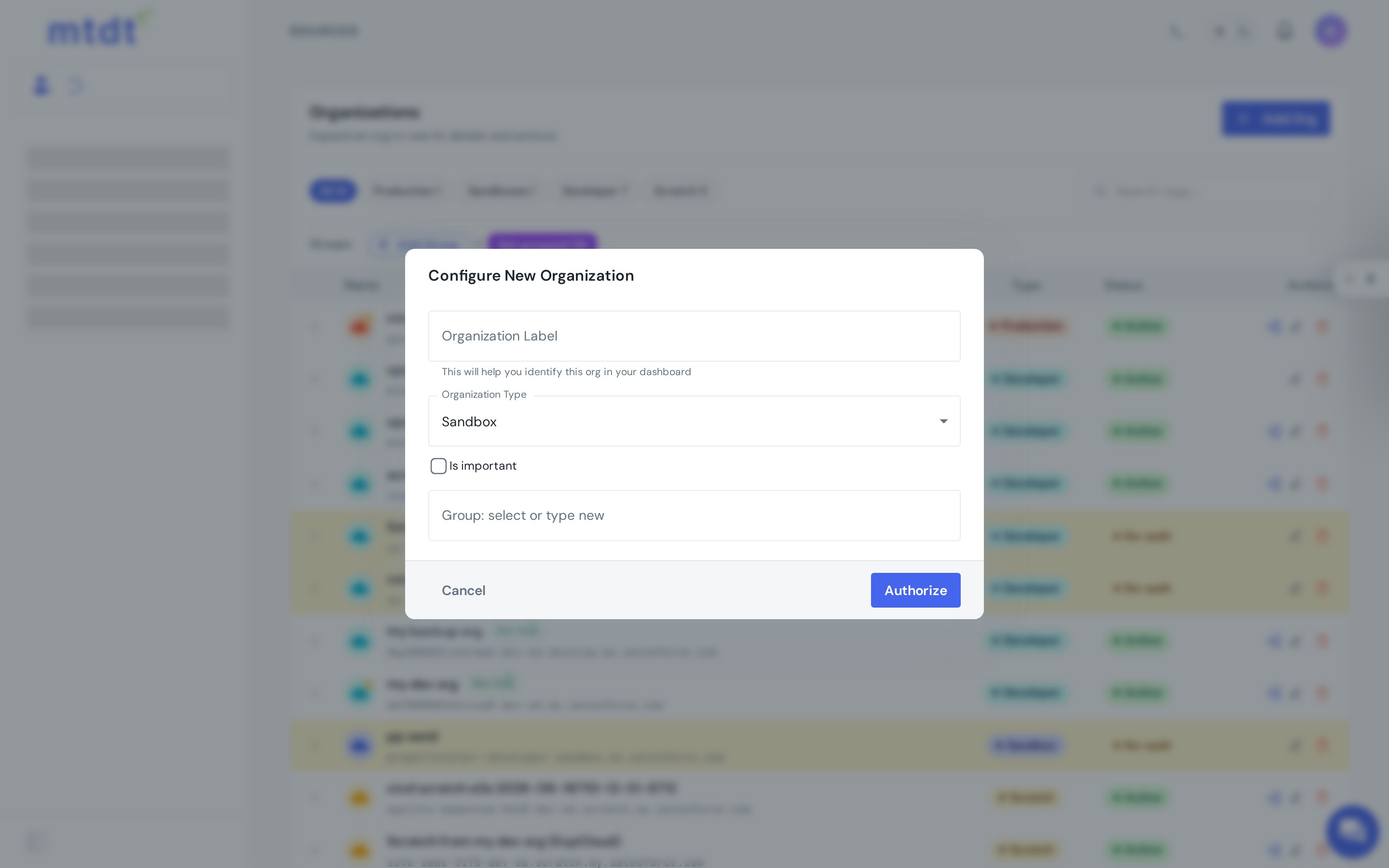
- Open Orgs from the left navigation and choose Connect org (or Add org).
- Pick the environment type so mtdt.io points at the right login host:
- Production / Developer Edition —
login.salesforce.com - Sandbox —
test.salesforce.com - Custom domain — your My Domain URL, for scratch orgs or branded domains.
- Production / Developer Edition —
- You're redirected to Salesforce. Log in and Allow the requested access.
- After authorizing, you're returned to mtdt and the org appears in your Orgs list, labeled with its type, edition, and namespace (if it has one).
Repeat for every environment you work with — production, UAT, integration sandboxes, scratch orgs. Sandboxes and scratch orgs are unlimited on every plan; production orgs are limited by plan tier.
What mtdt.io reads
On connect, mtdt.io records basic org context — instance, edition, sandbox flag, and namespace prefix — which it uses to scope metadata and data operations correctly. It requests the API access needed to retrieve and deploy metadata and to read and write records when you ask it to.
Keeping a connection healthy
Salesforce access tokens expire, and admins can revoke them. If a connection goes stale, mtdt.io flags the org as needing reauthorization.
- Reconnect from the Orgs page using Reconnect on the affected org.
- Re-authorizing refreshes the connection without changing any of your saved deployments, backups, or history.
Best practices
- Use a dedicated integration user for production where possible, so access is auditable and not tied to a personal account.
- Connect the source-of-truth orgs early (production and your main sandboxes) so comparisons have the environments they need.
- Reconnect promptly when prompted — scheduled jobs (backups and health checks) are skipped while an org needs reauthorization.
With at least one org connected, the next step is to connect version control.