Running Environment Health Checks
A Health Check scans a connected org and surfaces configuration risks and misalignments before they cause an incident — so you find the expiring certificate or the gap in coverage on your schedule, not during an outage.
What a health check looks for
A run inspects the org for known risk signals and reports each finding with a severity, for example:
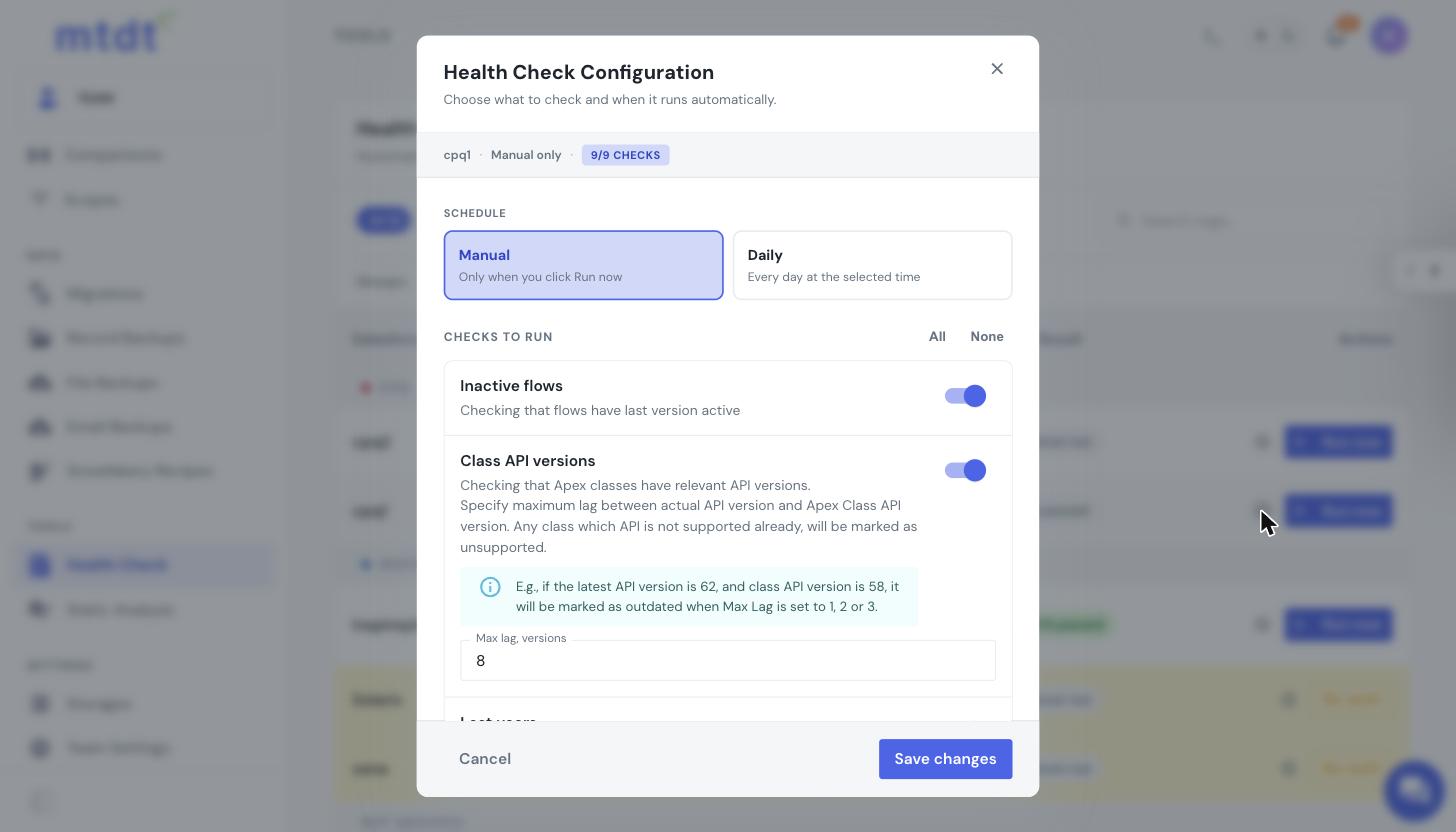
- Certificate expirations — certificates approaching or past their expiry date, with configurable warning and error thresholds (e.g., warn at 30 days, error at 5).
- Configuration risks and misalignments that commonly bite teams in production.
Each finding is presented clearly so you can act on the highest-severity items first.
Running a check
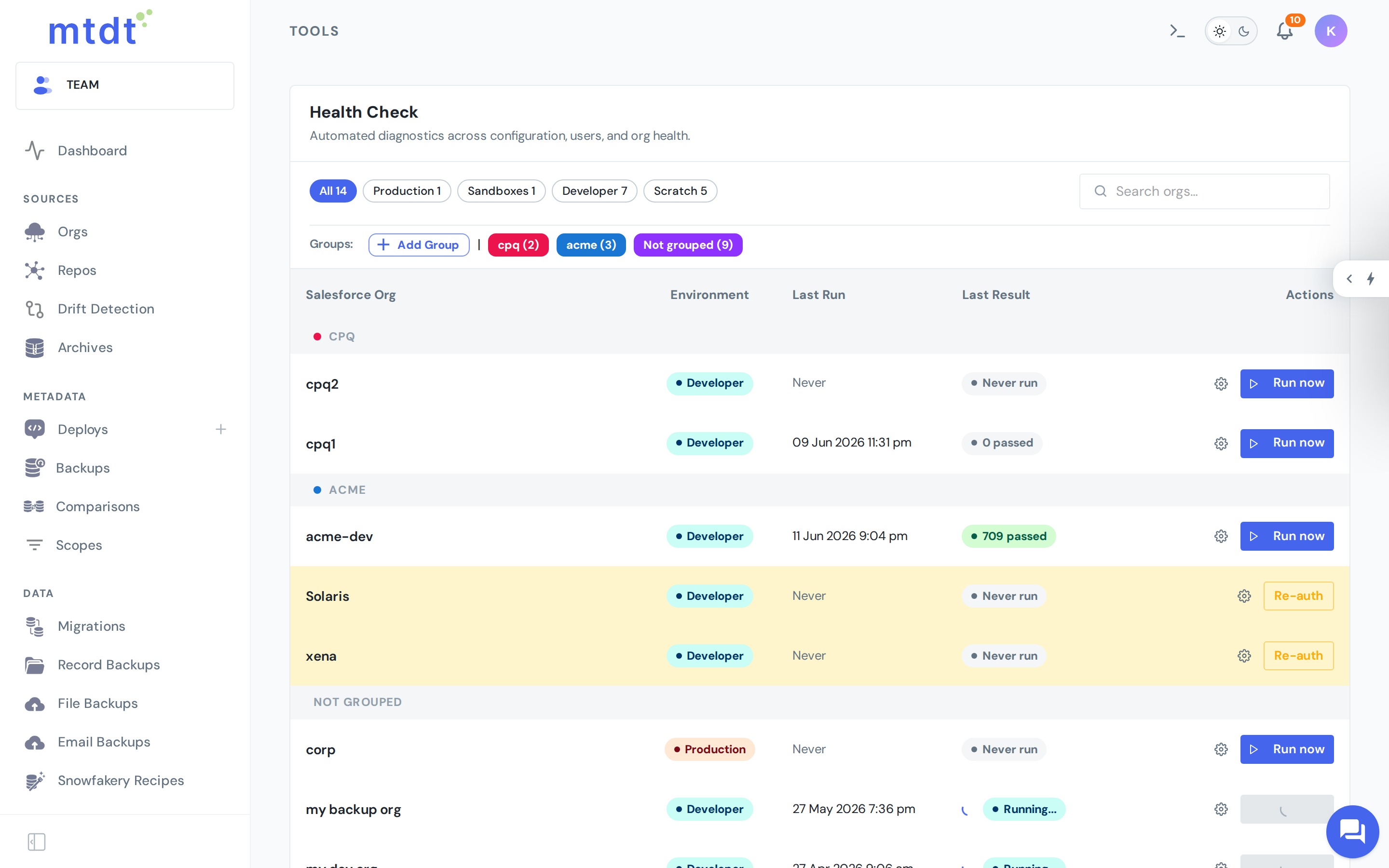
- Open Health Check and select a connected org.
- Run it on demand, or set a schedule.
- For scheduled runs, choose the day and time so the check lands when it suits your team (e.g., early morning before the workday).
Results are listed with their severity and details, and the history lets you track whether issues are being resolved over time.
Plans and cadence
- Free — one weekly scheduled job for one org, plus unlimited manual runs.
- Pro — daily scheduled jobs for up to 5 orgs, plus unlimited manual runs.
- Team — unlimited scheduled health checks across all orgs, plus unlimited manual runs.
Best practices
- Schedule a recurring check on production so risks like expiring certificates never surprise you.
- Tune the thresholds to match your renewal lead times.
- Triage by severity — clear the errors first, then work down the warnings.